

A professional email signature helps every business message present your personal brand, company, services, and contact information clearly. It gives clients and customers an easy way to reach you while adding a polished appearance to each email.
If you want to create a professional email signature efficiently, an email signature template provides a ready-made structure. A suitable signature template saves time and avoids designing a layout from scratch.
Professional HTML email signature templates can create a consistent signature for Gmail or Outlook with your contact details, website, social media profiles, profile photo, and clickable links. Because email clients may display HTML differently, preview the design before using it.
✨ Create Your Professional Email Signature
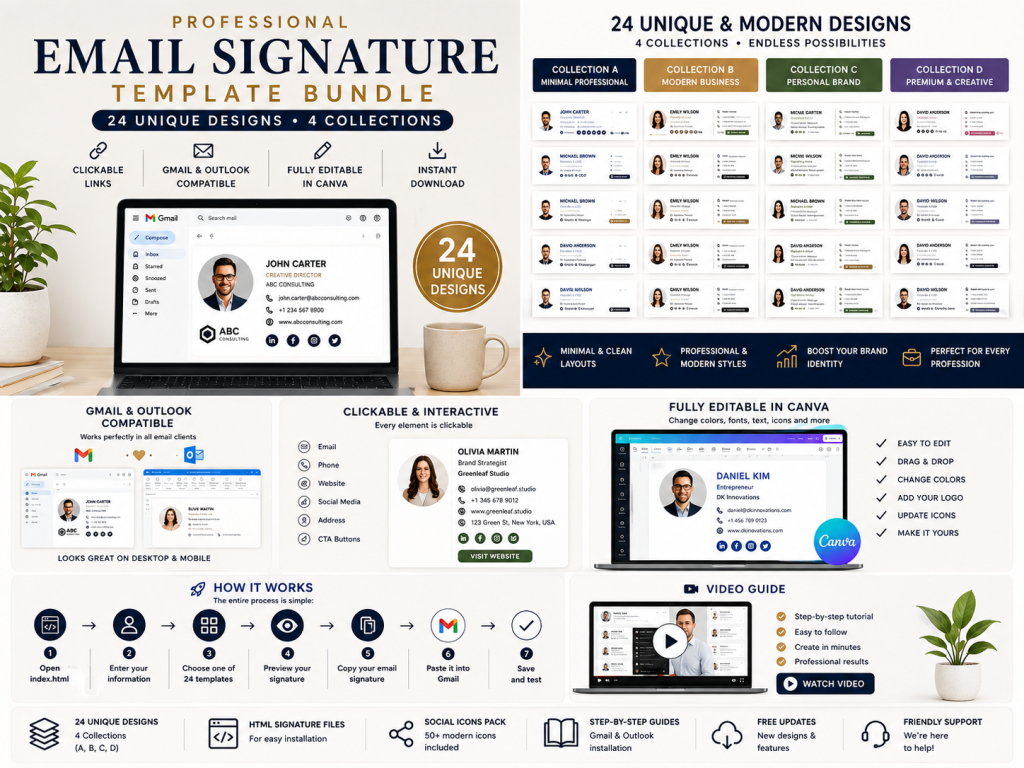
Ready to upgrade your emails with a professional, clickable design?
Get 24 professional HTML email signature templates for Gmail and Outlook, including an easy-to-use generator, PDF buyer guide, and step-by-step video tutorial.
👉 Get the Professional Email Signature Template on Etsy
What Is an Email Signature?
An email signature is text and visual information placed at the bottom of an email. When enabled in your email settings, it can be inserted automatically and usually includes the sender’s name, job title, company, contact details, website, and social media profiles.
A professional email signature can include:
- Full name
- Job title
- Company name
- Email address
- Phone number
- Website
- LinkedIn profile
- Instagram profile
- Facebook profile
- YouTube channel
- TikTok profile
- X profile
- Profile photo
- CTA button
After you create an email signature, you can save it in your email settings and use it automatically instead of typing the same information in every message.
Why Is a Professional Email Signature Important?
Your email signature does more than display contact information. It can support a professional image, make each message easier to use, and reinforce your personal or business brand without promising guaranteed sales or conversions.
1. Creates a Professional Impression
A clean, well-designed email signature gives your emails a more organized and professional appearance.
Whether you are writing to a customer, client, employer, business partner, or colleague, a clear signature presents useful information without making the message feel cluttered. For example, a freelancer can show a service title and portfolio, while a business owner can include a company logo and primary contact details.
2. Strengthens Your Brand
A consistent email signature can support your personal or business branding.
Using matching fonts, colors, layouts, company information, and social links may improve brand recognition across your communications. A logo and consistent visual style help recipients connect your emails with your wider brand, although they do not guarantee trust or sales.
3. Makes Contact Easier
A clickable email signature can help recipients reach your website, social profiles, or contact information without manually entering URLs. Link behavior may vary across email clients and devices, so test every destination.
For example, your signature can include clickable:
- Email address
- Phone number
- Website
- YouTube
- TikTok
- X
4. Promotes Your Website
Adding your website to an email signature gives recipients another way to discover your business, portfolio, services, products, or online store. It can support visibility, but website visits and conversions depend on the relevance of your content and offer.
5. Supports Personal Branding
An email signature is useful for freelancers, consultants, creators, designers, coaches, entrepreneurs, and real estate professionals.
Instead of relying on a basic text signature, you can use a professional visual identity that represents your work. Choosing a suitable template or comparing signature templates helps you create a consistent presentation across emails.
What Makes a Good Email Signature Template?
Choosing the right email signature template helps you create a polished design that is attractive without distracting from your message. Compare available signature templates and choose one that fits your communication style.
✨ Create Your Professional Email Signature
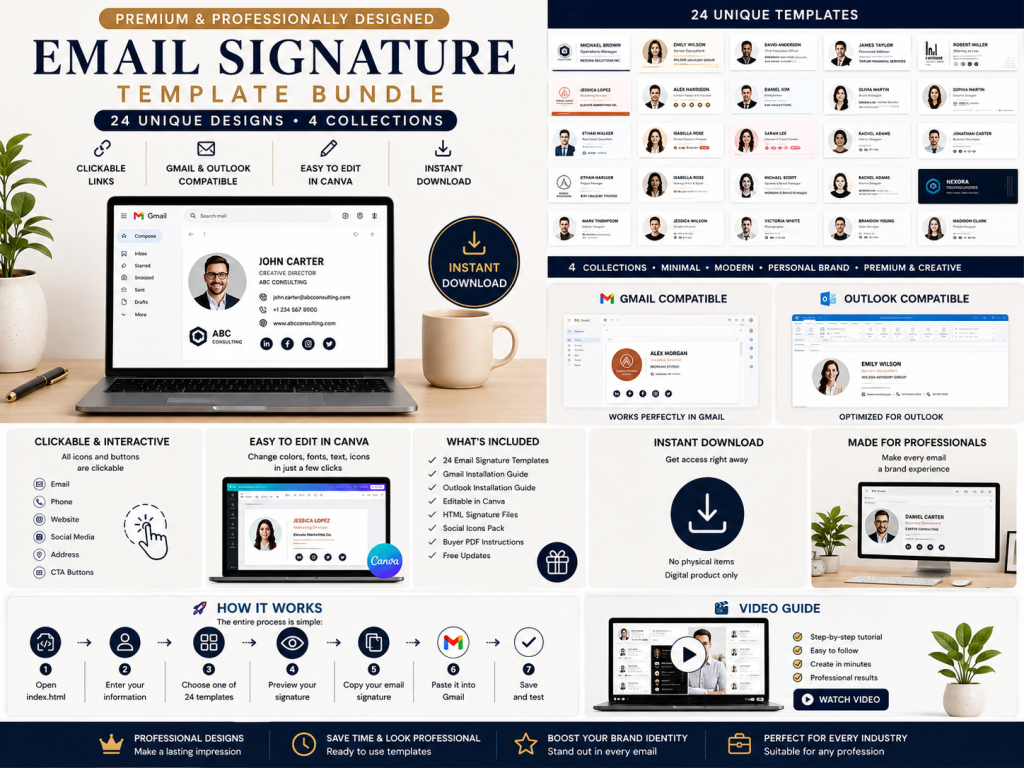
Ready to upgrade your emails with a professional, clickable design?
Get 24 professional HTML email signature templates for Gmail and Outlook, including an easy-to-use generator, PDF buyer guide, and step-by-step video tutorial.
👉 Get the Professional Email Signature Template on Etsy
A good template should have:
Clean Design
The signature should be easy to scan, visually organized, and focused on essential details rather than excessive decoration.
Professional Typography
Use readable fonts and a practical text size that suits business communication. Limit decorative styles so the signature remains clear across email clients.
Clear Contact Information
Your name, job title, email, phone number, and website should be easy to find. Treat the signature like a compact digital business card.
Clickable Links
Links should help recipients access your website and social profiles quickly. Test each link before sending emails.
Mobile-Friendly Layout
The signature should remain readable on smartphones and tablets. Check spacing, image scaling, and line breaks on smaller screens.
Strong Branding
Use colors and a logo that complement your personal or business brand. Maintain sufficient contrast for comfortable reading.
Clear CTA
A single CTA button can direct recipients to your website, portfolio, booking page, or store without overwhelming the layout.
HTML Email Signature vs. Plain Text Signature
There are two common approaches to creating an email signature: plain text and HTML.
A plain text signature might look like this:
John Smith
Marketing Manager
ABC Company
+1 555 123 4567
While this provides useful information, it has limited visual possibilities.
An HTML email signature can include formatting, images, clickable links, social icons, buttons, and professionally structured layouts. Add meaningful alternative text to images where supported and keep important information in text so it remains available if images do not load.
✨ Create Your Professional Email Signature
Ready to upgrade your emails with a professional, clickable design?
Get 24 professional HTML email signature templates for Gmail and Outlook, including an easy-to-use generator, PDF buyer guide, and step-by-step video tutorial.
👉 Get the Professional Email Signature Template on Etsy
HTML email signatures can give businesses and professionals a stronger visual presentation, but rendering varies by client and device. Always preview the final signature before using it.
What Is an HTML Email Signature?
An HTML email signature uses HTML formatting to create a structured signature with text, images, links, icons, and buttons. Unlike a plain-text signature, it can combine contact information with visual elements that support a professional email identity.
An HTML email signature can include:
- Profile photo
- Company logo
- Formatted text
- Website links
- Social media icons
- Clickable email address
- Clickable phone number
- CTA buttons
This format can make your signature look like a compact professional branding element rather than basic text. Keep essential contact information in text, however, so recipients can still read it if images do not load.
Manually writing or editing HTML can be difficult if you do not have coding experience. A generator can simplify the process, but check whether it copies the finished output or gives you editable source HTML.
That’s where an email signature generator can make it easier to create email signature designs from a ready-made email signature template.
How an Email Signature Generator Works
An email signature generator simplifies the process of creating a professional email signature without requiring advanced coding skills.
Instead of manually editing HTML code, you enter your information into a user-friendly interface. Before installation, review the links, images, spacing, and fallback text, and check how the signature handles hosted images and personal data.
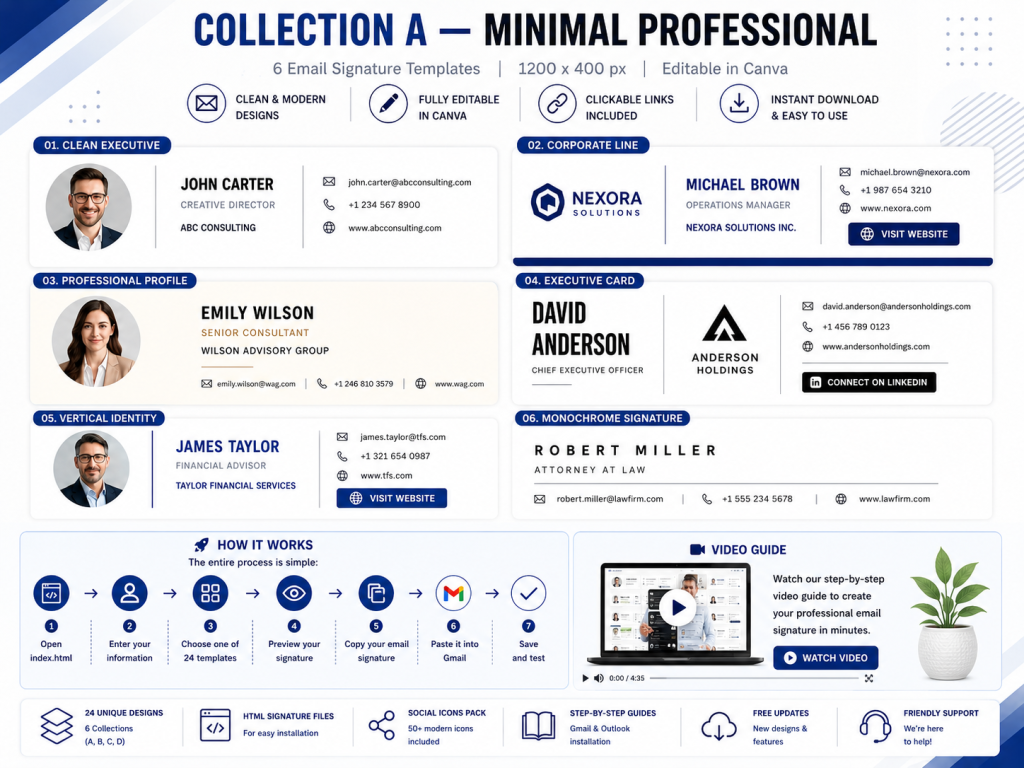
The typical process is:
Enter Information → Choose Design → Preview → Copy → Install
For example, with a template-based email signature generator, you can enter:
- Name
- Job title
- Company
- Phone
- Website
- Social links
- Profile photo
- CTA
You can then select your preferred design from the available email signature templates, preview the finished signature, and confirm that every contact detail and logo appears correctly before installing it.
Create an Email Signature Without Coding
A ready-made email signature generator lets you create a professional email signature without advanced HTML knowledge. This no-code workflow is useful for a business owner, freelancer, or anyone who wants a consistent signature quickly.
Open the included index.html generator in a modern browser such as Google Chrome.
Then:
✨ Create Your Professional Email Signature
Ready to upgrade your emails with a professional, clickable design?
Get 24 professional HTML email signature templates for Gmail and Outlook, including an easy-to-use generator, PDF buyer guide, and step-by-step video tutorial.
👉 Get the Professional Email Signature Template on Etsy
Step 1: Open the Generator
Open the included index.html file and confirm that the generator loads correctly.
Step 2: Enter Your Information
Add your name, job title, company, email address, phone number, website, logo, and social links.
Step 3: Choose a Template
Select a design from the available professional email signature templates, choosing a layout that fits your brand.
Step 4: Preview
Review the signature and check that all information, spacing, images, and links are correct.
Step 5: Copy
Click the Copy Signature HTML button.
Step 6: Install
Paste the signature into your Gmail or Outlook signature settings.
This process makes it easier to create an email signature than designing a signature template manually.
🚀 Ready to Create Your Signature?
Skip complicated HTML coding and create your professional email signature in just a few steps.
Open the generator → Enter your information → Choose your design → Copy → Install in Gmail or Outlook.
👉 Explore the 24 Email Signature Templates
How to Add an Email Signature to Gmail
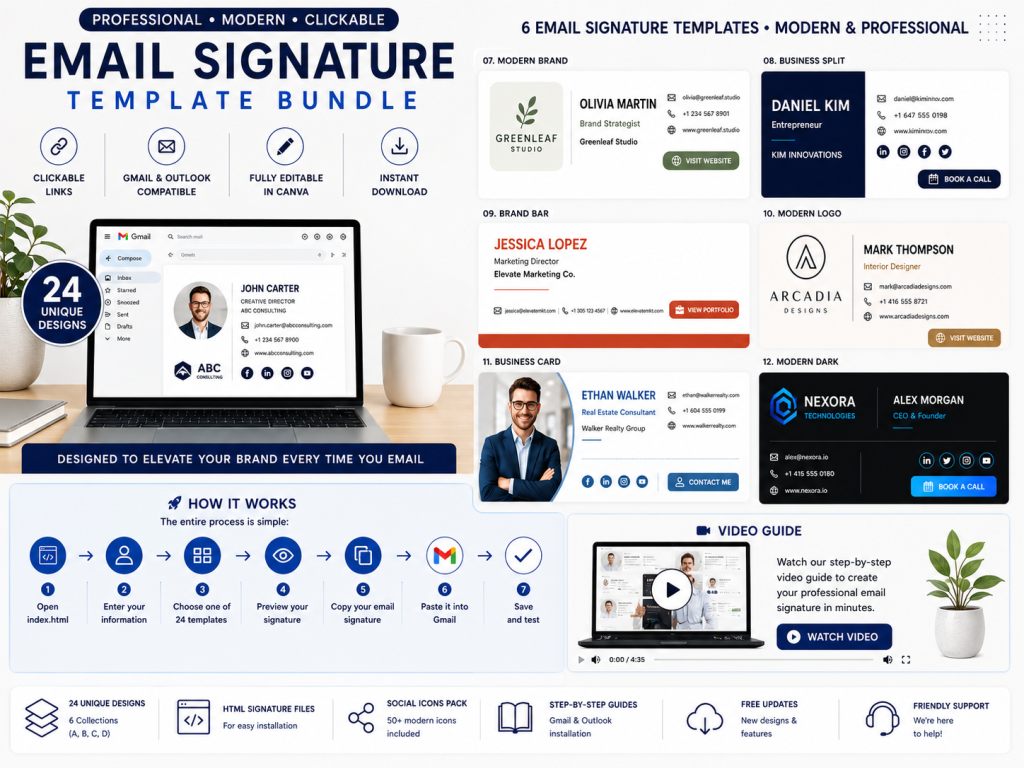
Gmail lets you create and manage email signatures from its settings.
After generating your signature, open Gmail on your computer.
Go to:
Settings → See all settings → General → Signature
Create a new signature and paste your generated signature into the editor.
Select it as the default signature for new emails and, if desired, for replies and forwards. Save your changes, then send yourself a test email.
Always Test Your Gmail Signature
After installation, check the name, contact information, website, social links, CTA, logo, and profile photo. Confirm that the signature displays properly on desktop and mobile.
How to Add an Email Signature to Outlook
Microsoft Outlook also supports professional email signatures. Open its signature settings, create a new signature, paste the generated HTML, and save your changes.
The exact interface differs between classic Outlook, new Outlook, Outlook on the web, and Mac. Follow the current instructions for your version, then send a test email to verify formatting and links.
Why Choose 24 Email Signature Templates?
Different professionals need different branding styles, so one signature design may not suit every business or communication goal.
One person may prefer a clean, minimal layout, while another may want a creative, executive, or image-led appearance.
Having multiple designs makes it easier to choose a style by industry, tone, and brand rather than relying on a generic template.
A bundle of 24 professional email signature templates can provide options for:
- Business owners
- Entrepreneurs
- Freelancers
- Consultants
- Realtors
- Executives
- Designers
- Photographers
- Marketing professionals
- Agency owners
- Sales professionals
- Content creators
- Coaches
- Personal brands
- Small businesses
For example, a real estate professional may choose a layout with a logo, profile photo, listing link, and booking CTA. The right design can make an email feel more like a professional business card and support trust without guaranteeing sales.
✨ Create Your Professional Email Signature
Ready to upgrade your emails with a professional, clickable design?
Get 24 professional HTML email signature templates for Gmail and Outlook, including an easy-to-use generator, PDF buyer guide, and step-by-step video tutorial.
👉 Get the Professional Email Signature Template on Etsy
Clickable Email Signature Links
One of the most useful features of a professional HTML email signature is clickable information.
Instead of asking recipients to type a website address or social username, you can provide direct links. Link behavior may vary by email client and device, so test each destination.
For example:
Website → Opens your website
Email → Opens an email composer
Phone → Opens a phone link on supported devices
LinkedIn → Opens your professional profile
Instagram → Opens your Instagram profile
YouTube → Opens your channel
Clickable links make your signature more convenient while helping recipients access relevant details.
Add Social Media to Your Email Signature
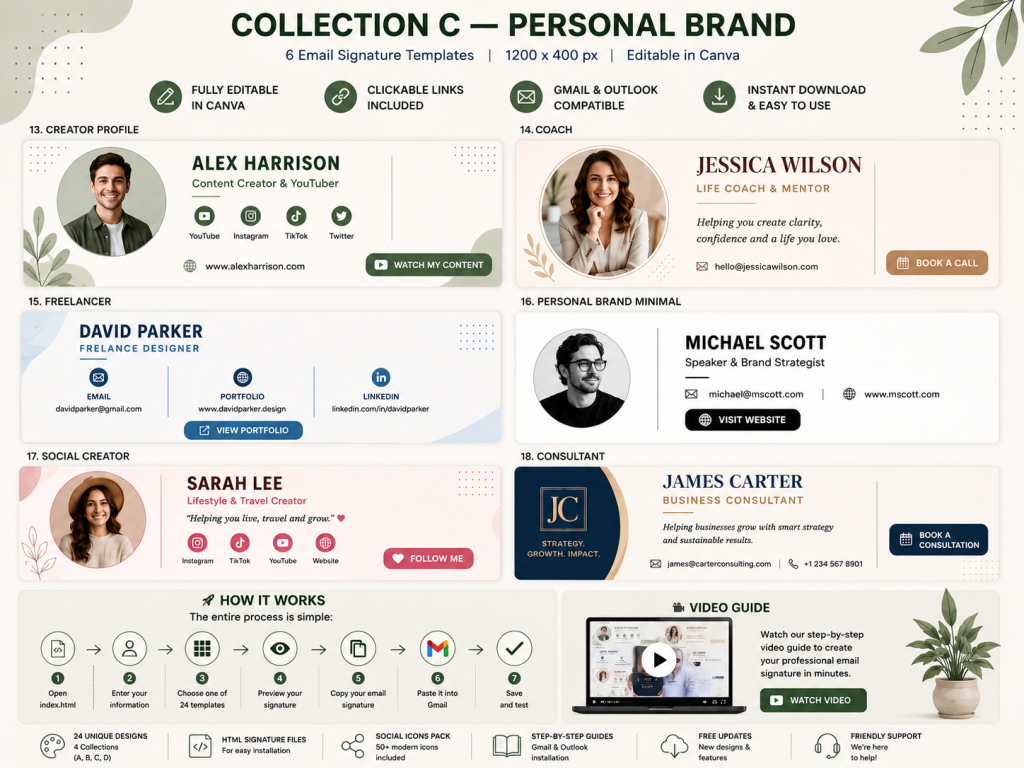
Social media can support personal and business branding when the profiles are active and relevant.
Depending on your chosen design, you can include links to platforms such as:
- YouTube
- TikTok
- X
This lets people who receive your emails discover your online presence without searching for your profiles manually.
For businesses and creators, social links can connect email communication with other marketing channels, but they do not automatically improve performance.
Add a CTA Button to Your Email Signature
A CTA, or call-to-action, can make your email signature a useful promotional tool. Instead of displaying contact information alone, use one primary CTA to guide recipients toward a relevant destination.
Examples include:
Visit My Website
View My Portfolio
Book a Consultation
Shop Now
Learn More
View My Services
Choose one action that matches the purpose of your email. A restrained CTA can make a professional email signature more useful without competing with the message or reducing trust.
✨ Create Your Professional Email Signature
Ready to upgrade your emails with a professional, clickable design?
Get 24 professional HTML email signature templates for Gmail and Outlook, including an easy-to-use generator, PDF buyer guide, and step-by-step video tutorial.
👉 Get the Professional Email Signature Template on Etsy
Add a Profile Photo
A professional profile photo can make your email signature more personal and recognizable. It may be especially useful for consultants, real estate professionals, coaches, freelancers, executives, sales professionals, and personal brands.
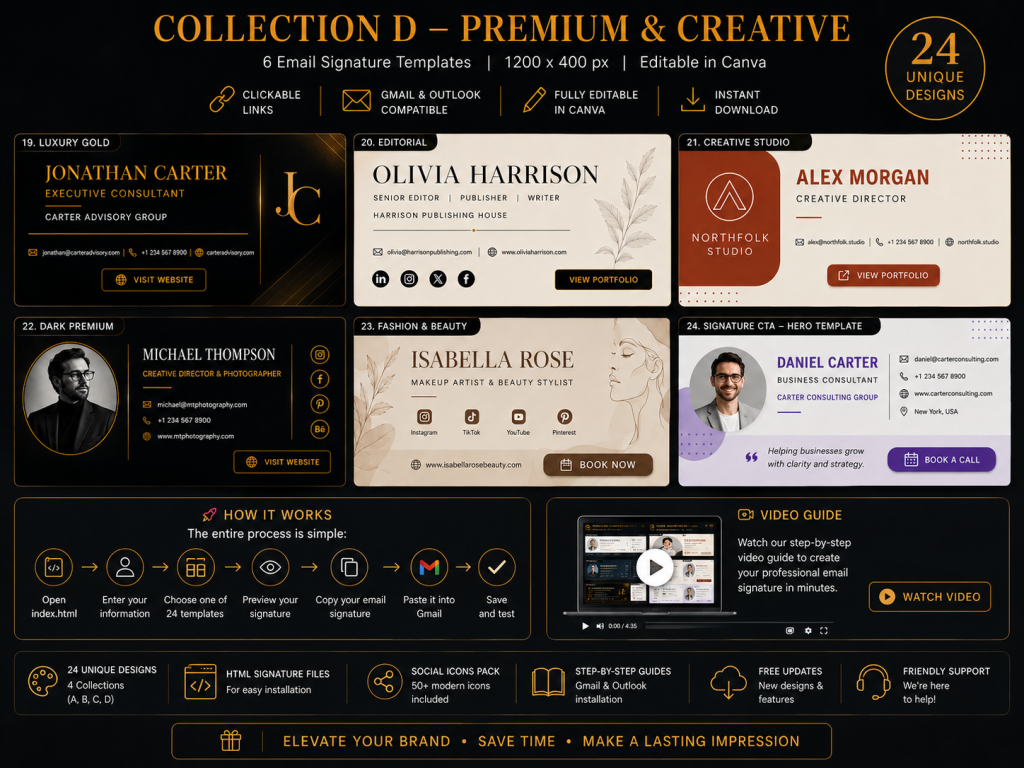
This can be particularly useful for:
- Consultants
- Realtors
- Coaches
- Freelancers
- Executives
- Sales professionals
- Personal brands
Choose a clear, high-quality image with suitable dimensions for the template. Keep essential information in text, consider accessibility, and avoid using a photo that reveals more personal information than necessary.
PDF Guide and Video Tutorial Included
Creating and installing an HTML email signature may seem complicated if you have never done it before. A complete setup guide can make the process easier.
Verify that the email signature bundle includes the detailed PDF buyer guide explaining how to use the generator and install your signature.
A step-by-step video tutorial is also included.
The video demonstrates the complete workflow:
Open Generator → Enter Information → Choose Template → Preview → Copy Signature → Install in Gmail/Outlook
Written instructions and a video walkthrough give users different ways to learn the setup process. To buy the professional email signature template bundle, visit Etsy.
Who Should Use a Professional Email Signature?
A professional email signature can help anyone who regularly sends business or professional emails present clear details and a consistent identity.
Business Owners
Use a signature template to share your company name, website, logo, social profiles, and relevant CTA in business communication.
Freelancers
Showcase your services, portfolio, website, and professional contact information so potential clients can understand how to reach you.
Entrepreneurs
Use your signature to reinforce your personal brand and present a consistent name, title, and visual style.
Realtors
Real estate professionals can include contact information, listing or website links, social profiles, logo, and a professional photo.
Consultants
Create a polished signature that communicates your professional identity and directs recipients to relevant services.
Creators
Connect email communication with YouTube, Instagram, TikTok, or other platforms through selected links.
Agencies
Use consistent email signatures and templates for professional client communication across your team.
🎨 Create Your Professional Email Signature Today
Make every email look more professional with a polished, clickable email signature.
With 24 HTML email signature designs, an easy-to-use generator, Gmail and Outlook support, a PDF buyer guide, and a step-by-step video tutorial, you have everything you need to create and install your signature.
✨ No complicated coding. No designing from scratch. Just enter your information, choose your favorite design, copy, and install.
👉 Get the 24 Professional Email Signature Templates on Etsy
Start creating your professional email signature today!
Tips for Creating a Professional Email Signature
Follow these practical tips when creating your signature.
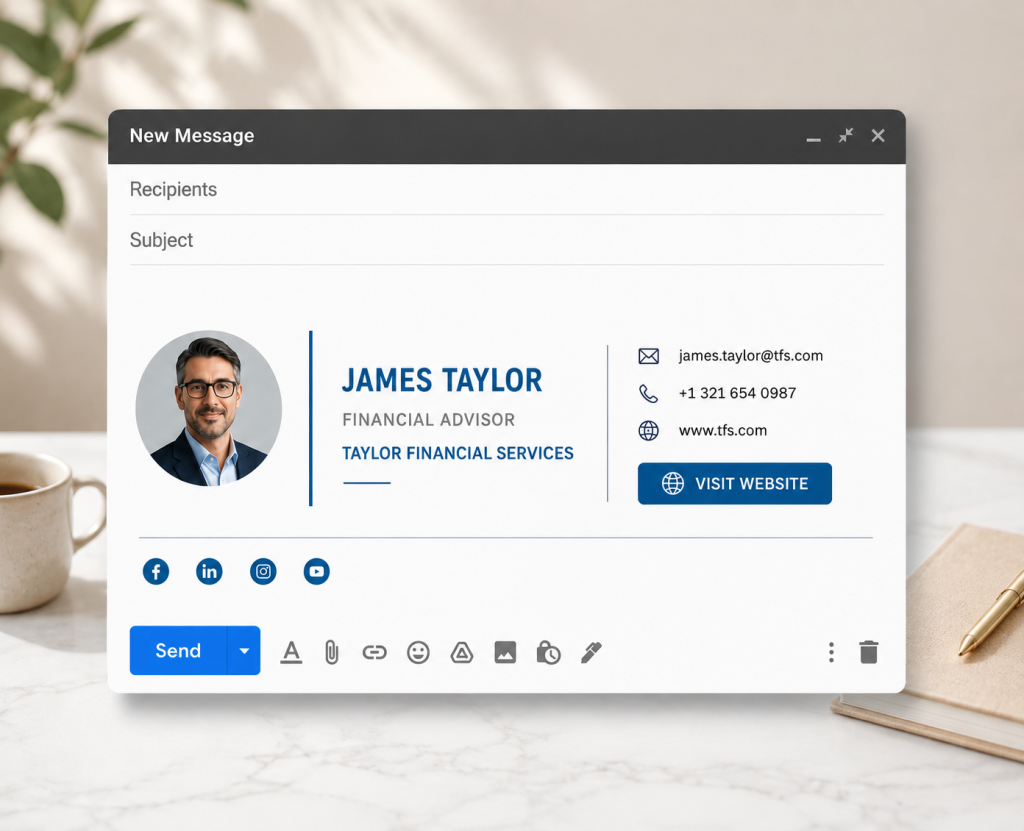
Keep It Clean
Avoid excessive information and include only the details recipients need.
Use Professional Contact Information
Use a professional email address and accurate business information.
Check Every Link
Test every link to confirm it reaches the correct destination.
Use a Professional Photo
If included, use a clear, high-quality photo with suitable alternative text when supported.
Don’t Overuse Colors
Choose brand colors with sufficient contrast and keep the design readable.
Test on Different Devices
Check the signature on desktop and mobile devices before using it.
Keep Your CTA Relevant
Choose one CTA that provides value to recipients.
Professional Email Signature Template for Gmail and Outlook
A ready-made email signature template can provide a practical way to create a consistent professional presentation.
A collection of 24 HTML email signature designs offers multiple styles, while the included generator simplifies customization.
Enter your information, choose a design, preview the signature, copy the HTML, and install it in Gmail or Outlook.
The bundle also includes a PDF guide and video tutorial to support setup.
✨ Create Your Professional Email Signature
Ready to upgrade your emails with a professional, clickable design?
Get 24 professional HTML email signature templates for Gmail and Outlook, including an easy-to-use generator, PDF buyer guide, and step-by-step video tutorial.
👉 Get the Professional Email Signature Template on Etsy
Final Thoughts
A professional email signature is a small but useful part of business communication. It can help you present your name, role, and contact information consistently in every message.
Instead of using a plain text signature, you can create a polished HTML design with your contact information, website, social media links, profile photo, and CTA. Review the final layout because formatting can vary between email clients and devices.
With an easy-to-use email signature generator, you can create a signature without manually writing or editing complicated HTML code.
A collection of 24 professional email signature templates gives you different design options. The stated number of templates, included generator, PDF guide, video tutorial, and Gmail and Outlook compatibility should match the current product listing.
Whether you are a business owner, freelancer, entrepreneur, consultant, real estate professional, realtor, creator, or corporate professional, a well-designed email signature can support clear communication and consistent branding. It does not guarantee sales, conversions, or increased trust, but it can make important details easier for recipients to find.
Create your professional email signature, choose a suitable design, copy it, test it, and install it. Buy the professional email signature template on Etsy and make every email count.

