

A signature generator is an online tool that creates a digital version of your name for documents, email, branding, or other everyday uses. You can make a handwritten signature image without scanning paper or learning complex design software.
An online signature generator may let you type your name, choose a handwriting-style font, draw a signature with a mouse or touchscreen, upload an image, and download the result. This type of generator is useful when you need one consistent signature for a document, invoice, proposal, portfolio, or email.
These tools can create a visual signature, but they do not all provide secure signing. A signature image is simply an asset that you place where needed. An email signature is a block of contact and branding information, while an electronic signature is part of a signing process in which a person indicates intent to approve a document.
If you only need to create a signature for routine documents, an email, or personal branding, a signature maker is usually sufficient. For important contracts, regulated transactions, or identity-sensitive documents, use a dedicated e-signature platform that supports appropriate security and records.
This guide answers common questions about signature generators, explains the available creation options, and shows how to choose the right approach for your signing needs.
✨ Create Your Professional Email Signature
Ready to upgrade your emails with a professional, clickable design?
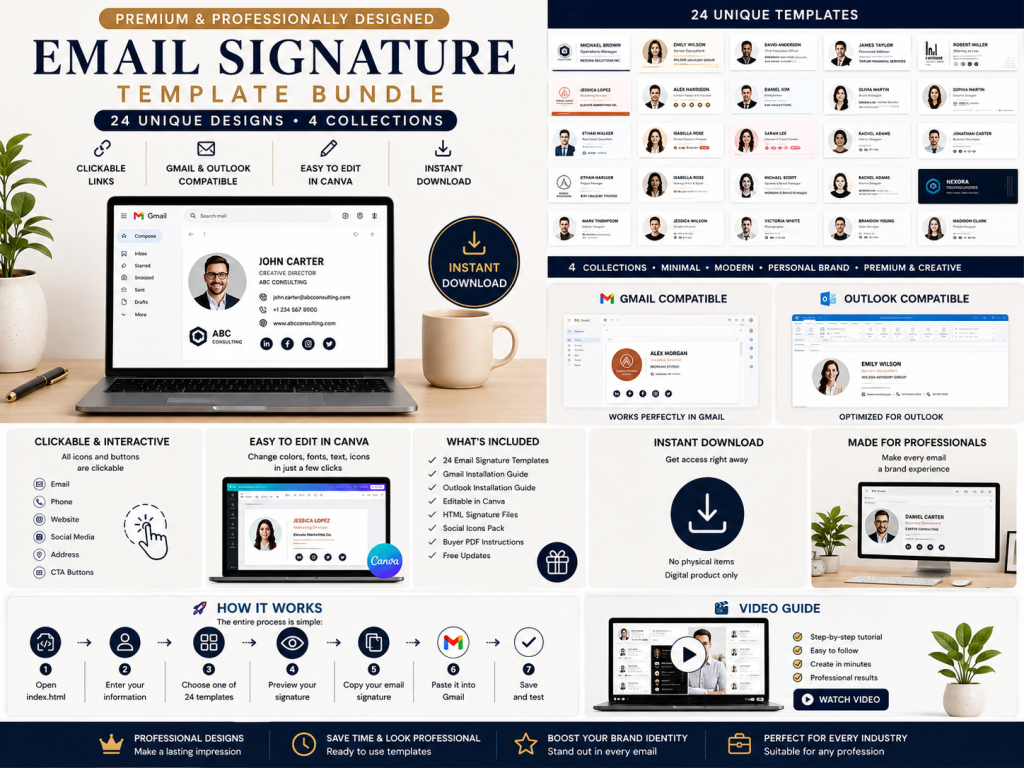
Get 24 professional HTML email signature templates for Gmail and Outlook, including an easy-to-use generator, PDF buyer guide, and step-by-step video tutorial.
👉 Get the Professional Email Signature Template on Etsy
What Is a Signature Generator?
A signature generator is an online or software-based tool for creating a digital signature design. Rather than signing paper and scanning it, you can create a signature directly on a computer, tablet, or phone.
Common creation methods include:
- Type your name and select a handwriting-style font
- Draw your signature with a mouse, trackpad, stylus, or touchscreen
- Upload an existing handwritten signature image
- Adjust the color, thickness, angle, and size
- Download the finished signature as an image file
- Copy the signature into compatible documents or email designs
The main benefit is speed and consistency. A generator helps you create a clear signature and reuse the same design across multiple files.
A generated image is not automatically a secure digital signature. For low-risk design and document workflows, it may be appropriate. For high-value agreements, confirm whether you need identity verification, consent records, timestamps, audit trails, tamper detection, or other platform features. Legal requirements can vary by location, transaction, and document type.
✨ Create Your Professional Email Signature
Ready to upgrade your emails with a professional, clickable design?
Get 24 professional HTML email signature templates for Gmail and Outlook, including an easy-to-use generator, PDF buyer guide, and step-by-step video tutorial.
👉 Get the Professional Email Signature Template on Etsy
What Is a Signature Maker?
A signature maker is a broader tool for creating, drawing, formatting, or customizing a signature. The terms “signature generator” and “signature maker” often describe the same service, although a maker may offer more design options.

A signature maker can help you create:
- A handwritten-style personal signature
- A transparent signature image for documents
- A signature logo for a personal brand
- An artist or creator signature for visual work
- A professional email signature
- A branded company signature for employees
- A simple text signature for online profiles
The best tool is not necessarily the one with the most fonts or effects. Choose an option that produces a recognizable, readable signature suited to its purpose. A decorative design may work as a logo but fail on a business form or small mobile screen.
Signature Generator vs. Electronic Signature Platform
Creating a signature image and completing a secure electronic signing process are different activities.
A signature generator produces a visual asset. It may allow you to type or draw a name and download the result, which you can then place in a document where appropriate.
An electronic signature platform manages the process of requesting, applying, recording, and verifying signatures. Depending on the service, it may provide:
- Signer authentication
- Email or identity verification
- Consent records
- Date and time stamps
- An audit trail
- Document history
- Tamper detection
- Completion certificates
- Multiple-signer workflows
Use a generator when you need a visual signature for an email, invoice, portfolio, or routine document. Use a dedicated platform when you need to sign documents such as legally important contracts and require a documented signing process. A digital signature may also involve cryptographic technology, so it should not be treated as identical to a basic signature image or every type of electronic signature.
✨ Create Your Professional Email Signature
Ready to upgrade your emails with a professional, clickable design?
Get 24 professional HTML email signature templates for Gmail and Outlook, including an easy-to-use generator, PDF buyer guide, and step-by-step video tutorial.
👉 Get the Professional Email Signature Template on Etsy
Why Use an Online Signature Generator?
An online signature generator helps you create a clean, reusable signature without scanning paper. Choose the method that matches your goal, device, and available time.
1. It Saves Time
A generator can turn your name into a usable design in seconds, although the exact time depends on the tool.
2. It Is Easy to Use
Enter or draw your name, select a style, preview the result, and download it. You do not need design experience.
3. It Creates a Cleaner Result
A digital image avoids shadows and uneven lighting from a photograph of paper. Transparent PNG support can improve placement.
4. It Improves Consistency
Use one approved signature across each document, invoice, proposal, or email.
5. It Works Across Devices
A desktop, tablet, or phone may support different controls. A touchscreen or stylus usually feels more natural than a mouse.
6. It Offers Design Flexibility
Compare fonts, colors, sizes, and effects, then choose a practical design.
Common Ways to Create a Digital Signature
Type for speed, draw for a personal feel, upload for authentic handwriting, or design a logo for branding.
Type Your Name
Type your name and let the signature generator apply handwriting-style fonts. This is fast, but another person may use the same style.
- Need a signature quickly
- Want to compare styles
- Have no stylus or touchscreen
- Want a brand asset
Draw Your Signature
A draw-signature feature lets you use a mouse, trackpad, stylus, or finger. A stylus or touchscreen usually produces smoother strokes.
- Use a stylus when possible
- Try several versions
- Leave space around the strokes
- Check the final size
Upload a Scanned Signature
Sign clean white paper with dark ink, photograph it in good light, and upload the image. Protect the file because it contains sensitive personal material.
- Use plain white paper
- Avoid shadows
- Crop without cutting strokes
- Remove the background if supported
Create a Signature Logo
A signature logo is a branding asset for websites, portfolios, or watermarks—not proof that someone authorized a document.
Keep the design recognizable at both large and small sizes.
How to Use a Signature Generator Step by Step
Use an online signature generator to create a signature image for documents, email, or branding. This process creates a visual asset; it does not create electronic signing evidence for a high-value contract.
Step 1: Decide Where You Will Use the Signature
Choose whether you need it for documents, an email, a website, an invoice, or a logo. The intended use determines the design and file type.
Step 2: Choose Type, Draw, or Upload
Use the generator to type your name, draw it, or upload existing handwriting. Select the method that suits your device and goal.
Step 3: Enter or Draw Your Name
Try your full name, initials, or surname. Create several versions before choosing one.
Step 4: Select a Suitable Style
Choose a font that remains recognizable. Avoid decoration that hides the name.
Step 5: Customize the Appearance
Adjust the font or stroke style, size, thickness, color, angle, spacing, and background. Keep the design simple.
Step 6: Preview at Different Sizes
Check the signature at its expected size in a document and confirm that its proportions remain correct.
Step 7: Download the Correct File Format
Use a transparent PNG for flexible placement. Name the file clearly, preserve its aspect ratio, and store it securely.
Step 8: Test Before Regular Use
Place the image in a sample document or email. Check sharpness, background, alignment, and compatibility.
Step 9: Use a Secure Signing Workflow When Needed
If you need to sign documents such as an important contract, use an appropriate electronic signature platform rather than treating an image as proof of authorization.
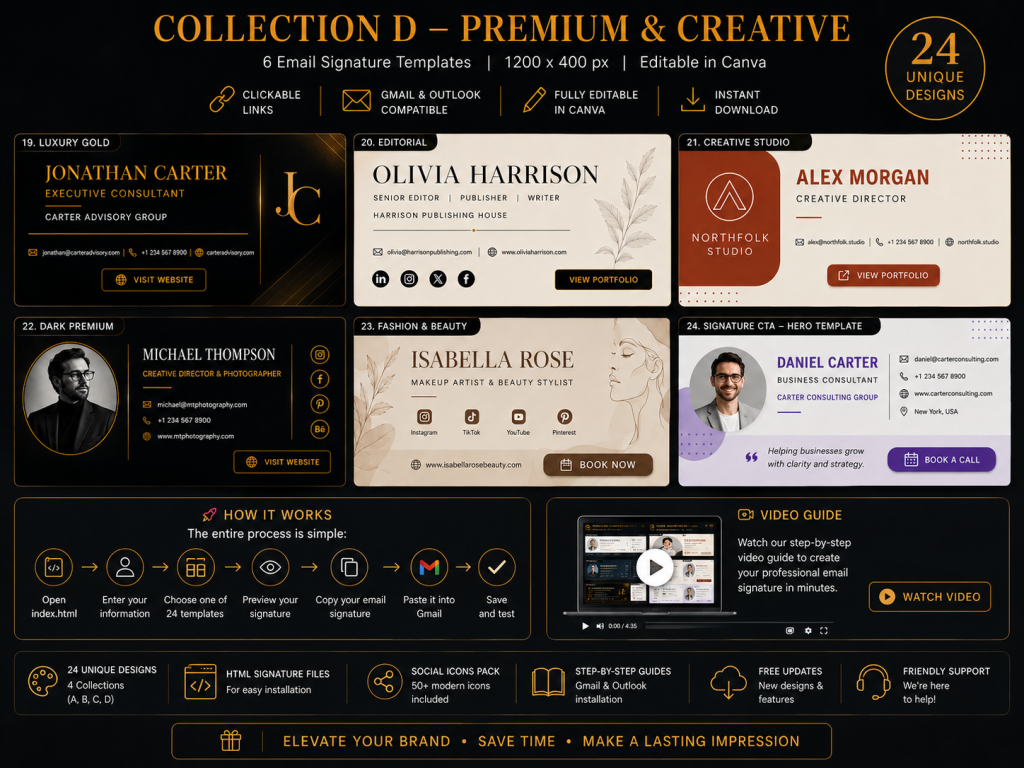
🚀 Ready to Create Your Signature?
Skip complicated HTML coding and create your professional email signature in just a few steps.
Open the generator → Enter your information → Choose your design → Copy → Install in Gmail or Outlook.
👉 Explore the 24 Email Signature Templates
How to Design a Professional Signature
A practical signature balances personal style with clarity. Use natural movement, one distinctive feature, and enough white space. A simple design works across documents, email, and different devices better than excessive effects.
Keep the Shape Simple
Limit loops, flourishes, and underlines so the result stays readable.
Use Natural Movement
Choose strokes you can repeat comfortably if you need to draw the signature again.
Make It Recognizable
Keep a clear initial, surname shape, or consistent stroke.
Choose a Professional Color
Black or dark blue suits most formal uses; brighter colors may suit branding.
Preserve White Space
Leave room around the outer strokes so cropping does not cut the image.
Avoid Unnecessary Effects
Flat, single-color designs are easier to reuse.
Understanding Signature File Formats
Choose a format according to where you will use the signature, not as a statement about legal validity.
PNG
PNG supports transparency and is often the most practical signature image format.
JPG or JPEG
JPG is widely compatible but normally includes a solid background.
SVG
SVG stays sharp when resized, but email clients and document systems may restrict it.
PDF is generally a container for a completed document, not the preferred standalone signature asset.
What Is an Email Signature?
An email signature is contact and branding information automatically added to the end of an email. It is not the same as a handwritten signature, a signature image used in documents, or an electronic signing credential for contracts.
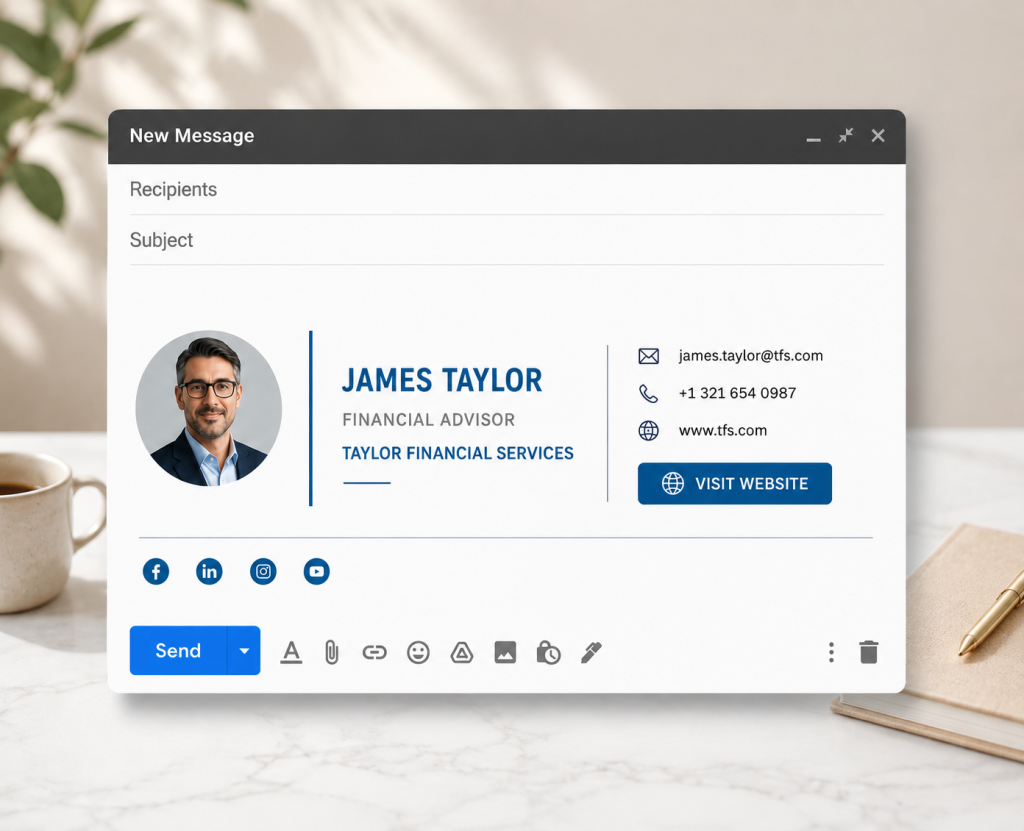
A professional email signature usually includes:
- Full name
- Job title
- Company name
- Phone number
- Email address
- Website
- Business address
- Company logo
- Profile photo
- Relevant social links
- Booking link
- One focused call to action
- Legal disclaimer where required
Use an online signature tool to create a signature once, then configure your email account to add it automatically. Keep essential text separate from optional branding so recipients can read and use your contact details.
🚀 Ready to Create Your Signature?
Skip complicated HTML coding and create your professional email signature in just a few steps.
Open the generator → Enter your information → Choose your design → Copy → Install in Gmail or Outlook.
👉 Explore the 24 Email Signature Templates
Why a Professional Email Signature Matters
A consistent signature supports clear communication and professional design without replacing a secure signing process.
It Creates a Professional Impression
Your name, role, and company immediately explain who you are.
It Builds Brand Consistency
Shared colors, logos, and style help a business appear organized.
It Makes Contact Easier
Clickable phone, email, and website details reduce friction.
It Can Generate Traffic
A relevant link can direct readers to one useful page.
It Supports Personal Branding
A clear signature connects your expertise with your business.
It Helps Recipients Remember You
Consistent formatting makes each email easier to recognize. Use a signature generator to create or update yours.
What Is an Email Signature Template?
An email signature template is a ready-made layout for your name, contact details, branding, images, and links. It helps a business create consistent signatures without building each design from scratch.
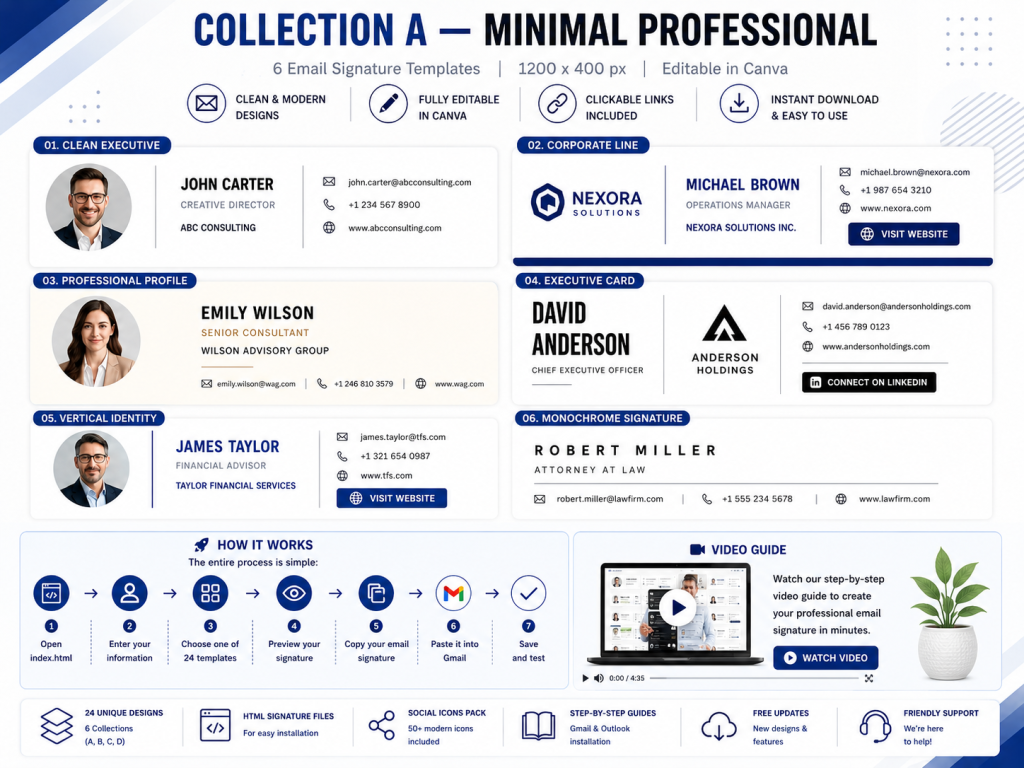
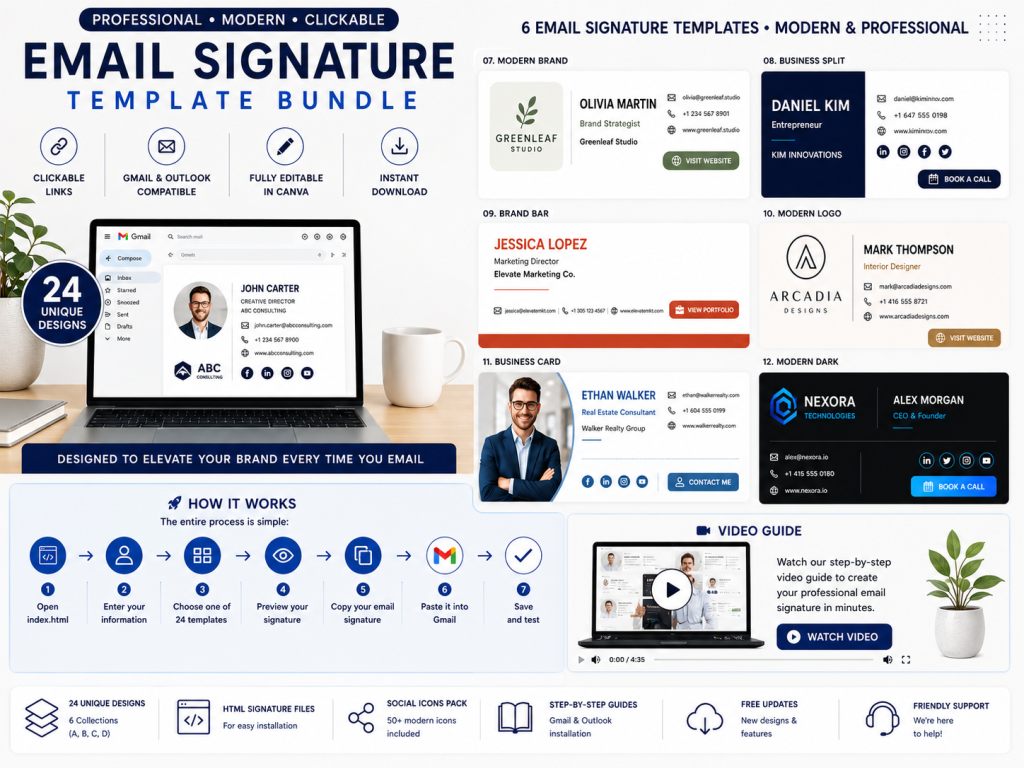
Common email signature template styles include:
- Minimal text-only layout
- Profile photo with contact details
- Company logo with employee information
- Two-column business signature
- Executive layout with a booking button
- Sales layout with a promotional banner
- Freelancer layout with a portfolio link
- Team template managed across an organization
A shared template keeps approved logos, colors, contact details, and disclaimers consistent across employee signatures.
🚀 Ready to Create Your Signature?
Skip complicated HTML coding and create your professional email signature in just a few steps.
Open the generator → Enter your information → Choose your design → Copy → Install in Gmail or Outlook.
👉 Explore the 24 Email Signature Templates
What Makes a Good Email Signature Template?
A good template makes important information easy to find on desktop and mobile platforms.
Clear Visual Hierarchy
Make the sender’s name, role, and company easy to identify.
Readable Typography
Use common fonts, a suitable font size, and enough contrast.
Mobile-Friendly Layout
Use a compact structure that does not become clipped or crowded.
Clickable Contact Details
Link phone numbers, email addresses, websites, and booking pages correctly.
Appropriate Branding
Use approved colors and logos without overwhelming the signature.
One Clear Call to Action
Choose one useful action instead of several competing promotions.
Accessible Design
Keep essential information as real text, add useful image alt text where supported, and avoid placing all details inside one image.
HTML Email Signature vs. Plain Text Signature
A plain text signature uses characters and basic links. It is lightweight, dependable, and suitable when maximum compatibility matters.
Example:
Emma Carter
Marketing Consultant
Northline Studio
+1 555 123 4567
An HTML signature adds formatting, links, colors, images, and buttons. It offers more design features, but email clients may render it differently. Use a plain text alternative when necessary.
How an Email Signature Generator Works
An online signature generator simplifies the technical work. The typical workflow is:
Enter details → Choose a template → Customize → Preview → Copy → Install → Test
You may type your name, type a signature, add contact details, upload a logo, and choose brand colors. The generator may provide rendered copying, HTML code, or platform-specific installation instructions. These signatures support email communication; they are not electronic signatures for approving documents.
🚀 Ready to Create Your Signature?
Skip complicated HTML coding and create your professional email signature in just a few steps.
Open the generator → Enter your information → Choose your design → Copy → Install in Gmail or Outlook.
👉 Explore the 24 Email Signature Templates
How to Create an Email Signature Step by Step
Use a signature generator or online signature generator to build an email signature. The labels and installation steps may vary by account, application version, administrator policy, and device.
Step 1: Collect Accurate Information
Prepare your approved name, title, company, phone, email, website, logo, and links.
Step 2: Choose the Right Email Signature Template
Select a layout that fits your role and brand.
Step 3: Add Only Useful Details
Include contact information recipients actually need.
Step 4: Apply Brand Styling
Use readable text, one or two colors, and the correct logo.
Step 5: Add Links Carefully
Check every website, social profile, calendar, and CTA destination.
Step 6: Preview the Signature
Review spacing, image size, and readability on desktop and mobile.
Step 7: Copy or Export
Copy the rendered signature or HTML code, following the generator’s instructions. A PDF is not usually needed for an email signature.
Step 8: Install It in Your Email Client
Paste or import the signature, then select defaults for new messages and replies.
Step 9: Send Test Emails
Test links, images, layout, replies, forwards, and loading on multiple devices.
How to Add an Email Signature to Gmail
Gmail’s labels may change. On the desktop website:
- Open Gmail.
- Select the settings icon.
- Choose See all settings.
- Open General and find Signature.
- Create and name a signature.
- Paste the rendered signature or code as instructed.
- Choose defaults for new emails, replies, and forwards.
- Save changes.
- Send a test email.
🎨 Create Your Professional Email Signature Today
Make every email look more professional with a polished, clickable email signature.
With 24 HTML email signature designs, an easy-to-use generator, Gmail and Outlook support, a PDF buyer guide, and a step-by-step video tutorial, you have everything you need to create and install your signature.
✨ No complicated coding. No designing from scratch. Just enter your information, choose your favorite design, copy, and install.
👉 Get the 24 Professional Email Signature Templates on Etsy
Start creating your professional email signature today!
How to Add an Email Signature to Outlook

Outlook versions use different menus. In general:
- Open Outlook settings.
- Find mail or compose-and-reply settings.
- Open the signature section.
- Create and name a signature.
- Paste the generated signature.
- Set defaults for new messages and replies or forwards.
- Save the settings.
- Send a test email.
These steps create an email signature, not an electronic signing workflow. To sign documents or create electronic approval records for an important contract, use an appropriate e-signature service rather than a signature image.
Email Signature Design Best Practices
A professional signature should be compact, readable, accessible, and appropriate for its purpose. Use a consistent design and style for email, while keeping a handwritten signature image simple enough for documents.
Keep It Compact
Include only useful information so the signature supports the message instead of dominating it.
Use One Main Image
Choose one logo or profile image. Optimize it for quick loading and check how it appears when images are blocked.
Limit the Color Palette
Use neutral text with one or two brand colors for a consistent business appearance.
Optimize Images
Compress images and preserve their proportions. A large file can load slowly, while a small file may look blurry.
Use Reliable Image Hosting
Host images at stable HTTPS URLs and confirm that the links remain available.
Avoid Image-Only Signatures
Keep names and contact details as real text so recipients can read, copy, and use them with assistive technology.
Use Social Icons Selectively
Link only to active, relevant profiles.
Make Phone Numbers Clickable
A tel: link lets mobile readers call with one tap.
Include a Focused CTA
Choose one action, such as booking a call or viewing a portfolio.
Consider Replies and Long Threads
Use a shorter version for replies and forwards to keep conversations easy to scan.
Common Signature Generator and Email Signature Mistakes
Choosing Style Over Readability
Test every signature at its final size.
Using a Low-Quality Image
Start with a clean source and export it at sufficient resolution.
Leaving a White Box Around the Signature
Use transparency when the background may change.
Stretching the Image
Preserve the original aspect ratio when resizing.
Adding Too Much Information
Remove unnecessary quotes, banners, and contact options.
Using Broken or Incorrect Links
Test every destination, including https:// links.
Ignoring Mobile Display
Send a real test to a phone instead of relying only on a generator preview.
Making Unsupported Claims
A signature image is not automatically a digital signature or an electronic signature. Use an appropriate platform to sign documents and contracts.
Sharing a Signature File Carelessly
Protect a reusable handwritten signature. A generator’s draw or type options create an asset, not an authentication secret.
Signature Privacy and Security Tips
Before using an online tool or signature generator, review its privacy policy and data practices. Never assume that a browser-based signature generatorcreate feature processes data locally.
- Use trusted websites with secure HTTPS connections
- Avoid uploading sensitive documents unnecessarily
- Store signature files in a protected folder
- Delete unnecessary copies from shared devices
- Do not reuse a signature image as a password
- Use electronic signature platforms for high-risk transactions
- Confirm team access controls and administrative features
Privacy concerns involve data collection and storage; legal concerns involve the applicable signing rules. Check both before using a tool.
Signature Ideas for Different Professionals
Freelancers and Consultants
Include your name, specialty, website, and one focused CTA.
Small Business Owners
Use the company logo, direct contact details, and approved brand style.
Sales Professionals
Make the booking link prominent and limit promotional content.
Real Estate Professionals
Add required licensing or brokerage information and verify local rules.
Designers and Photographers
Use a signature logo and link to a curated portfolio.
Job Seekers
List your professional focus, phone number, LinkedIn profile, and portfolio when relevant.
Corporate Teams
Use an approved template with controlled brand elements and editable employee fields. Review signatures after role, logo, campaign, or policy changes.
How Businesses Can Standardize Email Signatures
Businesses can standardize signatures with one approved template, controlled access, and regular reviews.
Define:
- Approved logo, colors, fonts, and required employee fields
- Optional links, CTA rules, image dimensions, and disclaimers
- A short format for replies and forwards
- An owner responsible for updates and employee changes
Review the template after title, contact, branding, campaign, or policy changes.
How to Choose the Best Signature Generator
Choose a signature generator that offers clear privacy information, reliable export quality, transparent pricing, useful options, and compatibility with your workflow.
For an online signature generator, check type-name and draw-signature tools, PNG support, mobile and desktop previews, readable fonts, easy resizing, and simple downloads. For business email signatures, also check HTML compatibility, clickable links, team controls, and testing features.
The best tool is the one that creates a clear result in seconds and works on your target device.
How to Test Your Finished Signature
Check the image or email signature at its intended size. Test links, text, proportions, image loading, mobile display, dark mode, replies, and forwards. Send real test messages through the email platforms your audience uses.
🎨 Create Your Professional Email Signature Today
Make every email look more professional with a polished, clickable email signature.
With 24 HTML email signature designs, an easy-to-use generator, Gmail and Outlook support, a PDF buyer guide, and a step-by-step video tutorial, you have everything you need to create and install your signature.
✨ No complicated coding. No designing from scratch. Just enter your information, choose your favorite design, copy, and install.
👉 Get the 24 Professional Email Signature Templates on Etsy
Start creating your professional email signature today!
Frequently Asked Questions
What is the best free signature generator?
The best free signature generator creates a clear signature, explains privacy practices, supports your required format, and avoids unexpected watermarks.
Can I type my name to create a signature?
Yes. You can type your name and select a style, although a typed result may be less unique than a handwritten signature.
Can I draw a signature online?
Yes. Use a mouse, trackpad, stylus, or touchscreen to draw a signature.
What does “signature gen” mean?
“Signature gen” is a short form of “signature generator.”
Is a generated signature legally valid?
Legal effect depends on the jurisdiction, document, consent, intent, and signing process. A signature image is not automatically a digital signature or secure electronic signature. For important contracts, obtain qualified legal guidance.
What file format should I use for a digital signature?
PNG is often practical for a signature image because it can support transparency. PDF is generally better for a completed document than for a standalone signature.
How do I make the background transparent?
Use a generator with transparent PNG export or background removal, then test the image on different backgrounds.
Can I use a signature generator on my phone?
Many web-based tools work on smartphones. A phone can be particularly convenient for drawing because you can use your finger or a compatible stylus.
What is the difference between a signature maker and an email signature maker?
A general signature maker usually creates a handwritten-style image or logo. An email signature maker creates a structured block with contact details, branding, links, and sometimes images or buttons.
What should an email signature include?
Most professional signatures should include a name, role, company, one or two contact methods, and a website. Add a logo, photo, social profile, booking link, or CTA only when it supports a clear purpose.
Should I include my email address in my email signature?
It can seem repetitive because the recipient can see the sender address, but including it may still be useful when a message is forwarded, printed, copied into another system, or viewed through a shared inbox.
Should I use a photo or a logo?
Use a photo when personal trust and individual recognition matter, such as consulting, coaching, sales, or real estate. Use a logo when the company brand should be primary. Some templates can support both, but keep the design balanced.
How many social media icons should I add?
Add only active profiles that are relevant to your professional audience. One to three carefully selected links are often more useful than a large row of icons.
Can I use an email signature template in Gmail?
Yes. A compatible email signature template can usually be copied into Gmail’s signature editor. Follow the template provider’s installation instructions and send a test email afterward.
Can I use the same email signature template in Outlook?
Often, yes, but Gmail and Outlook can render formatting differently. Use an email-compatible template and test it in the specific Outlook version you use.
Why does my email signature look different on mobile?
Mobile email apps have narrower screens and may resize images, wrap text, or alter spacing. Choose a mobile-friendly layout, limit width, use readable text, and test on a real phone.
Why are images missing from my email signature?
The recipient’s email client may block external images, the image URL may be broken, or the hosting location may require permission. Use stable, publicly accessible HTTPS image URLs where appropriate and keep essential information as text.
Should my email signature appear on every reply?
A full signature can make long conversations cluttered. Many professionals use the complete version for new messages and a shorter version for replies and forwards.
How large should an email signature be?
There is no universal size, but compact layouts generally perform better. Keep the width suitable for mobile screens, optimize image file sizes, and avoid large promotional banners unless they serve a specific campaign.
How often should I update my email signature?
Update it whenever your title, company, phone number, website, branding, compliance information, or CTA changes. Businesses should also review all team signatures periodically for accuracy.
Is it safe to upload my handwritten signature online?
Uploading a signature carries privacy and misuse risks. Use a trusted tool, review its data practices, avoid shared devices, and store the final asset securely. For sensitive documents, prefer a secure signing platform rather than distributing a reusable signature image.
Final Thoughts
A signature generator can turn a typed or drawn name into a clean digital asset within minutes. A versatile signature maker gives you more control over style, color, size, format, and intended use. If you are searching for a quick “signature gen,” remember that speed is only one part of the decision: readability, privacy, file quality, and context matter as well.
For business communication, a professional email signature can strengthen credibility, improve brand consistency, and make contact easier. A well-designed email signature template helps organize your name, role, company, links, logo, and call to action without creating a cluttered footer.
Keep both types of signatures simple, clear, and purposeful. Choose the correct tool for the job, protect sensitive signature files, and test the finished result wherever it will be used. With a thoughtful design and a reliable generator, your signature can become a polished and consistent part of your professional identity.
🎨 Create Your Professional Email Signature Today
Make every email look more professional with a polished, clickable email signature.
With 24 HTML email signature designs, an easy-to-use generator, Gmail and Outlook support, a PDF buyer guide, and a step-by-step video tutorial, you have everything you need to create and install your signature.
✨ No complicated coding. No designing from scratch. Just enter your information, choose your favorite design, copy, and install.
👉 Get the 24 Professional Email Signature Templates on Etsy
Start creating your professional email signature today!

