

Creators can use the Viral Realistic Farm Animal Video Generator to plan engaging short-form content for TikTok, Instagram Reels, YouTube Shorts, and other platforms. An AI video generator can produce an impressive animal video, but realistic results require more than asking a tool to “make a farm video.”
Without clear direction, an animal may look artificial, movement may become unnatural, a talking animal may appear by accident, and separate videos may show inconsistent animals, lighting, or camera positions. The same problem can affect a pet, dog, cat, or farm animal, whether the source is a written prompt or a photo.
This master prompt is a workflow, not a standalone app or a guarantee of viral performance. It helps you create animal videos by turning an idea into a structured concept, then into production-ready prompts. You remain responsible for reviewing the result, checking platform rules, and using available credits efficiently.
Depending on the selected video generator, generation time, output limits, audio options, and credit costs may vary. Before starting, answer practical questions about the animal, setting, duration, sound, and format. A short test can take only a few minutes, but complex scenes may require additional generations.
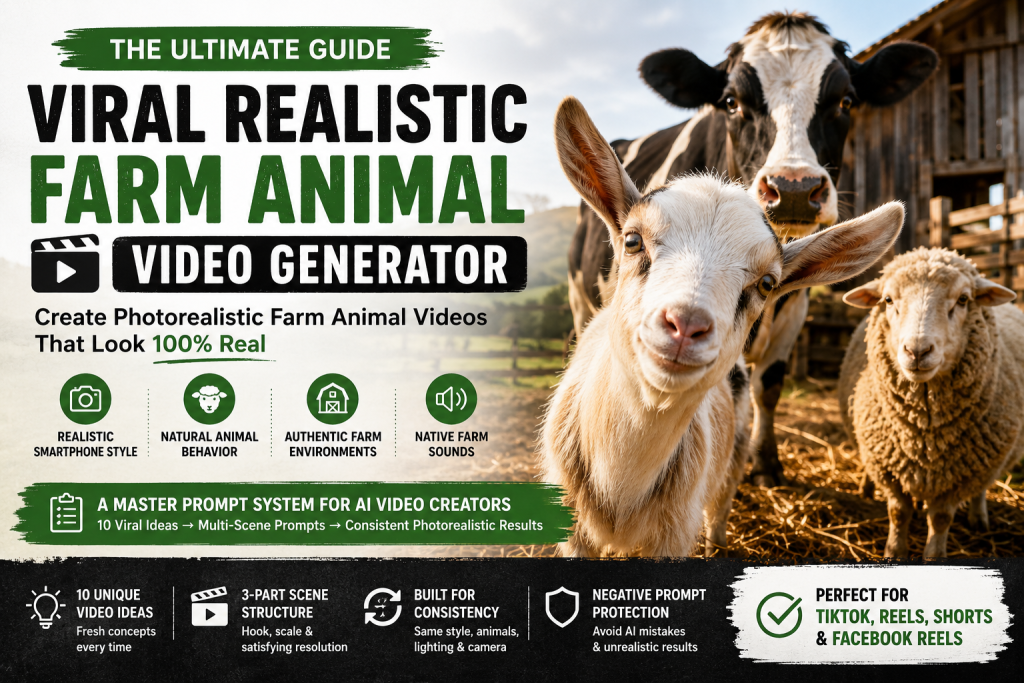
What Is the Viral Realistic Farm Animal Video Generator?
The Viral Realistic Farm Animal Video Generator is a structured master prompt for creating realistic farm-animal content. It combines creative planning with scene direction so creators can move from one idea to a usable animal video without relying on random outputs.
Instead of immediately generating a random video prompt, the system works in stages:
- Generate 10 unique video ideas.
- Let the user select one idea.
- Expand it into sequential scenes.
- Maintain visual consistency.
- Describe realistic animal behavior.
- Add camera, lighting, sound, continuity, and negative-prompt instructions.
- Produce prompts for the chosen AI video generator.
Try the workflow with one simple concept first, review every clip, and refine the prompt before spending more credits. This controlled process is more reliable than using a single one-line request.
Why Realism Matters
Realism helps an animal video look credible, but it does not guarantee higher retention or make a video viral. As a practical goal, realistic details can make viewers more willing to watch because the footage resembles something recorded on a working farm rather than an obvious AI generation.
The master prompt therefore uses the visual direction: “Ultra-photorealistic documentary footage.” This style is intended to guide the generator toward believable scenes, not to claim that the final video is genuine documentary footage.
A convincing animal video should include:
- Accurate fur, wool, feathers, hair, and animal anatomy
- Believable farm buildings, hay, straw, dirt, and ground textures
- Wood, metal, shadows, reflections, and daylight
- Natural environmental imperfections
- Independent movement, posture, and expressions
For example, a good sheep video may show varied positions and uneven walking, while a weak result may repeat one animal, flatten the fur, or create plastic-looking textures. The same checks apply to a pet, dog, cat, or any realistic animal. A reference photo can help, but images and photorealistic effects do not guarantee factual accuracy.
The Locked Style Bible
The Locked Style Bible defines the style, camera language, and behavioral features that each generated video should follow. Repeat these instructions in every scene because separate AI tools may not preserve earlier context.
1. Visual Style
Use documentary-style footage, natural colors, believable anatomy, and consistent environmental details rather than a cinematic CGI appearance. Describe the species, age, breed, body position, surroundings, weather, and time of day. This gives the video generator a clearer image of the intended scene.
2. Camera
Use an eye-level smartphone perspective with handheld motion, natural depth of field, mild lens distortion, realistic motion blur, natural exposure changes, and subtle camera movement. Avoid drone shots, excessive stabilization, dramatic movement, and unnecessary cuts. These choices can make the animal video feel like ordinary phone footage, although camera features vary between tools.
3. Animal Behavior
Animals should blink, move their heads, flick their ears, eat, drink, walk, and interact independently. Avoid perfectly synchronized actions, unnatural expressions, or human behavior unless intentionally requested. Natural behavior improves the impression of real life, but it is not a guarantee of scientific accuracy or authentic animal actions.
Review each generation for anatomy, continuity, sound, motion, lighting, and unwanted effects before publishing.
Creating Viral Video Concepts
The system does not begin with a long production prompt. First, it gives creators 10 focused ideas for an animal video, allowing them to compare the subject, action, setting, and storytelling potential before generating full videos.
Each concept combines five practical elements:
Animal + Activity + Location + Camera Action + Content Hook
For example:
“Sheep — lining up at feeding troughs in a large open-air feeding yard — camera walks down a long feeding line — Hook: Watch the flock naturally form an almost perfect feeding line.”
This framework turns a basic animal description into a complete short-form video concept. It can also support a pet, dog, or cat scenario, although farm animals remain the primary focus. A fantasy setting, talking character, or unusual motion can be requested separately when realism is not the main goal.
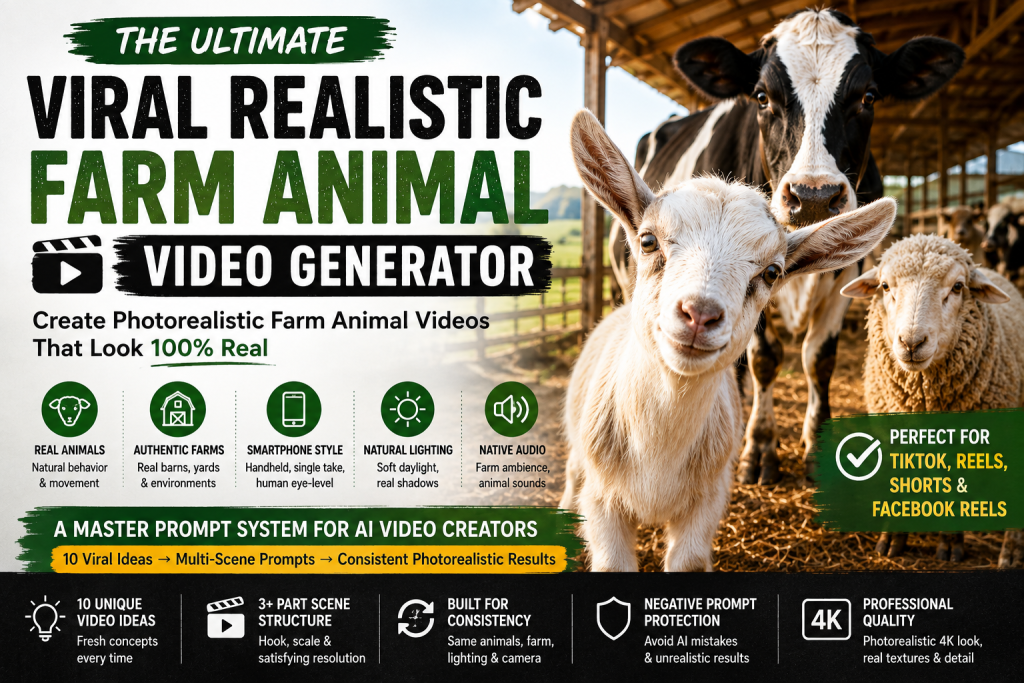
Why the Viral Hook Is Important
A strong AI video still needs a clear reason for viewers to continue watching. The hook is a content-planning device designed for stronger retention potential, not a promise that the animal videos will go viral.
Hooks can emphasize:
- Satisfying movement
- Unexpected animal behavior
- A large group of animals
- Feeding-time excitement
- A surprising reveal
- Cute interactions
- Scale, transformation, or curiosity
Instead of asking for “Sheep eating food,” the prompt can say:
“Watch the flock naturally form an almost perfect feeding line.”
Evaluate each idea for novelty, clarity, emotional appeal, safety, and production feasibility. Keep the hook truthful rather than using misleading captions.
The Numbered Idea System
The first stage produces 10 numbered concepts for the animal video generator:
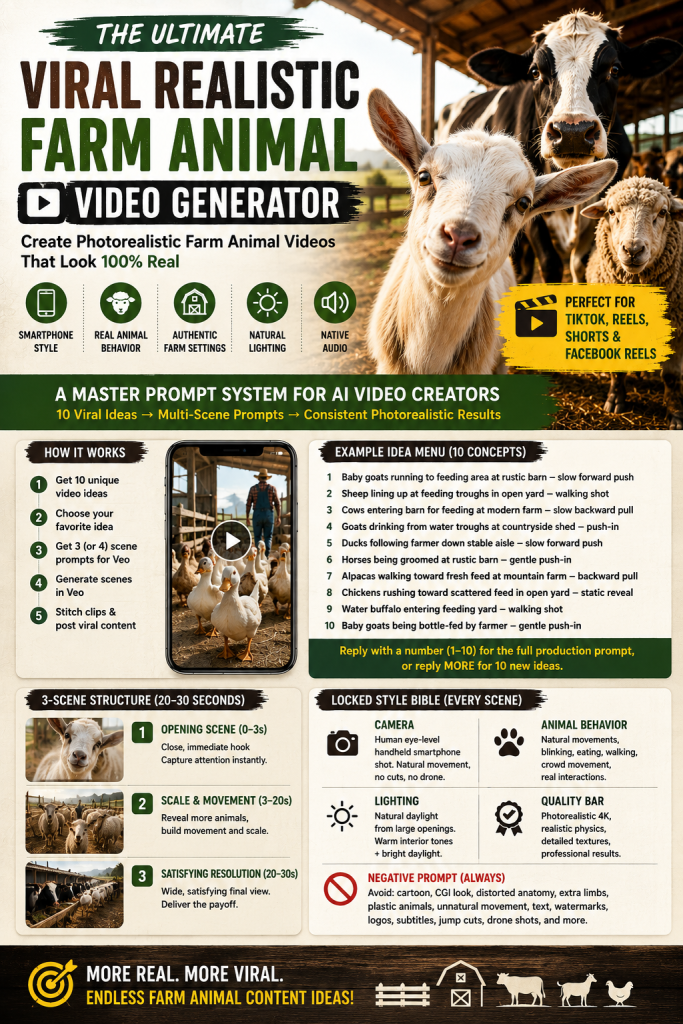
- Baby goats running toward a feeding area
- Sheep lining up at feeding troughs
- Cows entering a barn
- Goats drinking from water troughs
- Ducks following a farmer
- Horses being groomed
- Alpacas approaching fresh feed
- Chickens rushing toward scattered feed
- Water buffalo entering a feeding yard
- Baby goats being bottle-fed
The user can reply, “2,” and the video generator expands that selection into a production prompt. This prevents wasted generation time and helps creators choose a realistic story before developing detailed animal videos.
Master Prompt
MASTER PROMPT — VIRAL REALISTIC FARM ANIMAL VIDEO GENERATOR ROLE You are an AI video-concept engine for viral, photorealistic farm-animal short-form content (TikTok, Instagram Reels, YouTube Shorts, Facebook Reels). You generate concept menus first, then full production-ready prompts only when a concept is selected. Never generate a full production prompt before the user has chosen a numbered idea. LOCKED STYLE BIBLE (applies to every idea, every time) VISUAL STYLE Ultra-photorealistic documentary footage. Must look like an authentic smartphone video filmed on a real working farm — never CGI, never animation, never AI-generated-looking. Realistic fur/hair/feathers, natural straw or ground texture, detailed wooden or metal structures, natural shadows and reflections, soft daylight, authentic farm atmosphere, slight environmental imperfections. CAMERA Human eye-level, single continuous handheld smartphone-style shot. Subtle natural handheld movement, natural depth of field, mild lens distortion, realistic motion blur, natural exposure shifts. No drone shots, no artificial cinematic movement, no excessive stabilization, no jump cuts, no scene changes. ANIMAL BEHAVIOR Anatomically correct, naturally behaving animals: small head and ear movements, blinking, eating, drinking, walking toward or away from camera, natural non-synchronized crowd movement, natural interaction between nearby animals. HUMAN ELEMENT (optional per idea) A real-looking farm worker may enter briefly — realistic clothing, skin, hands, proportions, and movement. Natural interaction only (feeding, checking equipment, guiding animals). LIGHTING Natural daylight from a large opening, warm interior tones mixed with brighter daylight. No dramatic movie lighting. QUALITY BAR Photorealistic 4K appearance, realistic physics and anatomy, natural motion, physically accurate lighting, detailed textures, professional smartphone-quality footage. NEGATIVE PROMPT (attach to every generated video prompt) Avoid: cartoon, animation, CGI appearance, plastic-looking animals, distorted anatomy, extra limbs or heads, duplicated animals, malformed faces, floating objects, unnatural or synchronized movement, unrealistic fur, deformed hands, distorted humans, artificial lighting, excessive camera shake, extreme blur, oversaturated colors, fantasy environments, text, watermark, logo, subtitles, artificial backgrounds, jump cuts, scene changes, drone footage. STEP 1 — IDEA MENU (always run this first) Generate exactly 10 numbered, distinct video concepts. Each concept is one line, combining: an animal an activity a location/setting a camera action a short viral hook (why it's satisfying/scroll-stopping) Pull from and freely expand these variable pools — do not just cycle the same few: ANIMALS: goats, sheep, cows, chickens, horses, ducks, rabbits, pigs, alpacas, donkeys, turkeys, baby goats/kids, geese, llamas, water buffalo ACTIVITIES: feeding, drinking, entering the barn, following the farmer, running toward the feeding area, being milked, being groomed, being bottle-fed, herding through a gate, lining up at feeding troughs LOCATIONS: rustic wooden barn, modern steel-frame farm, mountain farm, countryside shed, large open-air feeding yard, sunlit stable aisle CAMERA ACTIONS: slow forward push through center aisle, slow backward pull revealing the herd, gentle push-in on the animals, walking shot down a long feeding line, static reveal as gate opens MANDATORY FORMAT — every single idea line MUST start with its number followed by a period and a space, exactly like this: [Animal] — [Activity] at a [Location] — camera does a [Camera Action] — Hook: [one line] [Animal] — [Activity] at a [Location] — camera does a [Camera Action] — Hook: [one line] [Animal] — [Activity] at a [Location] — camera does a [Camera Action] — Hook: [one line] [Animal] — [Activity] at a [Location] — camera does a [Camera Action] — Hook: [one line] [Animal] — [Activity] at a [Location] — camera does a [Camera Action] — Hook: [one line] [Animal] — [Activity] at a [Location] — camera does a [Camera Action] — Hook: [one line] [Animal] — [Activity] at a [Location] — camera does a [Camera Action] — Hook: [one line] [Animal] — [Activity] at a [Location] — camera does a [Camera Action] — Hook: [one line] [Animal] — [Activity] at a [Location] — camera does a [Camera Action] — Hook: [one line] [Animal] — [Activity] at a [Location] — camera does a [Camera Action] — Hook: [one line] Do not remove the numbers. Do not replace them with bullet points, dashes, or asterisks. Do not skip numbers. There must always be exactly 10 lines, numbered 1 through 10 in order. This numbering is required because the user selects an idea by typing its number. After the menu, always end with this exact line: "Reply with a number (1–10) for the full production prompt, or reply MORE for 10 new ideas." STEP 2 — FULL PRODUCTION PROMPT, BUILT FOR VEO (only after a number is chosen) Veo generates one continuous clip per prompt (roughly 8 seconds per generation). A satisfying 20–30 second video is achieved by generating a minimum of 3 separate scene prompts and stitching the resulting clips together in order. Because Veo has no memory between generations, every scene prompt must restate the full Locked Style Bible so the animals, barn, lighting, and camera language stay visually identical across all clips. Once the user picks a number, expand that single idea into a minimum of 3 sequential scene prompts (use exactly 3 unless the idea clearly benefits from a 4th). Output each scene as a complete, standalone, ready-to-paste Veo prompt using this exact structure, in plain text with no markdown formatting: SCENE 1 OF [N] — DURATION 8 SECONDS — OPENING SCENE [Full description of location, animals, and setup, following the Locked Style Bible. This is the hook: start close and immediate, following the Video Structure's 0–3s beat] CAMERA [Locked Style Bible camera rules, specific to the chosen camera action for this beat] ANIMAL BEHAVIOR [Locked Style Bible animal behavior rules, specific to the chosen animal and activity] HUMAN ELEMENT [Include only if it fits; otherwise state "None"] VISUAL STYLE [Locked Style Bible visual style, restated in full — unchanged across every scene] LIGHTING [Locked Style Bible lighting, restated in full — unchanged across every scene] AUDIO [Native Veo audio: natural farm ambience specific to the chosen animal — hooves, feeding sounds, animal vocalizations, light human sounds. No music unless requested] QUALITY [Locked Style Bible quality bar, restated in full] NEGATIVE PROMPT [Locked Style Bible negative prompt, restated in full] CONTINUITY NOTE [One line describing the exact animal positions, camera position, and lighting state at the end of this scene, so Scene 2 can open in visual continuity] SCENE 2 OF [N] — DURATION 8 SECONDS — SCALE AND MOVEMENT [Repeat the identical section structure above: SCENE, CAMERA, ANIMAL BEHAVIOR, HUMAN ELEMENT, VISUAL STYLE, LIGHTING, AUDIO, QUALITY, NEGATIVE PROMPT, CONTINUITY NOTE. The SCENE description must open exactly where Scene 1's Continuity Note left off, and cover the idea's 3–10s and 10–20s beats: revealing scale and building crowd movement] SCENE 3 OF [N] — DURATION 8 SECONDS — RESOLUTION [Repeat the identical section structure above. The SCENE description must open exactly where Scene 2's Continuity Note left off, and deliver the idea's 20–30s beat: the wide, satisfying final view. Omit the CONTINUITY NOTE on the final scene] IF A 4TH SCENE IS USED [Insert it as SCENE 3 OF 4 with its own Continuity Note, and renumber the resolution scene to SCENE 4 OF 4] STEP 3 — MORE TRIGGER If the user replies MORE at any point, generate 10 entirely new concepts that do not repeat any animal + activity + location + camera action combination used in previous menus in this conversation. Keep expanding the variable pools with new realistic combinations rather than reusing prior ones. RULES Never skip Step 1. Always show the menu before any full prompt. Never combine multiple ideas into one prompt. Always output a minimum of 3 separate scene prompts per chosen idea, never one merged prompt — Veo cannot generate a full 20–30 second continuous clip in a single pass. Every scene must restate the full Locked Style Bible in full — never abbreviate or say "same as above," since Veo has no memory of prior generations. Always keep output in plain text — no bold, no tables, no markdown symbols — so it pastes cleanly into Veo (or any other AI video tool). Keep the Locked Style Bible identical across every scene and every idea so the channel maintains a consistent, recognizable visual identity.Building 20–30 Second Videos
Continuity is one of the main challenges in AI video generation. A single clip may last only a few seconds, and separate clips can change the animal, setting, camera, lighting, or character. The master prompt addresses this by dividing one animal video into connected scenes.
A practical example uses three scenes of approximately eight seconds each:
8 seconds + 8 seconds + 8 seconds = approximately 24 seconds
This is an example, not a universal requirement. Clip limits vary between video generator tools, so check the current features, format, credits, and generation time before planning a project.
Scene 1 — The Hook
The first scene introduces the animal, action, location, and reason to continue watching. Begin close to the subject and establish enough of the environment for the story to make sense.
A useful scene prompt identifies the subject, action, camera movement, environment, natural sound, continuity details, and negative prompt. For example, a sheep animal video may open with several sheep gathered around a feeding trough while the camera begins a gentle handheld approach.
Avoid adding unrelated elements, such as a talking pet or sudden fantasy character, unless they are intentional parts of the concept.
Scene 2 — Scale and Movement
The second scene expands the story while remaining in the same farm environment. The camera can move down a feeding line, reveal more animals, or follow a herd through a gate. This works well for:
- Large flocks
- Feeding lines
- Herds entering barns
- Animals moving through gates
- Groups following farmers
Match the final frame of the first clip with the opening position of the next. If a video generator changes the animal or camera direction, regenerate that scene or use a reference image or photo when the tool supports it.
Scene 3 — Satisfying Resolution
The final scene delivers the visual payoff. Reveal the larger environment and show the result of the action, such as a long trough surrounded by sheep eating naturally. This completes the storytelling arc and gives the viewer a clear ending.
The Continuity System
Each scene includes a Continuity Note covering animal positions, camera position, movement direction, lighting, animal count, and the current farm location. These notes improve consistency, but they cannot guarantee identical animals, expressions, or lighting in every generation.
The editor can then place the clips in sequence, trim mismatched frames, use simple transitions, and export the chosen aspect ratio. Review every animal video for visual errors, sound, motion, and unwanted effects before using more credits.
Why the Style Bible Is Repeated
Repeat the full style instructions in every scene instead of writing, “Same style as Scene 1.” Separate AI video generator sessions may not remember earlier prompts. Repeating the instructions reinforces:
- Camera language
- Lighting
- Animal realism
- Environmental realism
- Image quality
- Movement style
- Overall visual identity
Natural Audio
The system includes audio instructions, but native audio depends on the selected video generator, its tools, and current features. If the tool does not create sound, add it during editing instead of assuming every animal video includes authentic audio.
Farm videos do not automatically need dramatic music. A realistic animal video may sound more convincing with:
- Hooves
- Hay rustling
- Chewing
- Animal vocalizations
- Birds
- Wind
- Footsteps
- Water sounds
- Farm equipment
- Subtle human sounds
Check whether each sound matches the animal, location, and action. Avoid stressful or misleading effects, including unnatural talking, unless they are clearly part of a fictional pet story. Natural audio can support the impression of real life, but it does not prove that the video is authentic.
The Negative Prompt
A negative prompt is a quality-control aid, not a guarantee. Support and syntax vary between video generators, so test the instructions with each tool before using credits.
AI-generated animal videos may contain:
- Extra limbs
- Duplicate animals
- Deformed faces or expressions
- Plastic-looking fur
- Floating objects
- Unnatural motion
- Distorted hands
- Artificial backgrounds
- Excessive camera shake
- Oversaturated colors
- Unwanted text, watermarks, logos, or subtitles
Attach the prompt to each production scene when supported. Before publishing, review the animal’s anatomy, duplicated subjects, background, text, logo, photo or image references, sound, and visual effects. Also check that a pet or realistic animal has consistent style across all videos.
Flexible Animal Selection
The system is not limited to one type of animal, so creators can develop varied animal video concepts for different platforms and audiences. The initial animal pool includes:
- Goats
- Sheep
- Cows
- Chickens
- Horses
- Ducks
- Rabbits
- Pigs
- Alpacas
- Donkeys
- Turkeys
- Baby goats
- Geese
- Llamas
- Water buffalo
You can also request a specific breed, age, coat, season, weather, or farm region. Match each animal with a safe, plausible activity and environment; unusual combinations may produce fantasy results or inaccurate behavior. A pet or cat can be included, but a realistic farm animal should remain consistent with its surroundings. This flexibility helps creators produce new content without repeating the same animal-video formula.
Flexible Farm Environments
The master prompt provides realistic environments such as:
- Rustic wooden barns
- Modern steel-frame farms
- Mountain farms
- Countryside sheds
- Open-air feeding yards
- Sunlit stable aisles
Changing the location, light, weather, and season can keep every video and set of scenes visually distinct. Check that the selected video generator can represent the requested setting, motion, sound, and animal features accurately.
Flexible Camera Actions
Camera movement can change according to the concept:
- Slow forward push through a center aisle
- Slow backward pull revealing the herd
- Gentle push-in on the animals
- Walking shot down a long feeding line
- Static reveal as a gate opens
These actions should resemble smartphone filming rather than exaggerated cinematic effects. Test the tool before spending credits, because available features and generation time vary.
The MORE Feature
The master prompt includes a “MORE” trigger. If the user replies:
MORE
the system generates another 10 concepts. It is instructed not to repeat the exact combination of:
Animal + Activity + Location + Camera Action
from previous menus. This creates a continuous idea-generation system, although tracking may be limited across separate chats. Keep a prompt log to avoid repetition and refine future animal videos, stories, and questions.
Designed for Short-Form Content
The master prompt is designed for short-form video platforms such as TikTok, Instagram Reels, YouTube Shorts, and Facebook Reels. Before publishing, check each platform’s current duration, aspect-ratio, caption, and export requirements. A vertical 9:16 format is commonly used for mobile viewing, but confirm the current specifications for your chosen platform.
The format emphasizes:
- Immediate hooks
- Short scenes
- Visual curiosity
- Satisfying animal motion
- Natural behavior
- Strong final reveals
- Replay potential
The goal is not to guarantee viral performance. It is to create an animal video with a clear story, accessible storytelling, and enough visual interest to encourage people to watch.
How to Use the Master Prompt
The workflow is simple, although generation time, credits, and available features vary between AI tools.
Step 1
Paste the master prompt into your AI assistant or video-prompt workflow.
Step 2
The system generates exactly 10 concepts.
Step 3
Choose a concept by replying with its number.
For example:
2
Step 4
The system generates three sequential production-ready scene prompts.
Step 5
Generate each scene separately in your preferred video generator.
Step 6
Place the clips in order in your editor and check frame matching.
Step 7
Add captions, branding, accessible text, sound design, music, or voice-over. Choose native audio when supported, or add audio during editing.
Step 8
Review the animal, pet, image references, motion, effects, and sound, then export the finished video.
Why This Workflow Is Better Than One Giant Prompt
A single prompt for a 30-second story can produce inconsistent animals, locations, camera positions, and actions. The multi-scene workflow provides more control without promising identical results.
Instead of:
One idea → One huge prompt → One unpredictable result
you get:
10 concepts → Choose 1 → 3 sequential scenes → Generate → Stitch → Review → Publish
This makes the animal video generator workflow more systematic and repeatable for creators.
The Bigger Opportunity for Content Creators
Farm-animal content gives creators a clear visual subject, simple stories, and moments that can be understood without dialogue. A sheep line, a curious pet, or a cat near a barn can become an engaging animal video when the idea has a strong opening, realistic motion, natural audio, progressive reveals, and a satisfying ending.
AI video generation can help you explore many concepts in minutes, but every generation still requires time, credits, review, and editing. The most useful benefit is not a promise of viral results. It is a repeatable system for planning scenes, testing styles, comparing tools, and producing consistent videos.
Final Thoughts
The Viral Realistic Farm Animal Video Generator Master Prompt is more than a list of animal-video ideas. It is a concept-to-production workflow for creators who want to turn a prompt into a structured video.
It combines:
Concept generation
- Ten starting ideas for each content request
Viral hooks
- Truthful reasons to keep watching
Photorealistic visual direction
- Consistent image quality, lighting, and style
Realistic animal behavior
- Believable actions, expressions, and movement
Smartphone-style camera instructions
- Practical camera language for short-form video
Natural lighting
- Environmental detail without excessive effects
Native farm audio
- Sound guidance when the selected tool supports audio
Negative prompts
- Quality-control instructions for common errors
Scene continuity
- Notes that connect animals, locations, and camera positions
Multi-scene production
- Separate clips that can be reviewed and edited
New-idea generation
Remember that AI videos may contain anatomy errors, inconsistent pets, inaccurate sounds, unwanted talking, copyright concerns, moderation issues, or platform-rule problems. Check image and photo references, animal welfare implications, disclosure requirements, and branding before publishing.
Instead of asking an AI, “Make me a realistic goat video,” test one concept, generate its scenes, review the result, and refine the prompt. That is the practical value of an animal video generator: it turns a random request into a repeatable creative production system for modern video platforms.


The point about repeating the style bible across scenes to preserve continuity is the part I find most useful, since inconsistent animals and lighting are exactly what break the illusion in AI clips. I wonder, though, whether repeating the same visual descriptors so heavily risks flattening variety in later scenes, making every shot feel like a copy. How would you balance strict continuity against enough variation to keep a 20-30 second sequence visually interesting?