

In today’s digital-first marketplace, a high-quality product video is no longer optional—it’s essential. Whether you’re running an eCommerce store, launching a startup, or marketing a physical or digital product, video content is one of the most powerful tools to capture attention and convert viewers into customers.
This guide walks you through exactly how to create a professional, high-converting product video—from planning and scripting to filming, editing, and optimizing for search engines.

What Is a Product Video?
A product video is a visual representation of your product designed to highlight its features, benefits, and real-world applications. Unlike static images, video allows potential customers to see how your product works, how it looks in use, and why it matters.
Types of Product Videos You Can Create
Depending on your goals, you can choose from several formats:
- Explainer videos – break down how your product works
- Demo videos – show the product in action
- Unboxing videos – capture first impressions
- Customer testimonials – build trust through real experiences
- Lifestyle videos – show your product in everyday use
- Promotional ads – short, engaging clips for marketing campaigns
Each format serves a different purpose, but all are centered around building trust and driving conversions.
Why Your Business Needs a Product Video
A well-executed product video can significantly improve your marketing results.
Key Benefits
- Increased conversions: Videos help customers make buying decisions faster
- Better engagement: Users spend more time watching videos than reading text
- Stronger SEO performance: Video content boosts dwell time and rankings
- Improved trust: Seeing a product in action builds credibility
If you’re not using product videos yet, you’re leaving potential revenue on the table.
Step 1: Define Your Objective
Before you hit record, clarify what you want your product video to achieve.
Ask yourself:
- Do you want to increase sales?
- Are you educating your audience?
- Is your goal brand awareness?
- Do you want to reduce customer confusion?
Example Goals
- Boost conversions on a product page
- Drive traffic from social media
- Explain complex product features
- Increase engagement in ads
Your goal will influence your script, visuals, and distribution strategy.
Step 2: Know Your Audience
A successful product video speaks directly to a specific audience.
Consider These Factors
- Age group
- Interests
- Pain points
- Buying behavior
For example:
- A technical audience may prefer detailed demonstrations
- A lifestyle audience may respond better to emotional storytelling
Understanding your audience ensures your message resonates.
Step 3: Write a Compelling Script
Your script is the foundation of your product video. Without it, your message can become unclear or unfocused.
Proven Script Structure
1. Hook (First 5–10 seconds)
Grab attention immediately
Example: “Struggling with low battery life every day?”
2. Problem
Highlight a relatable pain point
3. Solution
Introduce your product as the answer
4. Features and Benefits
Explain what makes your product valuable
5. Call to Action (CTA)
Tell viewers what to do next
Examples: “Shop now,” “Learn more,” or “Get yours today”
Keep your script concise and conversational.
Step 4: Plan Your Shots (Storyboard)
Storyboarding helps you visualize your product video before filming begins.
What to Include
- Camera angles
- Scene transitions
- Product close-ups
- Movement and framing
This step ensures your video stays structured and efficient during production.
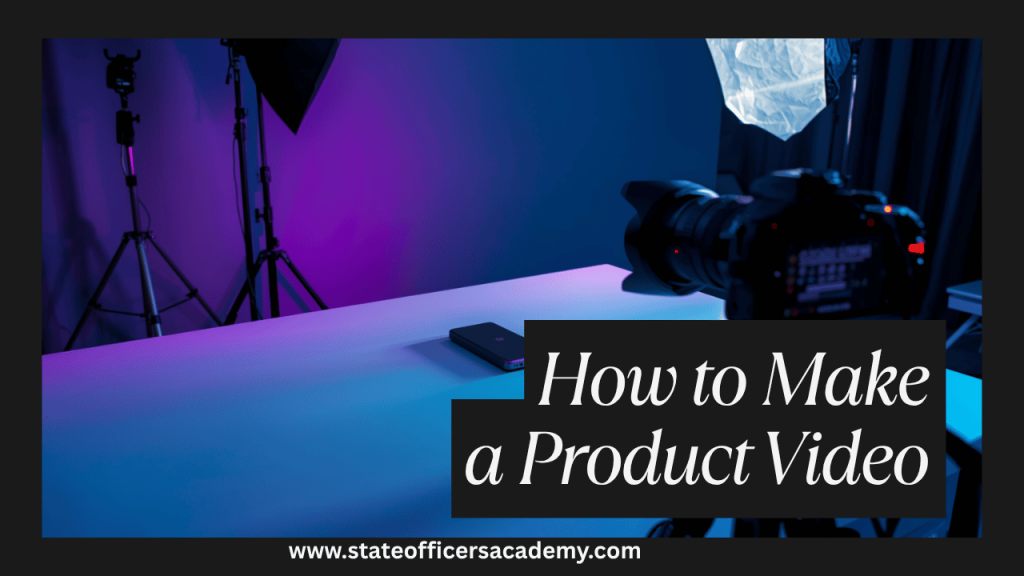
Step 5: Choose the Right Equipment
You don’t need a Hollywood budget to create a great product video—but quality still matters.
Essential Gear
- Camera (smartphone, DSLR, or mirrorless)
- Tripod for stability
- Lighting (natural or artificial)
- External microphone for clear audio
Practical Tip
Modern smartphones can produce excellent video quality when paired with good lighting.
Step 6: Set Up Proper Lighting
Lighting is one of the most critical elements in video production.
Best Practices
- Use soft, diffused lighting
- Avoid harsh shadows
- Ensure your product is evenly lit
Simple Lighting Setup
- Key light (main source)
- Fill light (reduces shadows)
- Backlight (adds depth)
If you’re on a budget, natural light from a window can work effectively.

Step 7: Focus on Composition
Good composition makes your product visually appealing.
Tips for Better Framing
- Use the rule of thirds
- Keep backgrounds clean and uncluttered
- Highlight key features with close-ups
- Maintain visual balance
Your goal is to make the product the focal point.
Step 8: Film Your Product Video
Now it’s time to record.
Filming Tips
- Capture multiple takes
- Use different angles
- Keep the camera steady
- Maintain consistent lighting
Pro Insight
Shoot more footage than you think you need—it gives you flexibility during editing.
Step 9: Edit Your Video Professionally
Editing is where your product video comes together.
What to Focus On
- Trim unnecessary footage
- Add smooth transitions
- Include background music
- Use text overlays for key points
- Insert your logo and branding
Ideal Length
- Social media: 15–60 seconds
- Website/product page: 30–90 seconds
Keep it concise and engaging.
Step 10: Add Voiceover and Subtitles
Audio enhances storytelling, while subtitles improve accessibility.
Why Subtitles Are Important
- Many users watch videos without sound
- Improves understanding
- Increases engagement
Even a simple subtitle track can significantly improve performance.
Step 11: Optimize Your Product Video for SEO
To maximize visibility, your product video must be optimized for search engines.
SEO Checklist
- Include the keyword product video in your title
- Write a detailed description with relevant keywords
- Add tags like:
- product demo video
- video marketing
- product showcase
Example Title
“How to Create a High-Converting Product Video (Step-by-Step Guide)”

Step 12: Publish on the Right Platforms
Where you publish your product video matters.
Best Platforms
- YouTube for long-form content
- Instagram and TikTok for short-form videos
- Facebook for ads and sharing
- Your website for conversions
Choose platforms based on where your audience spends time.
Step 13: Promote Your Product Video
Publishing is just the beginning—you need distribution.
Promotion Strategies
- Share across social media channels
- Embed in blog posts and product pages
- Include in email campaigns
- Run paid advertisements
Consistent promotion increases reach and ROI.
Step 14: Track Performance and Improve
Analyze your video’s performance to refine your strategy.
Key Metrics to Monitor
- View count
- Watch time
- Click-through rate (CTR)
- Conversion rate
Use this data to improve future product videos.
Common Mistakes to Avoid
Avoid these pitfalls to ensure your product video succeeds:
- Making the video too long
- Lack of a clear message
- Poor lighting or audio quality
- No call-to-action
- Ignoring SEO optimization
Even small mistakes can impact performance.
Expert Tips for Better Results
If you want your product video to stand out:
- Focus on benefits, not just features
- Show real-life usage
- Use storytelling techniques
- Maintain consistent branding
- Test multiple versions for performance
Small improvements can lead to significant gains.
Final Thoughts
Creating a high-quality product video doesn’t require a massive budget—it requires strategy, clarity, and execution. By following this step-by-step process, you can produce videos that not only look professional but also drive real business results.
Start simple, refine your process, and continuously optimize based on performance data. Over time, your product videos will become one of your most valuable marketing assets.
Recommended Tools and Resources
Here are some useful platforms to help you create and improve your product videos:
- Video editing: https://www.adobe.com/products/premiere.html
- Beginner-friendly editor: https://www.capcut.com/
- Online video maker: https://www.canva.com/video-editor/
- Stock video footage: https://www.pexels.com/videos/
- Royalty-free music: https://www.epidemicsound.com/
- Scriptwriting tool: https://www.celtx.com/
If you want to take this further, you can build a full content strategy around product videos—covering blog integration, YouTube SEO, and paid ad funnels.
FAQs: Product Video Creation
1. What is an AI Product Video Generator (Free)?
An AI product video generator is a tool that automatically creates a product video using artificial intelligence. You typically input images, text, or product details, and the tool generates a complete video with transitions, animations, and music.
Popular Free AI Video Tools:
- Canva (AI video builder + templates)
- CapCut (AI auto-edit + templates)
- Pictory (turns scripts into videos)
- Lumen5 (blog-to-video conversion)
Key Benefits:
- No editing skills required
- Fast video creation
- Automated captions and visuals
- Cost-effective for beginners
2. How to Make a Product Video Online?
Creating a product video online is one of the easiest methods—no downloads required.
Step-by-Step:
- Choose an online editor (like Canva or Animoto)
- Upload product images or clips
- Select a template
- Add text, branding, and music
- Export your video
Best Online Tools:
- Canva
- Animoto
- VEED
Pro Tip:
Keep your video under 60 seconds for better engagement.
3. How to Make a Product Video in Canva?
Canva is one of the easiest tools for beginners.
Steps:
- Open Canva and search “Product Video” templates
- Choose a template that fits your brand
- Upload your product images or clips
- Edit text, colors, and animations
- Add music from Canva’s library
- Download in MP4 format
Why Use Canva:
- Drag-and-drop interface
- Pre-made templates
- Built-in animations
- Beginner-friendly
4. What is a Product Video Maker?
A product video maker is any tool or software used to create promotional videos for products.
Types:
- Online tools (Canva, Animoto)
- Mobile apps (CapCut)
- Professional software (Adobe Premiere Pro)
Recommended Tools:
- Adobe Premiere Pro
- CapCut
- Canva
5. How to Create a Product Video from Images?
You don’t need video footage—images work perfectly.
Steps:
- Collect high-quality product images
- Upload them into a video editor
- Arrange in sequence
- Add transitions between images
- Include text overlays (features/benefits)
- Add music
- Export as a video
Best Tools:
- Animoto
- Canva
- Kapwing
Pro Tip:
Use zoom-in (Ken Burns effect) to make static images feel dynamic.
6. How to Make a Product Video with iPhone?
Creating a product video with an iPhone is simple and effective.
Steps:
- Use your iPhone camera (preferably in 4K)
- Shoot in good lighting (natural light works best)
- Use a tripod for stability
- Capture multiple angles
- Edit using apps like iMovie or CapCut
Tips:
- Clean your lens before shooting
- Use slow-motion for premium feel
- Keep backgrounds minimal
7. Why Are Product Videos Important for Marketing?
Product videos for marketing are essential because they:
- Increase conversions
- Improve engagement
- Build trust
- Explain products quickly
Where to Use Them:
- Landing pages
- Social media ads
- Email campaigns
- Product listings
Businesses using product videos often outperform competitors relying only on images.
8. What is an Ecommerce Product Video Maker?
An eCommerce product video maker is a tool specifically designed for online stores.
Features:
- Product-focused templates
- Quick export for ads
- Integration with platforms like Shopify
Popular Tools:
- Promo
- Animoto
- Canva
9. How to Make a Product Video Online for Free?
You can create a product video online for free using:
- Canva
- CapCut
- VEED
Free Workflow:
- Choose a template
- Upload visuals
- Customize text
- Add music
- Export
10. What Makes a High-Converting Product Video?
A successful product video includes:
- Strong hook (first 5 seconds)
- Clear problem and solution
- Focus on benefits (not just features)
- High-quality visuals
- Clear call-to-action
11. What Are Some Product Video Examples?
Here are common types of product video examples:
1. Demo Video
Shows how the product works step-by-step
2. Lifestyle Video
Shows product in real-life situations
3. Unboxing Video
Captures first impressions
4. Testimonial Video
Features real customer feedback
5. Social Media Ad
Short, engaging promotional content
Brands Known for Great Product Videos:
- Apple (clean, premium visuals)
- Nike (storytelling-driven)
- Amazon (practical demos)
12. Can AI Replace Manual Video Editing?
AI can speed up production, but it doesn’t fully replace creativity.
Best Approach:
- Use AI for speed
- Add manual edits for quality and branding

