

Creating engaging product advertisements can be challenging for small businesses, Etsy sellers, ecommerce entrepreneurs, and content creators. Traditional product advertising may require professional videographers, actors, lighting equipment, editing software, and a significant production budget.
Fortunately, artificial intelligence is changing how businesses plan and produce marketing content. With an AI UGC creator workflow, you can develop user-generated-content-style ad concepts, write persuasive scripts, create product image prompts, plan video scenes, and prepare social media campaigns with the help of AI tools.
UGC stands for user-generated content. In marketing, UGC-style advertisements often use a natural, relatable presentation that resembles a customer demonstration, product review, unboxing, or everyday product experience.
You do not necessarily need to hire a creator for every advertising concept. AI tools can help you develop creative directions, scripts, storyboards, and visual assets more efficiently.
In this guide, you will learn how AI UGC advertising works, how to create product video ads step by step, which tools you can use, and how a reusable AI prompt toolkit can simplify the process.
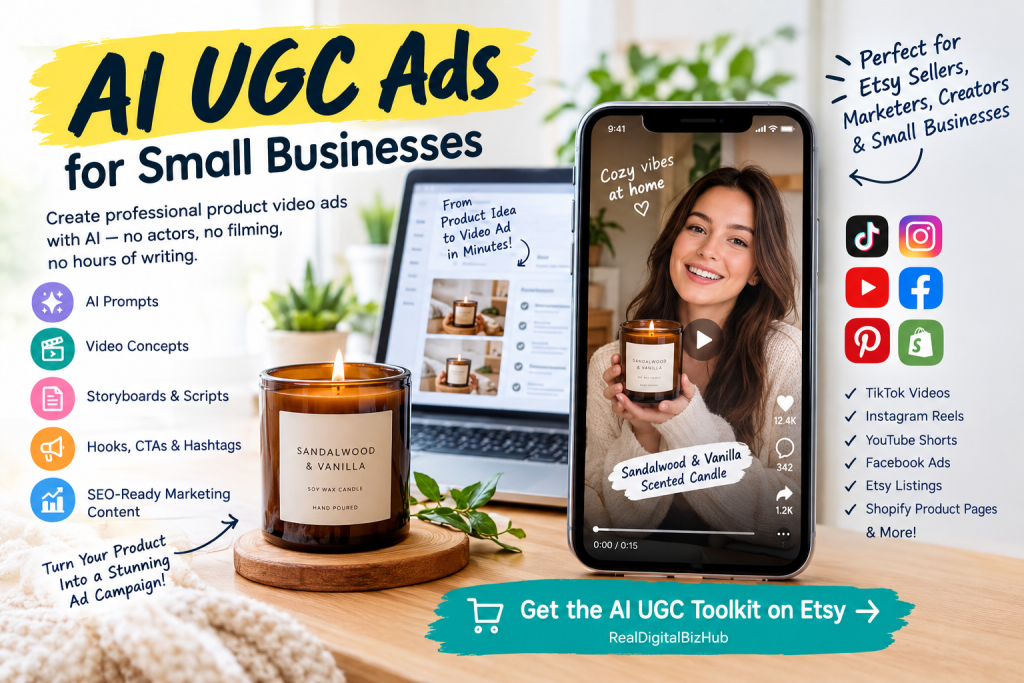
What Is an AI UGC Creator?
An AI UGC creator is a tool or workflow that uses artificial intelligence to help produce user-generated-content-style marketing materials.
Depending on the tools involved, the workflow may include generating scripts, creating AI avatars, producing product images, animating scenes, generating voiceovers, or assembling short-form videos.
Businesses commonly use AI-assisted UGC-style content for:
- TikTok videos and advertisements
- Instagram Reels and Stories
- YouTube Shorts
- Etsy product promotion
- Shopify product pages
- Amazon product marketing
- Digital product demonstrations
- Facebook advertisements
- Product explainers and promotional videos
For example, imagine that you sell handmade candles online. You could use AI to develop an unboxing concept, write a short script about the candle’s fragrance, plan close-up shots of the packaging, and generate visual prompts for a video tool.
The final advertisement could combine product visuals, narration, captions, and a clear call to action.
Important: AI-generated advertising should not be presented as genuine customer footage or a real testimonial if it is not. Use fictional scenarios transparently and make sure all product claims are accurate.
Why Are Businesses Using AI UGC Ads?
AI-assisted advertising is useful because it can help businesses explore more creative ideas without developing every campaign from scratch.

1. Faster Ad Planning
Writing hooks, scripts, and storyboards manually can take considerable time. AI can help generate several creative directions from a single product description.
Instead of starting with a blank page, you can ask an AI assistant to develop multiple concepts for different customer groups.
2. More Advertising Concepts
A single product can support different advertising angles. For example, a reusable water bottle could be marketed around convenience, portability, durability, design, or everyday use.
AI can help you create different concepts for testing rather than relying on one advertisement.
3. Consistent Product Presentation
Product consistency matters when creating multiple images and video scenes. A reusable prompt workflow can specify the product’s color, shape, packaging, logo placement, and other visual details.
These instructions help guide image and video generation, although results still depend on the model and tool being used.
4. Support for Small Businesses
Small businesses may not have the budget to produce a large number of professional advertisements. AI-assisted workflows can reduce the time required for ideation and preparation.
However, some AI tools require subscriptions, credits, or separate payments. Actual production costs depend on the services you choose.
5. Content for Different Platforms
A product campaign can be adapted for vertical videos, short-form social posts, product pages, and other marketing channels.
The message should remain consistent, but the opening hook, video duration, framing, and call to action can change according to the platform and audience.
How to Make a UK TikTok Account in Pakistan
AI UGC Creator vs. AI Video Generator: What Is the Difference?
These terms are related, but they do not mean exactly the same thing.
An AI video generator creates video clips from text, images, or other inputs. An AI UGC workflow is broader: it may include researching the product, selecting an advertising angle, writing a script, planning scenes, creating image prompts, generating video clips, and preparing the final campaign.

A prompt toolkit can help organize these steps without being a video generator itself.
| Feature | AI Video Generator | AI UGC Prompt Toolkit |
|---|---|---|
| Main purpose | Generate video clips | Plan and structure advertising content |
| Script development | Depends on the tool | Can be included in the prompt workflow |
| Image prompts | May be available | Can be generated through a compatible AI assistant |
| Storyboards | Tool-dependent | Can be included in the workflow |
| Marketing hooks and CTAs | Tool-dependent | Can be generated as part of the campaign |
| Final video file | Usually a core feature | Requires a separate video-generation or editing tool |
The best choice depends on your needs. If you already use AI tools to generate images or videos, a structured prompt toolkit can help you organize the creative and marketing work that happens before production.
How to Create AI UGC Product Video Ads Step by Step
You can build an AI-assisted product advertising workflow using a compatible AI chatbot, an image-generation tool, and a video-generation or editing tool.
Step 1: Choose Your Product
Start with a product that has clear benefits and a specific target audience.
Examples include:
- Handmade products
- Skincare and beauty products
- Clothing and accessories
- Home décor
- Digital planners
- Printable templates
- Kitchen accessories
- Fitness accessories
- Pet products
- Electronic accessories
Write down the product’s name, main features, price if relevant, intended customer, and most important benefit.
For digital products, explain what the buyer receives. For physical products, provide accurate details about materials, dimensions, colors, and functionality.
Step 2: Identify Your Target Customer
Effective advertisements speak to a particular audience rather than everyone.
Consider the following questions:
- Who is most likely to buy the product?
- What problem does it help solve?
- What does the customer value most?
- What objections might prevent a purchase?
- Which social media platforms does the audience use?
- What would make the product stand out from alternatives?
For example, a digital content calendar may appeal to social media managers, freelance creators, and small business owners who want a more organized publishing process.
An AI assistant can turn these details into a customer profile and suggest different advertising angles.
Step 3: Develop an Advertising Hook
The hook is the opening line or visual that gives viewers a reason to keep watching.
Examples include:
- “Still planning every social media post from scratch?”
- “Here is a simpler way to organize your product content.”
- “Looking for a thoughtful gift for someone who loves home décor?”
- “Turn your product photos into a complete advertising concept.”
Choose a hook that accurately reflects the product and the audience’s needs. Avoid exaggerated claims, misleading promises, or artificial urgency.
A useful approach is to create several alternative hooks and test them with different creative concepts.
Step 4: Write the UGC-Style Script
A short product advertisement often follows a simple structure:
- Hook: Capture attention.
- Problem or need: Explain a relatable situation.
- Product introduction: Show the product clearly.
- Benefits: Explain how the product may help.
- Demonstration: Show its features or use.
- Call to action: Tell viewers what to do next.
For example, a digital planner advertisement could use this script:
Opening: “Too many content ideas, but no clear publishing plan?”
Product introduction: “This digital content planner helps you organize ideas, plan upcoming posts, and track your content workflow.”
Demonstration: Show the planner’s calendar, content status columns, and planning dashboard.
Call to action: “Explore the planner and see whether it fits your content workflow.”
Adapt the script to the actual product. Do not invent features or claim results that you cannot substantiate.
Step 5: Create AI Image Prompts
Image prompts describe the visuals you want an image-generation model to create.
A product image prompt might specify:
- Product appearance and dimensions
- Background and setting
- Lighting and camera angle
- Composition and framing
- Intended advertising style
- Color palette
- Important product details
- Aspect ratio and output requirements
For example:
“Create a clean ecommerce advertising image featuring the supplied product reference. Preserve the product’s original shape, colors, packaging, and visible design details. Place it in a realistic lifestyle setting with natural lighting, a clear focal point, and uncluttered composition. Use vertical 9:16 framing suitable for a short-form social media advertisement. Do not invent logos, labels, or product features.”
Use the appropriate reference-image and image-generation features supported by your chosen tool. AI models may still alter fine details, so inspect every generated image before using it.
Step 6: Turn the Images Into Video Scenes
After developing your image concepts, plan the movement and transitions needed for a video.
A video prompt can describe:
- Camera movement
- Subject movement
- Scene duration
- Lighting changes
- Product positioning
- Background activity
- Transitions
- Audio and narration
- Vertical or horizontal framing
For example:
“Create a short, realistic product demonstration using the supplied reference image. Begin with a close-up of the product, then use a slow camera movement to reveal its main features. Maintain consistent product appearance, natural lighting, and a clean background. Avoid distorted labels, extra objects, flickering, and sudden changes in product design.”
This is a prompt example, not a guarantee that every video model will produce identical results. You may need to generate multiple clips and select the most accurate output.
Step 7: Maintain Product and Character Consistency
Consistency is particularly important when a campaign contains multiple scenes.
If the product changes shape, color, or packaging between shots, the advertisement may look unprofessional. If the campaign includes a recurring AI-generated character, changes in facial appearance, clothing, or hairstyle can also disrupt continuity.
Create a reference sheet containing the important visual attributes.
For a product, record its:
- Shape and dimensions
- Color and materials
- Packaging and label details
- Logo placement
- Main visual features
For a fictional character, record the appearance, clothing, hairstyle, age range, and other relevant visual details.
Use reference images and supported consistency controls where available. These techniques can improve continuity but cannot guarantee perfect matching across every generation.
Step 8: Add Voiceovers, Captions, and Music
Audio and on-screen text can help communicate your message, especially when viewers watch without sound.
Use concise narration, readable captions, and music that fits the advertising style. Ensure that you have the necessary rights to use the selected music, voices, images, and other assets.
If an AI-generated character appears to speak, avoid presenting that performance as a real person’s genuine endorsement without appropriate disclosure and authorization.
Step 9: Edit and Review the Advertisement
Before publishing, check the video for:
- Incorrect product details
- Misspelled text
- Distorted logos or labels
- Inconsistent scenes
- Unnatural movement
- Audio problems
- Unsupported product claims
- Poor caption readability
- Incorrect aspect ratio
- Missing disclosures where required
Make sure the final video communicates one clear benefit and has an appropriate call to action.
Step 10: Test Different Advertising Concepts
Do not assume that the first advertisement will perform best.
Create variations with different hooks, opening visuals, customer needs, and calls to action. Compare results using relevant metrics such as watch time, click-through rate, conversions, and cost per acquisition where available.
Keep your testing process organized, and change one or a small number of variables at a time so you can better understand what influences performance.
Best AI Tools for Creating UGC-Style Ads
Different tools support different stages of the workflow. You do not need every tool listed below; start with the capabilities that match your budget and production requirements.
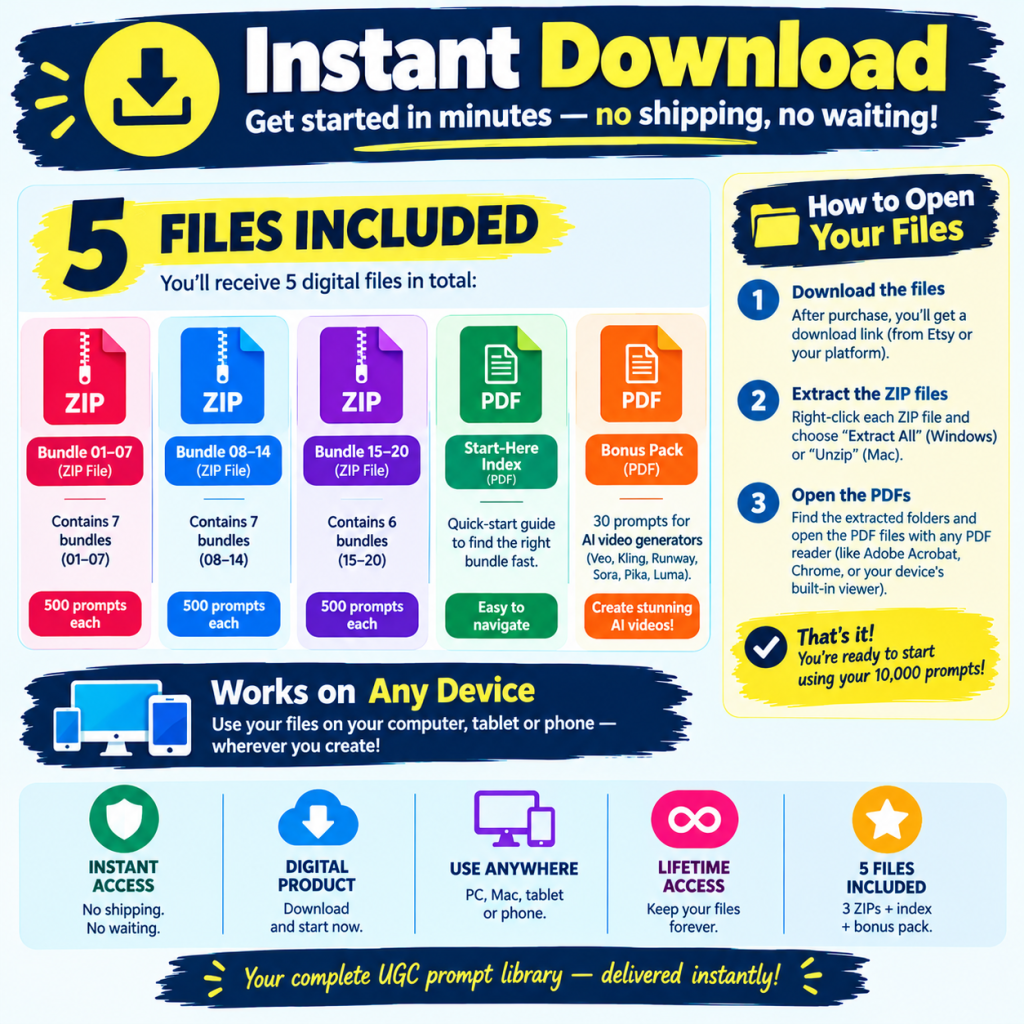
ChatGPT
Use ChatGPT or a compatible AI chatbot to develop advertising angles, product descriptions, scripts, hooks, storyboards, and image or video prompts. Features vary by plan and model.
Google Veo and Flow
Google’s Veo and Flow tools can support AI video creation workflows, depending on current access, plan, and regional availability. They may be useful when you want to turn visual concepts into short video scenes.
Kling AI
Kling AI offers AI video-generation capabilities that can be used for product demonstrations, visual storytelling, and image-to-video experiments, depending on the available features.
Runway
Runway provides AI-powered creative tools for video generation and editing. It may be useful for producing and refining marketing visuals.
Pika
Pika provides AI video creation features that can help creators experiment with animated scenes and short-form visual content.
Midjourney and FLUX
Image-generation tools such as Midjourney and FLUX can help develop product-ad concepts and supporting visuals. Check each tool’s current capabilities and commercial-use terms before using generated assets in paid campaigns.
Remember: The availability, pricing, licensing, and features of these services can change. Some require separate accounts, subscriptions, or credits. A prompt toolkit does not automatically include access to these services.
A Reusable AI UGC Workflow for Etsy Sellers and Small Businesses
If you create product advertisements regularly, repeatedly writing prompts for every campaign can become time-consuming.
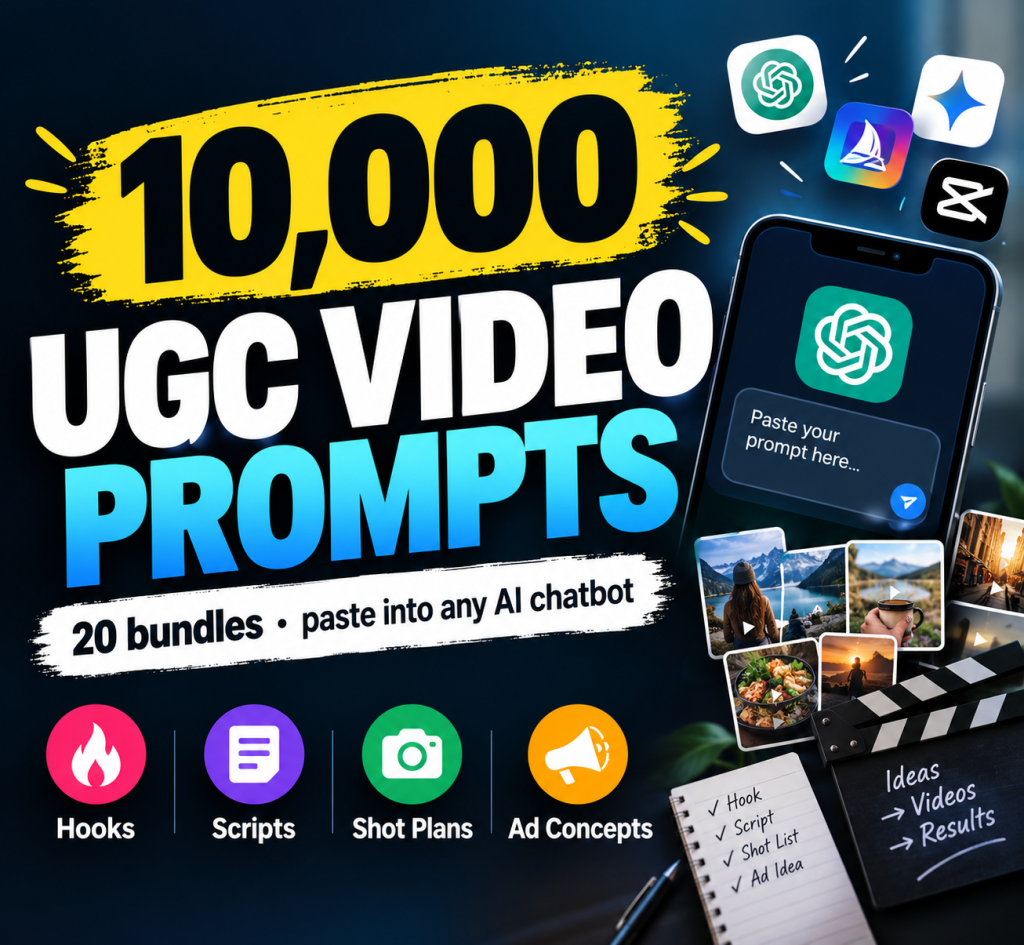
A reusable workflow can make the process more structured. Instead of asking an AI assistant for a single video idea, you can organize the campaign into several stages:
- Analyze the product and its audience.
- Identify customer needs and product benefits.
- Develop advertising angles and hooks.
- Generate multiple UGC-style ad concepts.
- Write scripts and storyboards.
- Create image-generation prompts.
- Create video-generation prompts.
- Define product and character consistency requirements.
- Develop voiceovers, captions, and calls to action.
- Prepare marketing copy and platform-specific variations.
This approach can be particularly helpful for sellers managing several products or creating multiple advertisements for the same listing.
Example: Promoting a Digital Product
Suppose you sell a downloadable social media planner.
Your campaign might include three advertising concepts:
Concept 1: The Organization Angle
Show the challenge of managing scattered content ideas, then demonstrate how the planner organizes ideas and publishing tasks.
Concept 2: The Workflow Angle
Show how a creator can move a content item through planning, creation, editing, scheduling, and publishing.
Concept 3: The Time-Management Angle
Focus on preparing a weekly content plan in one place. Keep any claims about time savings realistic and avoid promising a specific result unless you have evidence.
Each concept can have its own hook, script, visual sequence, and call to action while promoting the same product.
Recommended: AI Product Video and UGC Style Ads Toolkit
If you want a structured starting point for creating AI-assisted product advertising, the AI Product Video & UGC Style Ads Toolkit by RealDigitalBizHub is designed to help Etsy sellers, ecommerce businesses, and content creators organize their advertising workflow.
Rather than being a standalone video-generation application, it is a downloadable digital prompt toolkit. It helps you use a compatible AI chatbot to develop campaign ideas and prepare prompts for separate image and video tools.
What is included?
- A Universal UGC Ad Generator Master Prompt
- Five AI image prompts
- Five AI video prompts
- Product consistency reference guidance
- Character consistency guidance
- Product and market analysis prompts
- Ideal customer avatar development
- Customer pain-point and desire analysis
- Brand positioning and unique selling proposition development
- Five UGC-style advertising concepts
- Storylines and scene-by-scene video directions
- Camera-angle and camera-movement guidance
- Lighting, voiceover, on-screen text, and sound suggestions
- Emotional storytelling guidance
- Fifteen advertising hooks
- Fifteen marketing headlines
- Ten call-to-action variations
- Ten product-benefit statements
- Social-proof and urgency copy prompts
- Twenty hashtag suggestions
- SEO product title and meta description generation
- Universal negative prompts for image and video generation
- Copy-and-paste formatting
- Beginner instructions and a step-by-step YouTube tutorial
The toolkit is intended to help you move from a product description, image, or idea to a more organized advertising campaign.
Who Can Use This Toolkit?
It may be useful for:
- Etsy sellers promoting physical or digital products
- Shopify and other ecommerce store owners
- Small business owners
- Digital product creators
- Print-on-demand sellers
- Social media marketers
- Freelancers and content creators
- Agencies developing advertising concepts
You can adapt the prompts for compatible AI chatbots and image or video-generation tools, including ChatGPT, Google Veo or Flow, Kling, Runway, Pika, Luma, Hailuo, PixVerse, Sora, Midjourney, FLUX, Stable Diffusion, Ideogram, and Imagen, subject to each tool’s supported inputs and capabilities.
You may need separate subscriptions or credits for third-party services. The toolkit itself does not provide paid access to these tools or automatically deliver finished video files. Results vary by platform, input quality, and prompt adaptation. Marketing or sales performance is not guaranteed.
How to Get Started
- Visit the product page.
- Purchase and download the digital toolkit.
- Follow the included setup instructions.
- Open a compatible AI chatbot.
- Provide your product information and follow the master prompt workflow.
- Review and customize the generated concepts and prompts.
- Use your chosen image or video-generation tools to produce the assets.
- Edit, review, and publish the final advertising content.
Explore the AI Product Video & UGC Style Ads Toolkit here:
https://realdigitalbizhub.etsy.com/listing/4546697418/ai-product-video-ugc-style-ads-toolkit
This is a digital download, not a physical product. Review the listing for the current price, contents, and license terms before purchasing.
Tips for Getting Better Results From AI UGC Prompts
Even a detailed prompt requires human review. Use these practices to improve your workflow.
Give the AI Accurate Product Information
Include the correct product name, features, materials, dimensions, target audience, and limitations. Do not ask the AI to invent specifications or benefits.
Use Reference Images When Appropriate
Reference images can help guide the appearance of a product across generated assets. Check that the final images preserve important details, especially labels, packaging, and logos.
Create Different Concepts for Different Audiences
One advertisement may focus on convenience, while another focuses on design, usability, or gifting. Choose angles based on your actual customers rather than generic marketing language.
Keep the Message Simple
Short advertisements work best when the viewer can quickly understand the product, its relevant benefit, and the next step.
Avoid Fake Testimonials
Do not invent customer reviews, sales figures, endorsements, or personal experiences and present them as real. If you use a fictional AI character, make the nature of the content clear when necessary. Review the applicable advertising rules and platform policies.
Check Commercial Rights
Confirm that your AI tool, music, stock assets, fonts, images, and other materials can be used for your intended commercial purpose. Tool access does not automatically grant every right you may need.
Measure Performance
Use platform analytics to identify which concepts attract attention and encourage useful actions. Treat early results as evidence for further testing, not as proof that a prompt guarantees sales.
Frequently Asked Questions
What is an AI UGC creator?
An AI UGC creator is a tool or workflow that uses artificial intelligence to develop user-generated-content-style marketing materials, such as advertising concepts, scripts, visual assets, voiceovers, and videos.
Can I create UGC ads with AI without hiring a creator?
Yes. AI can help you develop scripts, visual concepts, synthetic presenters, and video assets, depending on the tools you use. However, human creators may still be valuable when authenticity, real product experience, or genuine customer testimony is important.
What is the difference between an AI UGC creator and a video generator?
An AI video generator focuses on generating video content. An AI UGC workflow may also cover product research, customer analysis, hooks, scripts, storyboards, image prompts, calls to action, and marketing copy.
Do I need coding skills to use an AI UGC prompt toolkit?
Generally, no. A prompt toolkit is designed to be used by copying instructions into a compatible AI chatbot and supplying the necessary product information. You should still review and customize the results.
Can I use AI UGC prompts for Etsy products?
Yes. You can adapt prompts to promote Etsy products, including handmade items, printables, templates, and other digital downloads. Use accurate product descriptions and ensure that your advertising matches the actual item.
Does the AI Product Video & UGC Style Ads Toolkit generate finished videos?
No. It is a digital prompt toolkit that helps you develop advertising concepts and prepare image and video prompts. You need compatible AI-generation or editing tools to create the final assets.
Which AI tools can I use with the toolkit?
The prompts can be adapted for compatible chatbots and image or video-generation tools, including ChatGPT, Veo, Kling, Runway, Pika, Midjourney, and FLUX. Compatibility depends on the particular prompt and each tool’s supported capabilities.
Are AI-generated UGC ads free?
Not necessarily. Some tools offer limited free access, while others require subscriptions or credits. The total cost depends on the services used to generate images, videos, voices, and final edits.
Can AI UGC ads guarantee more sales?
No. Advertising performance depends on many factors, including product-market fit, creative quality, audience targeting, pricing, landing-page experience, and competition. Test different concepts and use actual performance data to guide decisions.
Can I use AI-generated advertising commercially?
Commercial use depends on the applicable tool terms, asset licenses, platform policies, and local laws. Review these requirements before using generated content in paid campaigns.
Conclusion
An AI UGC creator workflow can help Etsy sellers, ecommerce businesses, and content creators plan product advertisements more efficiently. By combining product analysis, creative hooks, scripts, storyboards, image prompts, video prompts, and consistent visual references, you can develop a repeatable process for producing marketing content.
The key is to use AI as a creative assistant rather than assuming that one prompt will produce a perfect advertisement. Provide accurate product information, review the generated assets, follow relevant advertising and licensing rules, and test different creative approaches.
If you want a reusable starting point for your product advertising workflow, explore the AI Product Video & UGC Style Ads Toolkit from RealDigitalBizHub.
View the toolkit on Etsy:
https://realdigitalbizhub.etsy.com/listing/4546697418/ai-product-video-ugc-style-ads-toolkit
Start with one product, develop a few distinct advertising concepts, and improve your campaign using real audience feedback and performance data.

