

How to make money online pinterest: Pinterest is more than a place to save recipes, fashion ideas, home decor, and DIY projects. It is a visual discovery platform that can help creators attract visitors, promote products, build an audience, and generate online income. With the right approach, Pinterest can connect interested people with a blog, online store, service page, or digital offer.
If you want to learn how to make money online Pinterest, you do not need to be a professional designer or have thousands of followers. Start with a clear monetization strategy, useful content, relevant keywords, and a destination where people can take action. Your profile, boards, and Pins should all support the same topic and audience.
Pinterest does not automatically pay users for uploading Pins or collecting followers. Most money comes from activities outside the platform, including affiliate marketing, selling digital products, promoting an online store, offering services, or earning revenue from a website. In other words, Pinterest is a marketing channel that can help drive traffic rather than a guaranteed paycheck.
This guide explains seven practical ways to make money, how to set up your account, and how to develop a sustainable Pinterest marketing strategy. It also covers keywords, content planning, analytics, and the steps needed to turn Pinterest traffic into measurable business results.
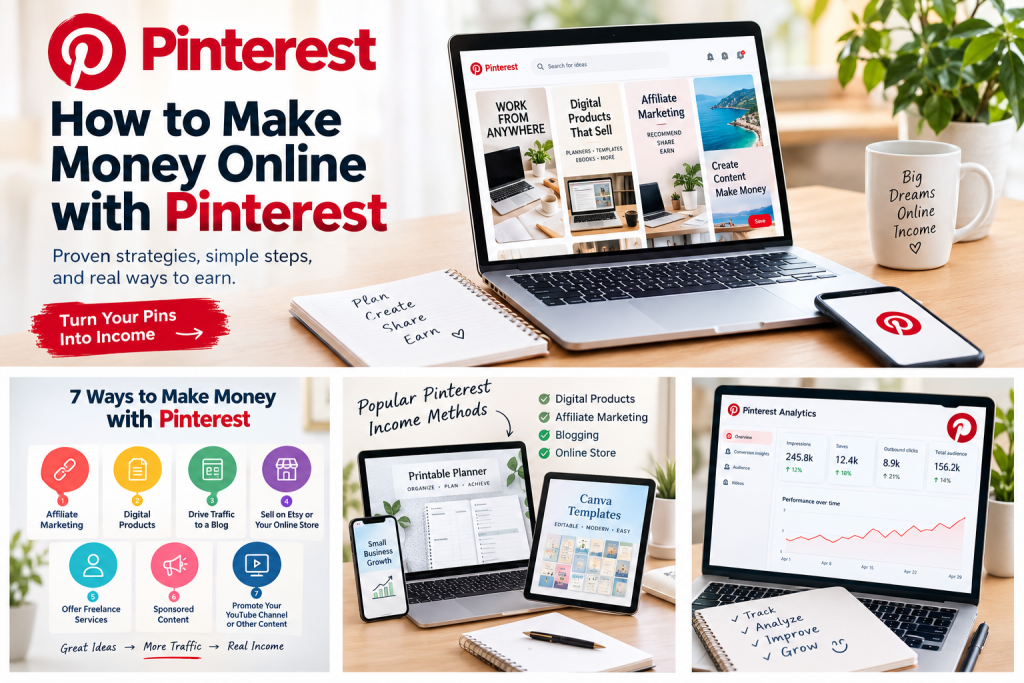
Can You Make Money on Pinterest?
Yes. You can make money with Pinterest by using Pins to connect people with products, services, websites, and other monetized destinations. Your results depend on audience demand, traffic quality, conversion rates, commission structures, expenses, and the value of your offer.
Pinterest’s official guidance confirms that creators can use affiliate links and that Pins can direct people to blogs and other websites. Its business tools also provide analytics for measuring engagement and outbound clicks.
The important distinction is that Pinterest is usually a traffic and discovery channel, not a guaranteed source of direct payments.
For example, a creator who publishes home office inspiration could earn through affiliate links to desks and chairs, sell a printable office planner, or drive traffic to a blog that earns advertising revenue. The best method depends on what you can create and what your audience wants to buy.
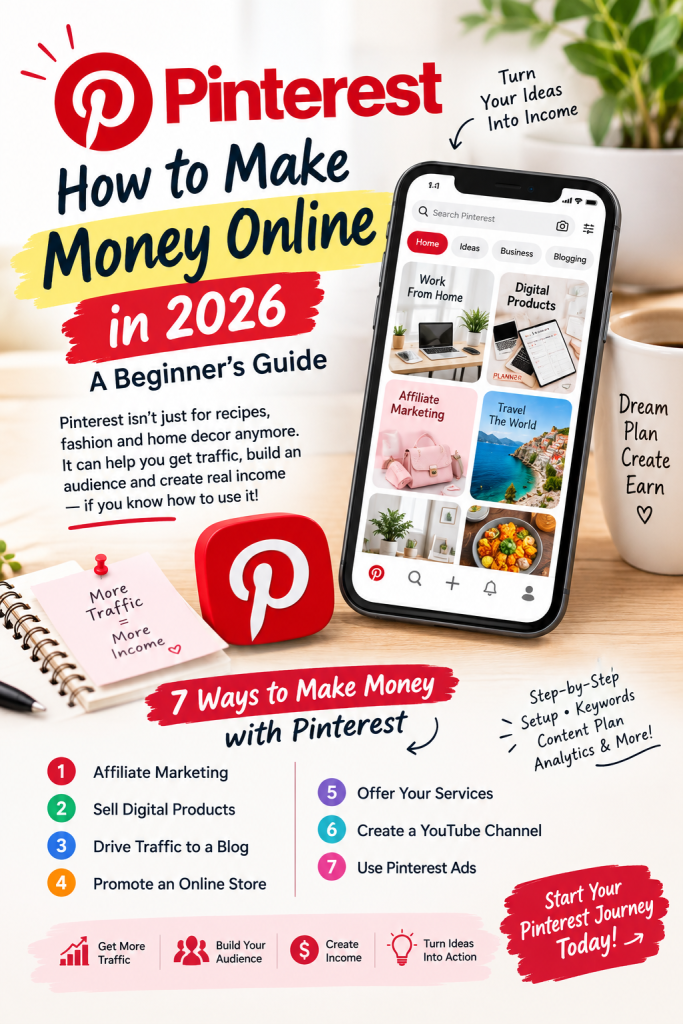
7 Ways to Make Money Online Pinterest
1. Affiliate Marketing
Affiliate marketing is one of the simplest ways to make money on Pinterest without creating your own product. It works best for creators who can recommend useful products in a focused niche.
You promote a company’s product with a unique affiliate link. When someone makes a qualifying purchase through that link, you may receive a commission under the affiliate program’s terms. Pinterest does not guarantee income, so choose offers that genuinely match your audience.
Potential niches include:
- Home decor and organization
- Fashion and beauty
- Kitchen equipment and recipes
- Travel accessories
- Software and creator tools
- Fitness equipment and hobby supplies
How to get started:
- Choose a niche with products people actively research.
- Join a relevant affiliate program and review its rules.
- Select products that solve a genuine audience problem.
- Create original Pins that explain the product’s benefits.
- Add a relevant destination link.
- Track clicks, conversions, and commissions where reporting is available.
For example, a person searching for small-bedroom storage might find a Pin titled “10 Small Bedroom Organization Ideas.” The Pin can lead to an article that explains the ideas and includes recommended storage products.
Pinterest permits affiliate content subject to its policies. Its guidance emphasizes original value, transparent commercial relationships, working links, and avoiding repetitive or spam-like publishing. Read the official Pinterest affiliate-link guide.
In the United States, disclose affiliate relationships clearly and conspicuously. For example: “I may earn a commission if you purchase through links in this post.” Follow applicable FTC guidance and the affiliate program’s rules.
2. Sell Digital Products
Digital products can be a practical way to make money Pinterest users may discover through search. You create the product once and can sell additional copies without shipping each order, although fees, taxes, refunds, and customer support still apply.
Examples include:
- Printable planners and journals
- Canva templates
- Notion dashboards
- Budget spreadsheets
- E-books and guides
- Social media templates
- AI prompt packs
- Wedding and event printables
Suppose you sell a digital content calendar for $15. If 20 customers purchase it in one month, gross revenue is $300 before marketplace fees, taxes, refunds, and other expenses. This is an illustration, not a prediction of typical earnings.
How Pinterest supports digital product sales:
Create Pins that show the product’s appearance, features, and practical uses. Link each Pin to the relevant product listing or sales page. The Pin should explain the offer clearly enough to encourage a qualified click.
For example, a Pin titled “Editable Social Media Content Calendar for Small Businesses” can lead to a page with screenshots, features, pricing, and purchase instructions. The listing should match the Pin’s promise and make the buying process simple.
Digital downloads can attract targeted traffic, but sales depend on demand, product quality, pricing, trust, and the effectiveness of the product page.
3. Drive Traffic to a Blog
If you own a blog, Pinterest can drive traffic to articles that answer specific questions or provide useful ideas. You can then monetize eligible visitors through advertising, affiliate links, sponsored content, email subscriptions, or your own products.
Potential blog topics include:
- Personal organization
- Home improvement
- Food and recipes
- Fashion and beauty
- Travel planning
- Parenting and family activities
- Small business and creator tools
For example, a home-organization blog could publish “15 Budget-Friendly Pantry Organization Ideas.” Several distinct Pins could promote that article, with each one highlighting a different idea or benefit.
A simple blog monetization funnel:
- A person discovers your Pin.
- They click through to your blog article.
- They read the content and explore relevant recommendations.
- They click an affiliate link, view an advertisement, join your email list, or purchase a product.
Do not judge the blog only by impressions. Measure the traffic that reaches your website and the actions visitors take there.
4. Sell Products Through Etsy or an Online Store
Pinterest can support businesses that sell physical products, digital products, or both. Potential products include printable wall art, handmade items, planners, craft supplies, personalized gifts, and home accessories.
Start with a specific customer and product category. Create Pins that show the product in context rather than relying only on plain product images.
For example, an Etsy seller offering printable nursery wall art could publish Pins showing different room styles, color palettes, and decorating ideas. Each Pin should link directly to the most relevant product page, not an unrelated homepage.
If you operate your own store, review Pinterest’s current business features for product feeds and shopping integrations. Check eligibility, merchant requirements, payment processing, taxes, refunds, and platform fees before investing in the setup.
5. Offer Freelance Services
Pinterest can function as a portfolio and lead-generation channel for people who sell expertise rather than products. This option may suit professionals who want to use their account to demonstrate results and attract potential clients.
You could promote services such as:
- Pinterest account management
- Graphic and Pin design
- Blog writing
- SEO consulting
- Social media management
- Canva template design
- Website design
- Virtual assistance
Create Pins that demonstrate the outcome you provide. A designer might publish “5 Pinterest Pin Design Mistakes That Reduce Clicks” and direct interested people to a portfolio or service page.
Your landing page should explain the service, show relevant examples, state how clients can contact you, and outline your process. Unlike affiliate marketing, freelance work requires you to deliver a service, but one suitable client may be more valuable than many low-intent visitors.
6. Earn Through Sponsored Content
Brands may pay creators to produce content featuring their products or campaigns. This model is best for an account with a focused profile, original content, a clearly defined audience, and evidence of relevant engagement.
Keep examples of your work and document performance metrics when approaching potential sponsors. Brands may consider niche relevance, audience quality, creative quality, traffic, and campaign results—not only follower numbers.
Sponsored content is not guaranteed simply because an account has a large audience. Clearly disclose paid partnerships and follow Pinterest’s commercial-content policies and applicable advertising laws.
7. Promote Your YouTube Channel or Other Content
Pinterest can help people discover educational videos, tutorials, reviews, podcasts, and other content hosted elsewhere. A creator who publishes AI-tool tutorials, for example, could design Pins around a specific problem, practical outcome, and invitation to watch the full video.
The resulting income may come from eligible YouTube monetization, sponsorships, affiliate links, services, or products—not necessarily from Pinterest itself. Use relevant destination links, and ensure every Pin accurately represents the content people will find after clicking.
How to Get Started with Pinterest: Step by Step
Step 1: Choose One Monetization Method
Avoid trying to launch every income stream at the same time. A focused strategy makes it easier to create relevant content, understand your audience, and measure which activity produces useful results.
Choose one primary model based on your skills, resources, and existing assets. You can use Pinterest to promote a product, attract website visitors, generate leads, or build awareness for another business channel.
| Your situation: Starting option | |
| You have no product | Affiliate marketing or a blog |
| You can design templates | Digital products |
| You own an Etsy shop | Product promotion |
| You provide professional services | Portfolio and lead generation |
| You publish videos | YouTube traffic |
| You have a useful blog | Traffic and content monetization |
You can expand later after gathering evidence about what attracts visitors, clicks, leads, or sales. Begin with one destination page and one clear audience instead of dividing your effort across several unrelated offers.
Step 2: Create a Pinterest Business Account
A Pinterest business account provides access to tools such as Pinterest Analytics, scheduling features, and advertising capabilities. Check the current features available in your region, because account options and eligibility requirements may change.
Set up the account with a recognizable business name, a relevant profile description, and a clear explanation of the content you publish. Use the same branding, spelling, and profile information across your website and other social media channels.
If you have a website, investigate claiming and verifying your domain. This can help associate your website’s Pins with your Pinterest business account and analytics. Before publishing, check that your profile link, destination pages, and contact details work correctly.
See the official Pinterest Analytics guide.
Step 3: Research Keywords
Pinterest is a visual discovery platform, but keywords still matter. Research the words and phrases people use when they want ideas, instructions, products, or services related to your topic.
Think about search intent rather than collecting broad terms. Someone looking for a digital planner might search for:
- Digital planner for beginners
- Printable weekly planner
- Notion content planner
- Small business organization
- Social media calendar template
Use Pinterest’s search suggestions and Pinterest Trends to investigate relevant topics and seasonal interest. Place appropriate keywords naturally in your profile, board names, Pin titles, descriptions, and destination page. Do not add unrelated keywords simply to attract impressions.
Step 4: Create Useful, Original Pins
Create vertical images that are easy to read on mobile devices. Use strong contrast, a simple headline, consistent branding, and enough empty space for the design to remain clear on a small screen.
Pinterest recommends a 2:3 aspect ratio for standard image and video creative in its business guidance. A 1000 × 1500 pixel canvas is one practical starting size, but confirm the latest specifications before producing content at scale.
Each Pin should have:
- A clear headline
- A high-quality visual
- Readable text
- A relevant title and description
- A working destination URL
- A direct relationship between the Pin and the landing page
You can use Canva or another design tool to create graphics. Test different headlines, layouts, colors, and calls to action, but make every Pin genuinely useful. Avoid publishing large batches of near-identical Pins or recycling the same post without adding a meaningful variation.
Step 5: Organize Relevant Boards
Create boards around specific subjects your audience cares about. Boards should help people understand your content and find related Pins, not simply serve as storage folders.
For example, a digital-product seller might create boards for:
- Printable Planners
- Small Business Templates
- Content Creation Tools
- Productivity and Organization
Use descriptive board names and descriptions that reflect genuine search topics. Save content to relevant boards rather than placing every Pin into unrelated categories. Review your boards periodically and remove or reorganize content that no longer fits your account.
Step 6: Publish Consistently
Build a schedule you can maintain without sacrificing content quality. Consistency means creating and reviewing useful content regularly; it does not require publishing the maximum possible number of Pins.
For example, you could start with one or two original Pins per day, review the results weekly, and adjust the schedule based on production capacity and performance. If that pace reduces quality, publish less often and improve the destination pages, titles, and visual design.
This is a suggested testing schedule, not an official requirement or a guaranteed growth formula.
Prioritize helpful content, accurate links, and a sustainable workflow over repetitive posts. Keep a simple record of each post, its topic, destination, publication date, and initial performance.
Step 7: Track Results and Improve
Review your Pinterest Business analytics regularly, but connect platform data with website, store, affiliate, or lead-tracking data. Add UTM parameters where appropriate so you can identify which Pins generate traffic and meaningful actions after the click.
Important metrics include:
- Impressions: How often your Pins appeared on screen and created awareness.
- Saves: How often people saved your Pins for later reference.
- Pin clicks: How often people opened your Pins or interacted with them.
- Outbound clicks: How often people followed links to destinations outside Pinterest.
Also measure conversions and revenue using your website analytics, affiliate dashboards, store reports, or lead tracking. Impressions and saves indicate awareness or engagement; outbound clicks indicate traffic; form submissions, purchases, and commissions indicate business results.
A Pin with many impressions but few outbound clicks may need a clearer headline, stronger visual, or more relevant offer. A Pin with many clicks but no sales may indicate a mismatch between the promise and the landing page, weak product-market fit, or a poorly designed sales process. Use these observations to improve your next Pins instead of judging the entire account from one post.
Pinterest SEO: How to Help People Discover Your Pins
Pinterest SEO means optimizing your content so it matches the searches, interests, and needs of your intended audience. It is different from Google SEO, although both can support a broader marketing strategy: Pinterest can drive traffic to useful pages, while search engines may help people find your website through traditional web search.
Start with these practices:
- Use specific keywords. Match keywords to search intent, such as an informational query like “how to organize a pantry,” a commercial query like “best pantry storage containers,” or a product-focused query like “printable pantry labels.” Include the main topic naturally in the Pin title and descriptions without keyword stuffing.
- Make the visual relevant. The image should accurately represent the linked content. A Pin promising a tutorial, product comparison, or template should show or clearly communicate what people will find after they click.
- Optimize board names. Use descriptive phrases instead of vague names. For example, “Small Business Marketing Tips” is more informative than “Ideas,” and “Printable Weekly Planners” gives people a clearer reason to explore the board.
- Link to a useful destination. Avoid broken URLs or unrelated landing pages. The page should fulfill the exact promise made in the Pin and make the next action clear, whether that means reading an article, viewing a product, or joining an email list.
- Create original content. Offer a new angle, tutorial, comparison, checklist, or visual example. Seasonal topics and fresh creative can be useful when they match genuine audience interest, but neither guarantees distribution or traffic.
- Review performance. Use analytics to identify content that attracts relevant visitors, saves, outbound clicks, leads, or conversions. Produce more content around proven topics while continuing to test headlines, designs, and formats.
Pinterest’s Pin performance and distribution guidance recommends relevant descriptions, quality creative, functioning links, and reviewing analytics to improve results.
Remember that search visibility is not guaranteed. Competition, relevance, content quality, user behavior, seasonality, and platform changes can all affect how Pinterest distributes your Pins.
How Long Does It Take to Make Money on Pinterest?
There is no reliable universal timeline for making money on Pinterest. Some creators may receive clicks or sales relatively early, while others need months of testing, consistent Pins, and content development before seeing meaningful results.
Your timeline depends on your niche, publishing frequency, competition, existing audience, offer quality, and the effectiveness of your landing pages. Pinterest traffic can show that people are discovering your content, but traffic alone does not prove that the business model is profitable.
Instead of setting an unsupported income deadline, establish weekly or monthly milestones:
- Publish your first set of original Pins.
- Identify which topics generate saves, clicks, and outbound traffic.
- Improve the landing pages receiving traffic.
- Measure affiliate conversions, product sales, qualified leads, and profit.
- Invest more effort in approaches that demonstrate results.
Saves and clicks are useful early indicators, while leads, sales, and profit are stronger business outcomes. If Pins generate traffic but no conversions, review the offer, product-market fit, page experience, and consistency between the Pin and landing page. A practical first goal is to validate the entire process—from discovery to a meaningful action—before trying to scale it.
Common Pinterest Money-Making Mistakes
Expecting instant income: Publishing Pins does not guarantee traffic, sales, or commissions. Give your account time to test topics, improve content, and identify a realistic way to make money.
Choosing a niche only because it appears profitable: A niche also needs audience demand, suitable products, and content you can produce consistently. Research whether people actively seek the product or service before building your marketing plan.
Ignoring disclosures: Affiliate and sponsored relationships should be communicated clearly and conspicuously in accordance with applicable rules. Review Pinterest policies, affiliate-program terms, and relevant advertising requirements before publishing commercial content.
Using misleading headlines: A Pin should deliver what its title promises. Accurate headlines build trust, while exaggerated claims can increase short-term clicks but damage engagement and conversions.
Sending visitors to irrelevant pages: The landing page should directly match the Pin’s subject and offer. If people cannot quickly find the promised information or product, they may leave without taking action.
Buying traffic before validating the offer: Paid promotion can increase costs without producing profitable sales. Track ad spending, fees, and revenue, and test the organic funnel or a small, carefully measured campaign first.
Focusing only on followers: Followers and impressions are not the same as customers, leads, or revenue. A smaller, relevant audience may be more valuable than a large audience with little interest in your offer.
Using spammy tactics: Avoid fake engagement, repetitive affiliate posts, duplicate Pins, and artificial attempts to manipulate distribution. Publish original content and use your account to provide genuine value to people.
A Simple 30-Day Pinterest Action Plan
Week 1: Build the Foundation
- Choose a niche and one monetization model, such as affiliate marketing, digital downloads, services, or products.
- Set up a Pinterest business account and complete your profile.
- Research 20–30 relevant keyword ideas. This is a suggested starting point, not an official Pinterest requirement.
- Create focused boards with descriptive names.
- Prepare your website, store, portfolio, or affiliate destination page.
Week 2: Publish Your First Content
- Create original Pins for your selected topics and save them to relevant boards.
- Write accurate titles and descriptions that match search intent.
- Add relevant destination links and check every link before publishing.
- Review the mobile experience, disclosure requirements, and page quality.
Week 3: Test and Improve
- Review Pinterest Analytics for impressions, saves, and outbound clicks.
- Identify which topics attract relevant visitors and traffic.
- Test alternative designs, headlines, and calls to action.
- Improve the landing pages receiving clicks and record dates, links, and results in a spreadsheet.
Week 4: Evaluate Monetization
- Review sales, commissions, leads, or other meaningful conversions.
- Calculate expenses, refunds, fees, and net results where possible.
- Identify the strongest content themes and best-performing Pins.
- Plan the next month around measured performance rather than assumptions.
At the end of 30 days, the objective is to have a repeatable system and initial performance data—not necessarily a specific income amount. Spend a manageable amount of time each week, and use Pinterest to test what helps you make money Pinterest users are willing to support.
Conclusion
Learning How to Make Money Online Pinterest starts with understanding how the platform connects discovery to action. Pinterest can help you make money by sending interested people to a relevant offer, website, or service, but it does not guarantee income, sales, or passive earnings.
Affiliate marketing, digital products, digital downloads, blogging, online stores, freelance services, sponsorships, and content promotion all offer possible monetization routes. The right option depends on your skills, resources, audience, business goals, and the type of content you can publish consistently.
Choose one method, create a business account and focused profile, publish useful Pins and posts, optimize your destinations, and track actual conversions. Use Pinterest to drive traffic, build an email audience, and test a marketing strategy while following Pinterest policies, affiliate rules, and applicable advertising disclosure requirements.
With consistent testing, you can determine whether Pinterest traffic supports your online business. Focus on meaningful results rather than vanity metrics, and treat making money on Pinterest as a process of validation and sustainable growth.
Frequently asked questions
1. Can I make money on Pinterest without a website?
Yes. You can promote eligible affiliate products, direct people to an Etsy store or product marketplace, or use Pinterest to attract freelance clients. A website is useful for building an independent audience, but it is not required for every monetization method.
2. Does Pinterest pay you for views?
Pinterest views do not automatically generate income. You generally need a monetization method, such as affiliate commissions, product sales, client leads, or revenue from a monetized website.
3. How many followers do I need to make money on Pinterest?
There is no universal follower threshold for affiliate marketing or selling your own products. A smaller, relevant audience can generate sales, while a larger audience may produce little revenue if its interests do not match your offer.
4. Is Pinterest affiliate marketing free?
Creating organic Pins does not require an advertising budget. However, affiliate programs may have eligibility requirements, and you may incur costs for design tools, a website, or other business resources. Always check the terms of the program you join.
5. What are the best Pinterest niches for making money?
Potential niches include home decor, fashion, food, travel, productivity, digital planners, DIY projects, and small-business resources. Evaluate each niche based on search demand, competition, relevant products, audience purchasing intent, and your ability to create useful content.
6. Can beginners make money on Pinterest in 2026?
Yes, beginners can build a Pinterest-based income stream, but earnings are not guaranteed. Start with one monetization model, publish relevant content, and measure actual clicks, sales, or leads before expanding.
7. How often should I post on Pinterest?
Choose a sustainable publishing schedule that allows you to create original, relevant content. One or two Pins daily can be a reasonable starting experiment, but there is no posting frequency that guarantees reach or income.
8. Do I need to disclose affiliate links on Pinterest?
You should clearly disclose commercial relationships and comply with Pinterest’s affiliate policies, the affiliate program’s terms, and applicable advertising laws. In the United States, consult the FTC’s endorsement guidance

