

How to open etsy store:If you want to build a creative business, learning how to open an Etsy store can give you a practical way to reach customers without creating a standalone ecommerce website first. Etsy is a marketplace for eligible digital downloads, handmade goods, craft supplies, and qualifying vintage items. You might sell printable planners, Canva templates, digital artwork, handmade jewelry, or personalized gifts, depending on Etsy’s current policies and your skills.
Opening an Etsy shop requires more than creating an Etsy account and uploading a product. Before you open an Etsy shop, confirm that seller registration and Etsy Payments are available in your country, choose products for a specific audience, estimate your startup time and fees, and prepare accurate listings. You also need a plan for customer service, promotion, and ongoing business improvement.
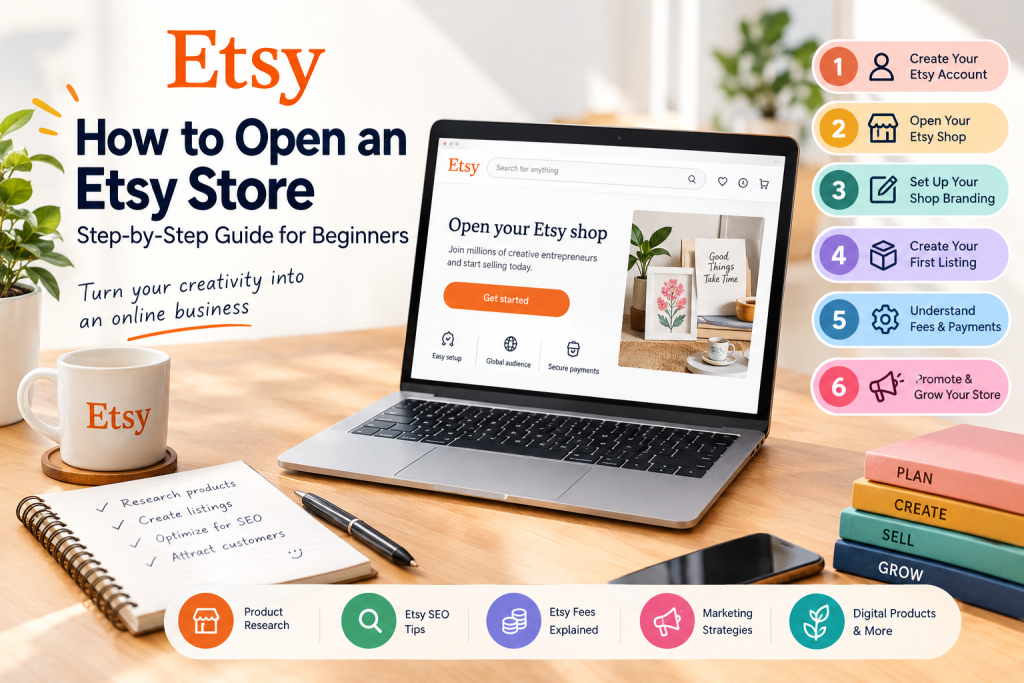
This guide explains how to start an Etsy shop from eligibility checks through launch. You will learn how to set up your shop, choose a product category, publish your first listing, understand platform costs, and use practical tips to improve your chances of earning sales. Remember that creating a shop does not guarantee immediate orders or income.
How to Make Money Online Pinterest in 2026: A Beginner’s Guide
What you will learn in this guide:
- How Etsy works, who can sell, and what the platform permits
- What you need before opening an Etsy store, including payment and identity details
- How to configure your Etsy shop and create a professional customer experience
- How to research products and choose a focused business opportunity
- How to write clear, search-friendly listings for the right shoppers
- How Etsy fees, payments, policies, and delivery requirements affect your business
- How to promote your shop and use performance data to improve sales
Let’s begin.
What Is Etsy?
Etsy is an online marketplace that connects buyers with sellers who offer creative, distinctive, and qualifying products. The platform is known for handmade goods, vintage items, craft supplies, and digital products such as printable planners, invitations, templates, and artwork. An Etsy shop gives a small business access to existing customers, while an independent ecommerce website requires you to build your own audience, storefront, payment system, and marketing channels.
Because Etsy already attracts shoppers, sellers can list eligible products without building an entire online store from scratch. However, Etsy is not a substitute for business planning. You still need to create a useful product, understand your customers, manage your account, calculate costs, and provide reliable service.
For example, an Etsy seller might offer:
- Digital planners and productivity templates
- Printable wall art and wedding invitations
- Canva social media templates
- Notion dashboards and digital organizers
- Handmade jewelry and personalized gifts
- Craft supplies and qualifying vintage products
Etsy can suit beginners who want to start with a small product catalog, but sales are not guaranteed. Product quality, competition, pricing, search visibility, customer service, and marketing all influence performance. Etsy policies, available payment methods, and payment processing requirements can also vary by country and may change over time.
Step 1: Check Whether You Can Open an Etsy Shop
Before you open Etsy, confirm that Etsy supports new seller registration and Etsy Payments in your country. Access as a buyer does not automatically mean that you can register as a seller or open an Etsy shop. Sellers may need identity verification, accurate business information, payment details, and a bank account that meets Etsy’s current requirements.
Do not assume that an internet connection, an email address, or a bank account alone makes you eligible. Etsy may apply different rules to sellers in different countries, including requirements for payment processing, tax information, and account verification.
If you are in Pakistan or another country where seller eligibility may be restricted, use the Etsy Help Center and current Etsy Payments policy page before investing money in products, software, or services. Review the official seller handbook as well, because onboarding requirements and available platforms can change.
Use these official resources:
- Etsy Help Center: https://help.etsy.com/
- Etsy Payments policy: https://www.etsy.com/legal/etsy-payments/
- Etsy’s official seller handbook: https://www.etsy.com/seller-handbook
Important: Never use a false country, borrowed identity, fabricated address, or someone else’s financial details to bypass Etsy’s requirements. Inaccurate information can cause payment problems, account restrictions, or shop suspension. If Etsy does not support new seller onboarding in your country, research alternative platforms before proceeding.
Step 2: Decide What You Want to Sell
Choosing the right product is one of the most important decisions when starting an Etsy shop. Before you build your shop, define your target audience, identify a problem they want to solve, and decide how your offer will be different from competing products.
A common mistake is opening an Etsy shop first and choosing products afterward. Instead, research customer demand, competing listings, pricing, production capacity, and your expected profit margin. This product-selection framework can help you decide whether an idea fits your skills, budget, available time, and business goals.
How to Make Money Online Pinterest in 2026: A Beginner’s Guide
Popular Etsy product categories
1. Digital downloads
Digital products are files that customers purchase and download, including printable planners, budget trackers, calendars, invitations, educational worksheets, and digital artwork. They do not require physical shipping, but they still require research, design, testing, customer support, licensing information, updates, and effective marketing. Clear instructions can also reduce refund requests, disputes, and support questions.
2. Canva templates
Canva templates can help customers create social media graphics, presentations, resumes, business documents, and marketing materials. A focused bundle for a specific audience is usually more useful than a generic collection. Confirm that your design assets, fonts, and templates comply with Canva’s current licensing terms and Etsy policies.
3. Notion templates
Notion dashboards, content calendars, project trackers, and business planners appeal to customers who want organized digital workflows. Test every link, feature, and instruction before publishing the listing.
4. Handmade products
Handmade products include jewelry, accessories, decorations, artwork, and personalized gifts. Calculate material costs, production time, packaging, shipping, returns, and Etsy fees before setting a price. Your price should cover the work required to make and deliver each item while leaving a reasonable margin.
5. Vintage items and craft supplies
Etsy supports qualifying vintage products and craft supplies under its current policies. Review the applicable eligibility rules before listing these items, and keep records that support the item’s age, source, or intended use when relevant.
How to research an Etsy product idea
Follow this simple process:
- Describe your ideal customer and the problem your product solves.
- Search Etsy using the phrase a potential buyer would type.
- Review relevant search results and compare prices, presentation, reviews, formats, and included items.
- Record possible demand signals, such as reviews, recent customer questions, and repeated product themes, without treating them as proof of profitability.
- Identify gaps, such as poor instructions, limited customization, missing features, or weak customer support.
- Estimate materials, production costs, platform fees, shipping, and the time required to create each product.
- Develop a small, differentiated product rather than copying another seller’s product, images, description, branding, or listing.
Use your research worksheet to compare audience need, differentiation, production capacity, expected pricing, and margin. Do not rely solely on a product’s appearance in Etsy search results to estimate sales. Search visibility and public sales data may be incomplete, and a popular item is not automatically a profitable product.
Step 3: Create Your Etsy Account
Once you have confirmed your eligibility, gather the information you need before creating an Etsy account. Prepare a business email address, a strong unique password, a password manager if you use one, your legal name, tax information, bank details, and any payment information Etsy may request.
- Visit https://www.etsy.com/.
- Select the option to sign in or create an account.
- Register using an email address or an available supported sign-in method.
- Verify your email address if requested.
- Secure your account with a strong password and available two-factor authentication.
- Review Etsy’s current seller policies before continuing.
Use an email address that you can access consistently for business communications, account verification, customer messages, and order notifications. Do not share your login credentials with other sellers or reuse a password from another service. Account security helps protect your personal information, shop, and payments.
If you already have an Etsy buyer account, you may be able to use it to open your shop rather than creating a separate account. Follow the current instructions shown on the Etsy page, because registration and account settings can change.
Step 4: Open Your Etsy Shop
After registering, navigate to Etsy’s official shop-opening page:
To open an Etsy shop, complete the onboarding process through Etsy’s website or seller interface. The exact screen names and sequence can change over time, so follow the instructions displayed in your account and keep your legal and payment details accurate.
Choose your shop preferences
You may be asked to select:
- Shop language
- Shop country
- Shop currency
Choose these shop preferences according to your actual business circumstances and Etsy’s current requirements. Your country, legal information, bank details, and payment information must match your real situation. Never select another country to obtain access to payments or other features.
Your shop language affects how you communicate with customers and create listings. Select a language you can use confidently for product descriptions, listing details, customer support, and shop policies.
Choose your Etsy shop name
Your shop name is part of your business identity. Choose a name that is memorable, relevant, easy to spell, and suitable for the products you plan to sell. For example, a store focused on productivity templates might use a name related to planning, organization, or digital productivity.
When choosing a name:
- Keep it short and easy to remember.
- Avoid unnecessary numbers and confusing spellings.
- Check Etsy’s current naming rules.
- Search Etsy for similar shop names.
- Check trademark databases for possible branding conflicts.
- Consider whether the name will still fit if your product range expands.
Etsy’s shop-name rules may restrict length, spaces, and certain characters. Confirm the current requirements during registration. A name’s availability on Etsy does not guarantee that it is legally safe to use or free from trademark conflicts.
Tip: Your shop name does not need to contain every SEO keyword. Use your listing titles, descriptions, attributes, and tags to describe your products accurately.
Step 5: Set Up Your Etsy Shop Branding
Your Etsy shop’s appearance helps customers understand what you sell and decide whether your business looks trustworthy. Consistent branding can make your products easier to recognize and may support conversions, but professional design alone does not guarantee sales.
At a minimum, prepare a recognizable shop icon, a suitable banner if available, consistent product images, and a clear visual style for your listing thumbnails. Choose a small color palette, readable fonts, and a customer-focused tone that you can use across your shop, listings, messages, and other marketing materials.
Shop icon
Use a simple logo or recognizable mark that remains readable at small sizes. Avoid tiny text, excessive detail, and complicated backgrounds. Check how the icon appears on mobile devices and next to your shop name so customers can identify your business quickly.
Shop banner
Your banner can communicate your product category, visual style, and brand identity. For example, a digital planning shop could use a clean layout featuring calendars, notebooks, and productivity-related imagery. Do not make unsupported promises in the banner, and verify the current size and format requirements before uploading it.
Shop announcement
Write a short announcement explaining what your shop offers and who it serves. Mention useful information such as digital delivery, personalization, or current processing expectations when relevant. Keep the text specific and helpful rather than filling it with repeated keywords.
About section
Explain what you create, who your products are for, and how your business approaches quality and customer support. A clear, honest story can help buyers understand your work and expectations, but avoid making claims about your business history, materials, production process, or expertise that are not true.
For digital products, mention the type of files customers receive, the software or account they may need, and where they can find download instructions. For physical items, describe relevant materials, production methods, personalization options, and shipping expectations accurately. Use customer-facing language that is easy to understand rather than technical wording that creates confusion.
Policies and FAQs
Configure the applicable policies and shop information before launching. Explain important details such as digital delivery, personalization requirements, processing times, shipping, returns, and how buyers can contact you. Make sure your policies match the information in each listing and do not conflict with Etsy’s rules or applicable consumer-protection requirements.
Clear information can reduce confusion and repetitive support questions. Before launch, review your shop on a mobile device and check that your icon, banner, announcement, About section, policies, and listing links present a consistent customer experience.
How to Make Money Online Pinterest in 2026: A Beginner’s Guide
Step 6: Prepare Your First Product
Before creating a listing, make sure your product is complete, accurate, and ready for a customer. Review the product from the buyer’s perspective: Can they understand what they receive, access it without unnecessary difficulty, and use it as described?
For digital products, test every file, link, button, and download on the devices or software your customers are likely to use. Check file names, folder organization, permissions, compatibility, and the clarity of your instructions. Open the files on a mobile device when relevant, and ask someone unfamiliar with the product to follow the setup process. For physical products, check quality, dimensions, materials, packaging, shipping, and the fulfillment process. Confirm that photos and descriptions represent the actual item.
For example, if you want to sell a digital content planner, your product package might contain:
- A duplicate-ready Notion template link or other promised digital deliverable
- A PDF instruction guide with clear access and setup steps
- Setup and customization instructions
- A troubleshooting section covering common customer questions
- Clear information about permitted personal or commercial use
Explain whether the license permits personal use, commercial use, client work, resale, redistribution, or modification. Only include files, features, access methods, and license rights that you actually provide. Do not describe a product as editable, compatible, or customizable unless you have tested that claim.
Understand Etsy’s creativity standards
Not every item can be sold on Etsy. Products must comply with Etsy’s Creativity Standards and other applicable policies. Digital items, for example, must meet the relevant rules for seller-designed or seller-created products. Requirements may also apply to AI-assisted work, production partners, personalized items, and craft supplies, so review the official policy before listing.
Check the current policy before listing items that include AI-generated content, production partners, third-party assets, or licensed designs. You must have the necessary rights to use fonts, stock images, mockups, templates, music, graphics, and AI-generated elements. A paid asset or software subscription does not automatically give you permission to resell the original asset or use it in every type of product.
Do not copy another seller’s product, artwork, photographs, listing text, or branding. Respect copyright, trademarks, and the license terms of every design resource you use. If you are uncertain whether an item qualifies, pause before publishing and seek clarification from the relevant policy or rights holder.
Step 7: Create Your First Etsy Listing
Your product listing helps shoppers decide whether your offer meets their needs. Search intent explains what buyers type into Etsy, while buyer intent describes what they want to purchase or solve. Address both with accurate information.
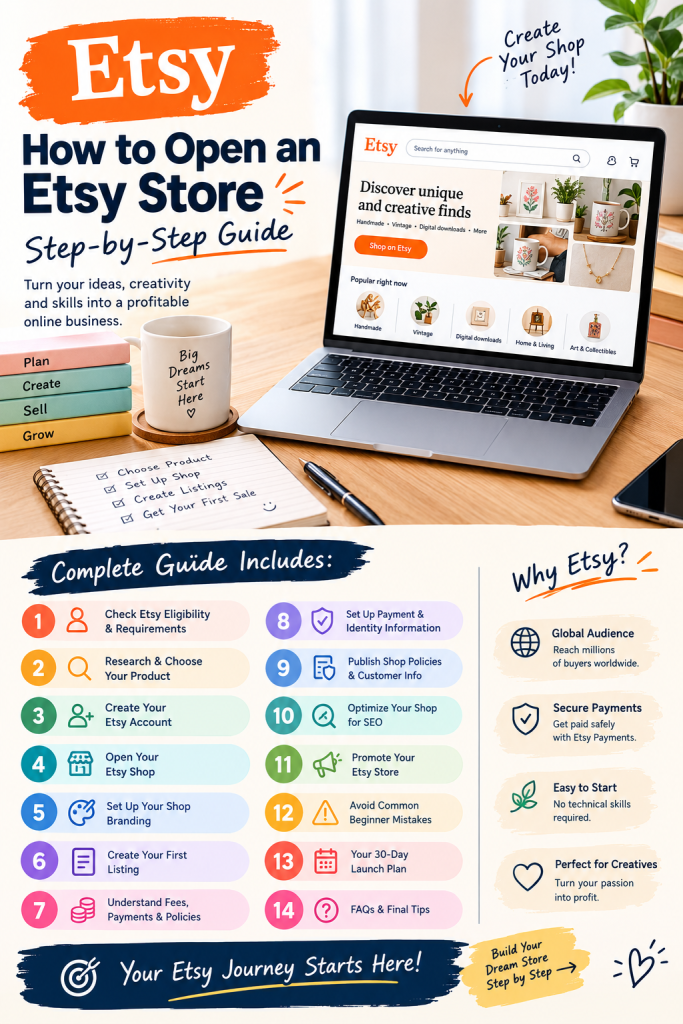
Open your shop’s listing-management area, choose the option to add a new listing, and complete every applicable field. Use the current Etsy form because available fields and requirements may change.
1. Write an SEO-friendly product title
Your title should describe the product in natural language and include the main phrase a customer is likely to search for. Match the wording to the item’s audience, format, and purpose rather than adding unrelated keywords.
For example:
Notion Content Creator Dashboard | Social Media Content Planner and Editorial Calendar Template
This title identifies the product and combines relevant search terms without becoming an unreadable keyword list. A physical product might use a title such as “Personalized Ceramic Coffee Mug | Custom Gift for a Teacher.”
Avoid misleading phrases, keyword stuffing, unsupported claims, and details that do not accurately describe the item.
2. Upload high-quality product images
Product images and photos help buyers understand what they are purchasing. Use clear, well-lit visuals with enough contrast for mobile shoppers. Keep text large and readable, and do not put essential information only inside an image.
For digital products, consider showing:
- A clear cover image
- Screenshots of the actual product
- Key features
- Included files or components
- A simple use-case example
- Compatibility or access information
Use descriptive copy and make sure the images represent the actual product rather than suggesting features that are not included. For physical items, show the real product from multiple useful angles, include accurate scale information, and show personalization or packaging when relevant.
3. Write a detailed product description
Start with a clear explanation of the problem the product solves and the intended buyer. A useful description structure is:
Opening: Explain what the product is and who it is for.
Features: Describe the main functions or included items.
What is included: List the exact files, quantities, sizes, or deliverables.
How it works: Explain how customers access, download, install, or use the product.
Requirements: Mention relevant software, accounts, compatibility, or technical limitations.
Important information: Explain whether the item is digital or physical and clarify usage licenses, customization limits, processing, and shipping details.
Support: Tell customers how to contact you if they have a problem.
Use your primary keyword naturally near the beginning, but prioritize clarity and accessibility over repetition. Title, description, tags, category, and attributes should all describe the same product relevance.
4. Add relevant Etsy tags
Etsy allows up to 13 tags per listing, subject to current rules. Use accurate phrases that describe the product, audience, purpose, format, or intended use.
For a Notion content planner, examples might include:
- Notion content planner
- Content creator planner
- Social media planner
- Editorial calendar
- Digital content tracker
- Notion dashboard
- Creator workflow
- Content calendar
- Marketing planner
- Digital productivity
- Social media workflow
- Content management
- Small business planner
Use only phrases that accurately match your item, and check current character limits and tag rules before publishing. Do not use tags for unrelated traffic.
5. Complete categories and attributes
Choose the most accurate product category and complete relevant attributes. These details help Etsy understand your listing and may help it appear in relevant searches. Do not select unrelated attributes simply to attract additional traffic.
6. Set your price
Use this basic pricing formula: price = product costs + labor + shipping and packaging + Etsy fees + payment processing + desired profit margin.
For a digital product, include the time spent researching, designing, testing, documenting, and supporting it. For physical items, include materials, labor, packaging, shipping, transaction costs, and other business expenses. Do not copy the cheapest competitor; a lower price does not automatically produce more sales or profit.
7. Configure inventory and delivery
For physical products, enter accurate inventory, processing times, shipping details, and other required information. For digital products, upload the correct files and verify the delivery settings. Etsy distinguishes between instant-download digital listings and made-to-order digital items, so select the option that matches what you provide.
8. Preview and publish
Before publishing, use this checklist: review the title, photos, description, tags, price, category, inventory, shipping, and delivery details. Check for broken links, missing files, spelling errors, accessibility problems, and misleading statements. Then publish the listing using Etsy’s current option.
Your first listing is ready for shoppers once any remaining account or shop requirements are complete.
Step 8: Understand Etsy Fees and Payments
A profitable Etsy business starts with a clear understanding of every cost connected to a product, order, and sale. Etsy fees vary by seller location, payment method, listing currency, and account status, and the platform can change its rates or policies.
Etsy’s fee structure can include several different charges:
Listing fee: Etsy generally charges a US$0.20 listing fee for each listing. Renewing a listing, selling multiple quantities, or creating additional listings can result in more charges.
Transaction fee: Etsy generally charges a 6.5% transaction fee on the applicable order amount, including relevant shipping and gift-wrapping charges where applicable.
Payment processing fee: This fee varies by country and may apply to the payment amount, including components specified in Etsy’s policy. Review the current rate for your bank, country, and payment account.
Shop setup fee: Etsy may charge a one-time, non-refundable setup fee for certain new shops. Etsy discloses the amount and applicability during onboarding.
Advertising fees: Offsite Ads fees may apply to qualifying orders attributed to Etsy’s advertising program. Etsy Ads can also create additional costs when you choose to run campaigns.
Shipping, taxes, currency conversion, and other charges: Shipping may be paid by the customer or included in your price, but it still affects your margin. Currency conversion, taxes, refunds, and other charges may also apply depending on your location and transactions.
Use this cost checklist before publishing: listing fee, transaction fee, payment processing, shipping, materials or product costs, advertising, taxes, currency conversion, and other business expenses. Because rates and country-specific rules can change, verify the current details here:
How to calculate your profit
Use this basic formula:
Net profit = Revenue − product costs − Etsy fees − advertising costs − shipping costs − taxes − other business expenses
For example, assume you sell a digital template for $10. Your gross revenue is $10, but your net profit is lower after the applicable listing fee, transaction fee, payment processing, advertising attribution, refunds, taxes, and other costs. The final amount depends on your country, payment account, and whether the order came through advertising.
Do not assume every sale produces the same margin. Calculate the costs for each product type and review your results regularly so you can adjust pricing without misleading customers.
Step 9: Configure Your Payment and Identity Information
During onboarding, Etsy may request identity verification, payment information, billing details, tax information, and other documentation. Follow the instructions provided for your country and account.
Use your own accurate legal and financial information, or the information of a properly authorized business entity. Make sure your name, address, bank details, and payment information are consistent and current.
Payment eligibility is especially important for sellers outside Etsy’s established markets. Confirm whether Etsy Payments supports new sellers in your country before relying on Etsy as your main sales channel. Tax obligations also depend on your jurisdiction and business structure; consult an appropriate tax professional when necessary.
Never purchase an existing seller account or use false identity documents to bypass platform requirements.
Step 10: Publish Your Shop Policies and Customer Information
Customers need to know what to expect after placing an order. Configure your shop policies and required disclosures based on the products you sell and the laws that apply to your business.
For physical products, explain processing and shipping information, estimated delivery, returns, exchanges, cancellations, and other relevant terms, subject to applicable laws and Etsy policies. Set realistic processing times and update customers promptly if an order is delayed.
For digital products, explain how customers receive their files, what software or accounts they may need, and how to get support if a download fails. State what the buyer receives and provide accurate instructions for access and use.
A blanket “no refunds” statement does not automatically override consumer-protection laws or Etsy’s rules. Digital and physical purchases may have different requirements depending on the situation and jurisdiction. Keep customer communications professional, accurate, and prompt, and respond to payment or delivery questions through the appropriate Etsy channels.
Step 11: Optimize Your Etsy Shop for SEO
Etsy SEO improves the relevance and visibility of your listings in Etsy search. It differs from Google SEO because Etsy primarily connects shoppers with products on its marketplace. Although Etsy does not disclose every detail of its search system, sellers can improve an Etsy shop by describing products accurately and creating useful listings for a specific audience.
Use specific long-tail keywords
Research keywords according to search intent, audience, format, use case, and product specificity. Broad phrases such as “planner” or “template” can be highly competitive, while specific phrases may better match what buyers want, such as:
- Notion content calendar for creators
- Printable wedding budget planner
- Canva Instagram templates for coaches
- Digital budget tracker spreadsheet
- Editable business proposal template
For physical products, a seller might target “personalized ceramic mug for teachers” instead of “mug.” For handmade goods, “handmade silver birthstone necklace” may communicate more intent than “jewelry.” Choose phrases that accurately describe your products and target market rather than assuming every popular term creates demand.
Keep titles readable
Include the primary product phrase and useful descriptive terms near the beginning of the title. Do not turn the title into an unreadable list of repetitive search queries. Clear wording helps both Etsy and customers understand the offer.
Use all relevant tags
Use all available tags when you can provide accurate, distinct phrases. Consider synonyms, intended uses, formats, audiences, and specific product features, but do not add irrelevant tags simply to attract traffic. Using more tags does not guarantee better ranking.
Complete listing attributes
Accurate categories and attributes provide additional context about your product. Treat them as part of listing optimization rather than optional decoration, and make sure they agree with the title, description, photos, and tags.
Improve conversion quality
Search visibility is only one part of performance. Once shoppers reach your listing, images, pricing, description, reviews, product quality, and customer experience affect their decisions. Monitor impressions, visits, favorites, conversion rate, orders, sales, and profit when those statistics are available.
Test one meaningful change at a time. If a listing receives impressions but few visits, review its title or photos. If it receives visits but few orders, investigate the offer, presentation, price, description, or customer concerns. Allow enough time to collect useful data before making another change.
Step 12: Promote Your Etsy Store
Do not rely entirely on Etsy search to bring visitors to your shop. External platforms can introduce your products to new audiences, but promotion must follow Etsy’s rules and each platform’s policies.
External traffic should lead to the most relevant listing or product page, not automatically to a general shop page.

Pinterest marketing
Pinterest can help promote visually appealing products such as printable planners, templates, home decor, invitations, and design resources. Create useful, keyword-relevant Pins with clear images and titles, and link each Pin to the matching Etsy listing.
Instagram and Facebook
Use these platforms to demonstrate products, show how they work, answer customer questions, and share practical tips related to your niche. A digital planner seller might publish a short video showing how a weekly content calendar works.
YouTube marketing
Tutorials, demonstrations, product comparisons, and workflow videos can attract viewers who are actively looking for a solution. If you sell a Notion dashboard, show how to set it up and use it realistically, then include an accurate product link in the video description.
Build an email audience where permitted
You can develop an independent audience through a website or newsletter if your methods comply with privacy laws and platform policies. Do not add Etsy customers to a marketing list without the required consent.
Test paid advertising carefully
Advertising can generate traffic, but traffic is not the same as profit. Start with a controlled budget, track attributed sales and costs, and avoid spending heavily until you understand your product’s conversion performance.
Step 13: Common Etsy Beginner Mistakes to Avoid
Many new sellers make preventable mistakes when opening an Etsy shop. Use this diagnostic checklist to identify problems and apply a practical correction.
1. Choosing a product without research
Limited demand or intense competition can make a product difficult to sell. Research the audience, competitors, costs, and customer problem before investing substantial time or money.
2. Copying competitors
Copying another seller’s images, text, artwork, or product design can create intellectual-property and account problems. Study competitors for ideas about customer needs, then create an original offer.
3. Using poor-quality listing images
Unclear screenshots and cluttered graphics make products difficult to understand. Show the actual deliverable clearly and improve weak images before promoting the listing.
4. Ignoring SEO
Generic titles and irrelevant tags can hide your listings from the right shoppers. Use accurate search phrases in the title, description, and tags.
5. Underpricing products
A low price does not guarantee sales. Calculate materials, labor, fees, shipping, payment costs, and other business expenses before setting pricing.
6. Publishing incomplete digital products
Test links, files, instructions, and compatibility before launch so customers receive what the listing promises.
7. Expecting instant sales
A new shop needs time to build visibility and gather data. Review impressions, visits, engagement, conversion, orders, and profit instead of assuming revenue is guaranteed.
8. Ignoring policies
Review Etsy’s rules on prohibited products, intellectual property, seller eligibility, payments, and digital items.
Step 14: Your First 30-Day Etsy Launch Plan
A measurable launch plan helps you focus on actions within your control while balancing your shop with a job or another business.
Week 1: Research and preparation
- Confirm eligibility and payment availability.
- Choose one product niche and test one product.
- Research searches and competing listings.
- Identify a customer problem and define your offer.
Week 2: Shop setup
- Create your account and complete onboarding.
- Prepare your shop name, branding, About section, and policies.
- Create accurate listings that you can maintain.
Week 3: SEO and promotion
- Improve titles, descriptions, tags, and attributes.
- Publish useful content and check every listing link.
- Track visits, favorites, orders, and sales.
Week 4: Review and improve
- Identify listings with impressions but weak engagement.
- Improve images, descriptions, or pricing where evidence supports it.
- Develop related products only when research supports them.
Use the first month to collect evidence, not to judge success from a small number of visits. Set manageable work blocks and review results consistently.
Frequently Asked Questions About Starting an Etsy Shop
1. Is Etsy free to open?
Creating an Etsy account does not necessarily require a subscription, but Etsy may charge a shop setup fee, listing fees, payment processing, and other selling fees. Review current costs before you set Etsy shop preferences.
2. Can beginners make money on Etsy?
Yes, beginners can build an Etsy business, but income and sales are not guaranteed. Results depend on demand, competition, product quality, pricing, marketing, costs, and customer experience.
3. What is the easiest product to sell on Etsy?
There is no universally easiest product. Digital products avoid physical inventory and shipping, but they still require original value, research, support, and marketing.
4. How much money do I need to start an Etsy shop?
Startup costs depend on your product type, fees, software, materials, branding, and advertising. A digital-product business may need less inventory spending, but it is not cost-free.
5. Can I sell digital products on Etsy?
Yes, eligible digital products can be sold if they follow Etsy policies and intellectual-property rules. Make sure your files, photos, listing, and details accurately represent what customers receive.
6. Can I open an Etsy shop from Pakistan?
Verify current seller onboarding, payment eligibility, and country requirements directly through Etsy. Buyer access does not automatically qualify sellers. Never use false location or identity information.
7. How many products should I list when starting?
There is no guaranteed number. Start with manageable, complete listings and expand when buyers show interest and you can maintain quality.
8. How long does it take to get your first Etsy sale?
There is no guaranteed timeline. Some shops receive an order quickly; others need time to improve products, visibility, and marketing.
9. Do I need a website to sell on Etsy?
You generally do not need a separate website to list products, but independent platforms can add marketing options and reduce reliance on one marketplace.
10. Can I use AI to create Etsy products?
AI can assist with research, writing, design, and videos, but sellers must follow Etsy’s current Creativity Standards, disclosure rules, and intellectual-property requirements. Review questions about AI-created items before publishing.
Final Thoughts
Learning how to open an Etsy store starts with eligibility, one researched product, accurate costs, and a compliant listing. Understand your account, payments, and customers before expecting sales.
To start an Etsy shop, choose products you can support, calculate fees, and create useful photos, descriptions, and listings.
Your next step: Verify seller eligibility, choose a product, calculate costs, and publish your first accurate listing.

