

To create a Muse AI account in Pakistan, first check whether the platform currently allows registration in your region. This guide explains how to check availability, complete account setup, troubleshoot the waitlist, and see whether a 1 billion token promotion is available. Any VPN use must comply with Muse AI’s terms of service and applicable local law; it should not be used to bypass eligibility requirements.
In my experience, selecting the United States led to a waitlist message, while I later tested Canada. That result is not an official solution or guarantee. The steps below show how to use the official Muse AI web registration process, verify your email, and check access to any valid promotion.
Important: Supported countries, waitlist rules, and token offers can change. Neither account access nor 1 billion tokens is guaranteed, so confirm the latest information through official Muse AI sources before continuing.
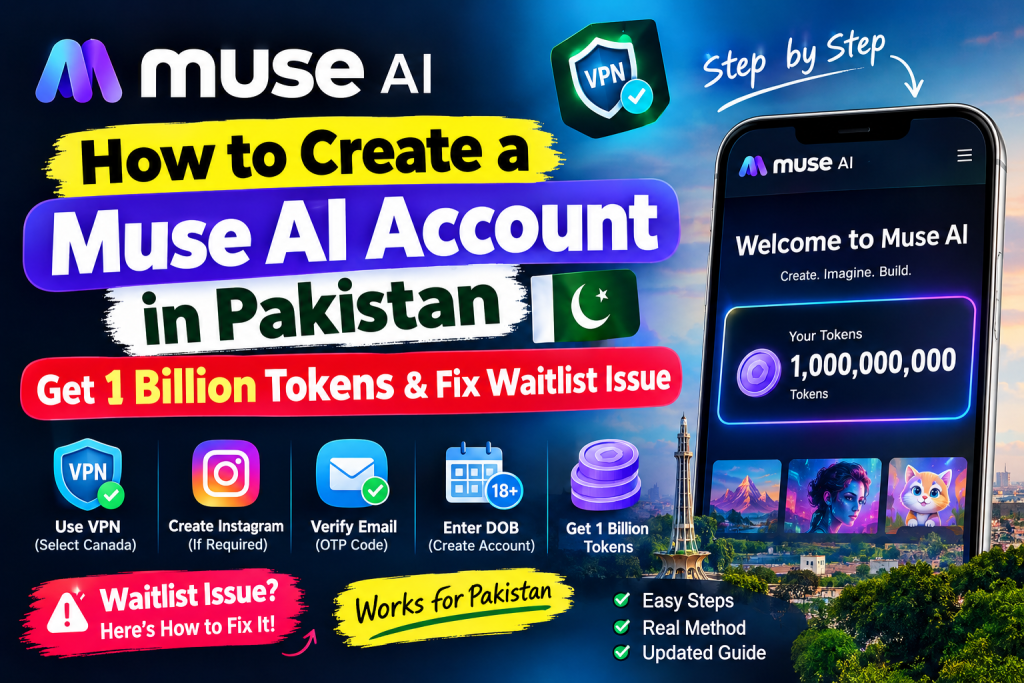
What Is Muse AI?
Muse AI is an AI platform designed to help a user explore creative tools, organize content, and handle different tasks. Depending on your account and plan, available options may include AI assistance, web-based features, and tools that work with connected apps services. Review the current product information before assuming that every feature is available.
Users accessing Muse AI from Pakistan may encounter regional restrictions or a waitlist. Before registration, visit the official web page and review eligibility, privacy, subscription, and data-sharing terms. If Muse Secure or similar security features appear, check what they protect and what permissions they require before you connect apps.
Requirements Before Creating a Muse AI Account
Before following the tutorial, prepare the following:
- A working email address that you control and can use for verification.
- Google Chrome or another supported browser for the registration process.
- A stable internet connection and enough time to complete the required steps.
- A VPN only when legitimate access is permitted in your region and by the service terms.
- An Instagram account only if the official sign-up flow offers it as an optional connection.
- The official Muse AI website and a valid promotional or referral link, if one is available.
Privacy tip: Use accurate information, protect your email, and never share passwords or verification codes. Check Muse Secure settings, connected apps services, and account options before granting access. These simple steps give every user a safer way to manage personal information.
How to Create a Muse AI Account in Pakistan
Follow these numbered steps to try the registration method demonstrated in the video. The process may differ between a browser, mobile device, and Muse app. After registration, available features may include an agent or personal agent that can help with tasks, everyday tasks, and multi-step tasks, depending on your account and plan.
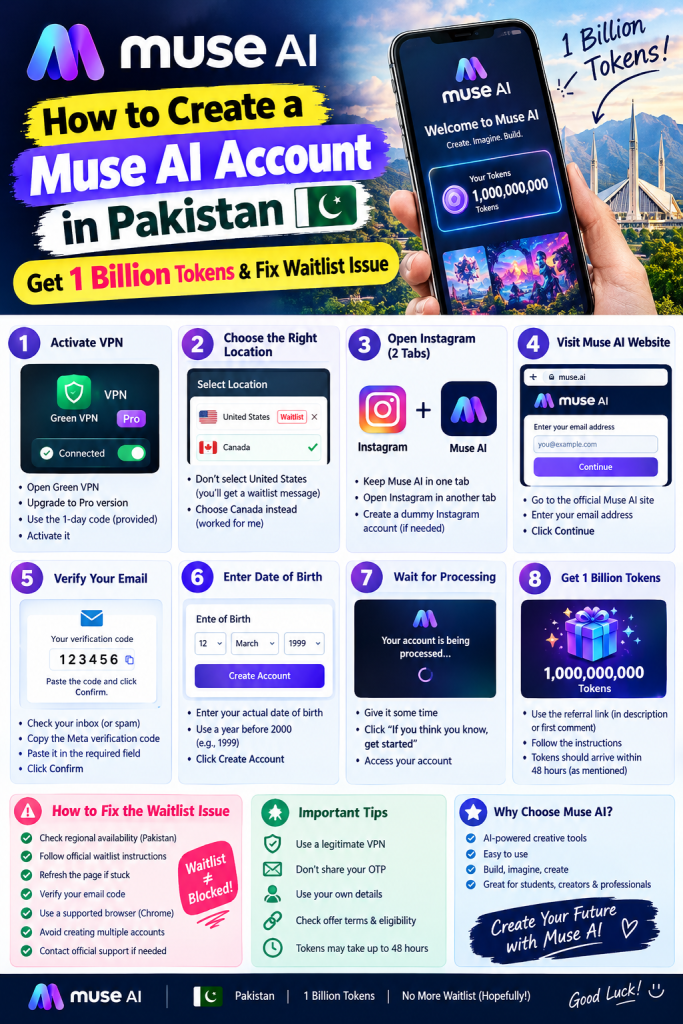
Step 1: Prepare Your VPN Connection
If Muse AI is unavailable in your region, first check its official availability information and terms of service. Use a browser or app that Muse AI supports, and select a location only when doing so is legal and permitted by the service rules.
In my video, I used Green VPN and activated its Pro version with the available one-day code. The VPN interface may differ on mobile, and its app may not work in the same way as a desktop browser. A VPN does not guarantee access to the Muse app, agent, personal agent, or connected apps.
Changing your apparent location may not satisfy eligibility requirements. It also does not guarantee that an agent can work in the background, browse web content, manage a calendar, send emails, or complete actions on your behalf. Do not use a VPN to bypass restrictions or create multiple accounts.
Step 2: Choose a Location and Understand the Waitlist Issue
One problem I encountered was the Muse AI waitlist message. When I selected the United States as my VPN location, the website placed my account on the waitlist.
I researched locations mentioned in online tutorials and tried Canada instead. This was the approach shown in my video, not confirmation that Canada is supported. Canada is not a guaranteed solution to the Muse AI waitlist issue.
Supported countries, registration rules, app access, and available agent tasks can change. If the waitlist appears, check your actual regional eligibility and whether access is rolling out gradually. Do not assume a different location will unlock features such as making purchases, sending emails, or performing actions for other people.
Step 3: Open Instagram in Another Chrome Tab
In my tutorial, I kept Muse AI open in one Chrome tab and Instagram open in another. I prepared a separate Instagram account because the registration flow might offer an option to connect apps.
Instagram is not necessarily required. Link it only if the official flow requests it and you understand the permissions. Review connected apps before allowing an agent to access email, calendar, content, or other apps. Never give an agent permission to perform purchases or other actions on your behalf unless you understand the limits.
Step 4: Visit the Official Muse AI Website
Open the official Muse AI website in Chrome or another supported browser. Look for registration or sign-up, enter your email address, and click Continue.
Use the legitimate website, not an unofficial page promising unlimited tasks, tokens, or an agent. Confirm the address before entering personal information.
Step 5: Verify Your Email Address
After submitting your email, check your inbox and spam folder for the verification code. If the email does not arrive, wait briefly and use the official resend option once. Do not repeatedly submit forms or share emails, passwords, or one-time passwords.
Enter the current code and click Confirm. Never share your OTP with anyone claiming they can unlock the Muse app, an agent, or free tokens.
Step 6: Complete Your Account Information
After email verification, the website may request your date of birth or other details. Enter accurate information, follow the on-screen instructions, and click Create Account if shown. Do not use a random birth date to bypass age restrictions.
Step 7: Wait for Account Processing
Give the website time to process your registration. In my video, an introductory screen appeared before I reached the account interface. If registration succeeds, review the available plan, agent permissions, apps, and task options before setting a goal or allowing background actions.
If you remain on the waitlist, use the troubleshooting section below. Access to a personal agent, calendar tools, web browsing, email actions, and other features depends on Muse AI’s current rules and your account.
How to Fix the Muse AI Waitlist Issue
The Muse AI waitlist issue can prevent people from completing registration and receiving access. Use the following options in order, and allow enough time for the platform to process your request.
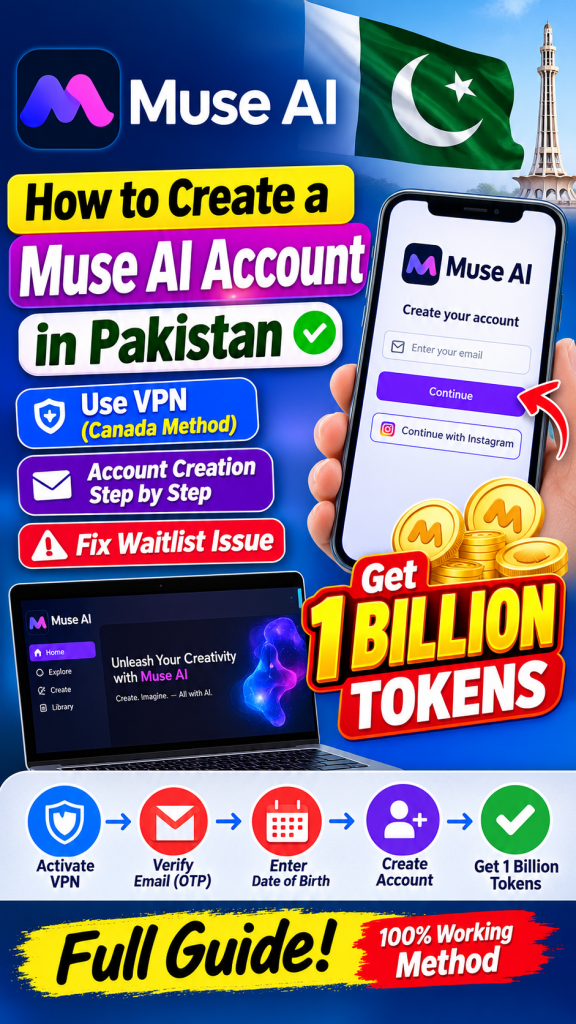
Here are some practical steps to try:
1. Check regional availability
Confirm whether Muse AI currently accepts registrations from Pakistan. A VPN does not make an account eligible if the platform limits access by region, account status, or plan.
2. Check the official waitlist information
Review Muse AI’s official website and support pages for current waitlist instructions. If the platform has placed your account on a waitlist, follow those instructions and wait for access. There may be no immediate way to remove the restriction.
3. Refresh the page once
If the page appears stuck during email verification, check whether the code has arrived, then refresh the page once. Avoid repeatedly submitting the same form because this may trigger additional checks or limit account actions.
4. Check your email verification
Make sure the code is current and entered correctly. Check your spam folder and request a new code only if the previous one has expired. Never send your password or OTP to other people.
5. Try a supported browser
Update Chrome or another supported browser, enable cookies if required, and temporarily disable conflicting extensions. Check whether the issue also occurs on the Muse app or a different supported device. Do not change subscription, payment, price, or card details just to troubleshoot access.
6. Avoid repeated account creation
Creating multiple accounts to bypass a waitlist or regional restriction may violate platform rules and trigger additional checks. Do not use unofficial services that promise to remove the waitlist, unlock plans, or run tasks in the background.
7. Contact official support
If you believe the waitlist message is an error, contact Muse AI through an official support channel. Include your account email, approximate time of the error, device, browser, and a screenshot with passwords, OTPs, payment details, and other private information hidden.
Remember that changing your VPN country may not fix the issue if access is restricted by eligibility, a regional rollout, a subscription limit, or the platform’s registration system. Use official options and support as the safest way to resolve the problem.
How to Get 1 Billion Free Tokens on Muse AI
Many users want to know how to get 1 billion tokens on Muse AI. The offer described in my video was a referral promotion, not a guaranteed benefit included with every plan or subscription.
1 Billion Code: 3EFVIC
In my video, I explained that I would share a promotional or referral link in the video description or first comment. The promotion was described as providing 1 billion tokens to both the person using the link and the person sharing it. Before you give Muse access to your account, confirm that the link is official and review its price, subscription, plan, and eligibility details. A legitimate offer should not require unnecessary card information, purchases, or payment.
To check whether you qualify, follow these steps:
- Open the promotional or referral link provided with the video, and check that it leads to the official Muse website.
- Read the offer details, expiration date, geographic limits, and eligibility requirements. Confirm whether one account can redeem the reward only once.
- Sign in to your Muse AI account or create one if eligible. Do not give Muse your password or verification code.
- Follow the official instructions associated with the promotion, without allowing an agent to make purchases or act on your behalf.
- Check your account balance or token dashboard to see whether the reward has been credited. Review any plan, subscription, or token limit shown in your account.
Important: The 1 billion token reward is not guaranteed for every account. Confirm that the offer is genuine, currently active, and available to you before relying on it. Do not assume that tokens support every goal or feature.
In my video, I mentioned that the tokens should arrive within 48 hours. Treat this as the expected timeframe described in the tutorial, not an official guarantee. If the tokens do not appear, review the promotion’s terms or contact official support. Do not give Muse additional account access while waiting.
Never provide your password, payment information, card details, or verification code to an unofficial token generator or a website claiming to unlock unlimited tokens.
Why Are My Muse AI 1 Billion Tokens Not Showing?
If you completed registration but cannot see the reward, use this diagnostic sequence in the Muse app or web dashboard:
- Check the correct account: Confirm that you used the same email and account associated with the referral offer. Check the app on your mobile device and the official website in a supported browser.
- Review the promotion: Confirm that the offer is active, your account meets its conditions, and the reward is not limited to a specific region, account, or redemption action.
- Allow processing time: If the promotion specifies a processing period, wait until it has passed. A pending reward is different from an ineligible account.
- Refresh your account dashboard: Sign out and sign back in, then check your token balance, available tasks, and account content. Do not repeatedly redeem the same offer.
- Contact support: If the reward remains missing, provide the referral details and account email through official support. Never send your password, OTP, or permission for background purchases.
Do not assume that creating a Muse AI account automatically adds 1 billion tokens. The reward may depend on a separate promotion, and it may not increase access to every agent, task, or goal.
Frequently Asked Questions (FAQs)
1. Can I create a Muse AI account in Pakistan?
Access depends on Muse AI’s current availability and registration policies. If Pakistan is not supported, a VPN may not resolve the eligibility restriction. Meta also notes that availability can vary by account and region, so check the official requirements first.
2. How do I fix the Muse AI waitlist issue?
First, check official availability and waitlist information. Then verify your email, update your browser, and review page-loading errors. These options are the safest way to troubleshoot; changing your apparent location is not a guaranteed fix.
3. Which VPN location should I select for Muse AI?
There is no guaranteed VPN location. In my video, selecting the United States led to a waitlist message, so I tried Canada. This personal experience does not confirm that Canada is officially supported or will work for everyone. Meta also advises checking the service rules before using any location-changing tool.
4. How can I get 1 billion tokens on Muse AI?
Check the promotional or referral link shared with the tutorial and review its eligibility requirements. The reward depends on the offer’s validity and terms. These details answer questions about whether the promotion applies to your account, apps, or content.
5. How long does it take to receive Muse AI tokens?
My tutorial mentions a timeframe of up to 48 hours, but actual processing time may differ. The platform may not guarantee that timeframe, so check your dashboard and contact official support if the reward remains pending.
6. Do I need an Instagram account to sign up for Muse AI?
Not necessarily. In my demonstration, I kept Instagram open in another tab because an option to link an account might appear. Follow the requirements shown during registration, and review connected apps before granting access on a mobile device or browser.
7. Is the Muse AI 1 billion token offer permanent?
No. Promotional offers can change or expire, so check the official terms before signing up specifically for the reward. Also confirm whether a subscription, paid plan, price, or card is required; do not assume that a token offer removes an account limit or guarantees access to every goal.
Final Thoughts
Creating a Muse AI account in Pakistan can be confusing when regional restrictions, email verification problems, or a waitlist prevent access. Use the official web registration process and review Muse Secure settings before continuing.
In this tutorial, I shared my experience using Green VPN, trying Canada after a waitlist appeared with the United States selected, completing email verification, and checking a promotional link for the advertised 1 billion token reward.
This method may not work for everyone, and neither account access nor the token reward is guaranteed. Before you give Muse access, verify eligibility, protect your email and OTP, and review whether an agent can perform an action, run in the background, or make purchases on your behalf.
If you found this guide helpful, check the video description only if the link is current and official. Follow the channel for updates, but contact Muse AI support when necessary.
Disclaimer: This article reflects a personal tutorial experience, not an official Muse AI statement. Rules, availability, rewards, and processing times may change.

