

How to Create AI UGC Product Videos & Ads For Etsy sellers and small businesses, creating polished product videos and ads once required cameras, lighting, actors, editors, and long production hours. Today, AI UGC ads let a brand test creative ideas without building a full studio.
With an AI image or simple product description, sellers can develop UGC-style videos, hooks, storyboards, voiceovers, and social content. These assets can support ads for listings, social feeds, and ecommerce campaigns across multiple formats, but human review remains essential for accuracy, clarity, and brand consistency before any campaign goes live or reaches potential customers.
AI does not automatically make a trustworthy ad. A structured workflow helps creators turn an idea into marketing material faster, while checking product claims and platform requirements before publishing.
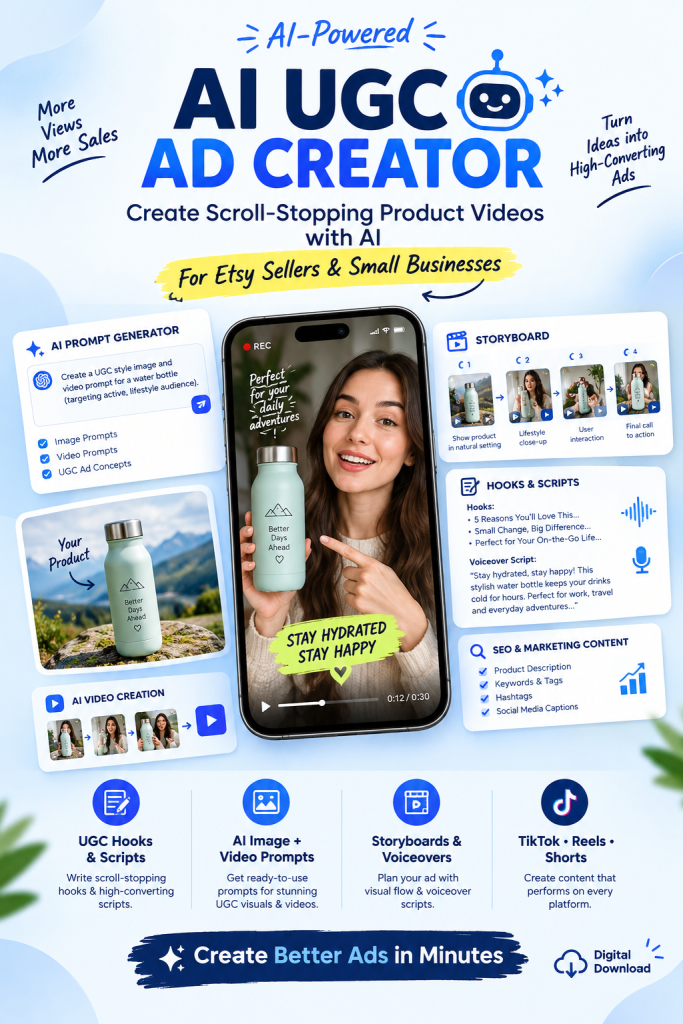
What Are AI UGC Ads?
AI UGC ads are product advertisements designed to resemble user-generated content while artificial intelligence helps create the visuals, script, scenes, voiceovers, or other creative elements. “UGC-style” describes the presentation—not genuine customer experience or independent creator endorsement.
Instead of hiring creators to film every demonstration, sellers can use AI tools to develop concepts such as:
- A creator demonstrating a product
- A lifestyle product demonstration
- A product unboxing concept
- A problem-and-solution advertisement
- A before-and-after style concept
- A testimonial-style video
- A product tutorial
- A short-form social media advertisement
The goal is not simply to produce an attractive video. Effective video ads should capture attention, explain a product benefit, and give viewers a credible reason to act. Review all AI-generated content before using these ads.
Why Etsy Sellers Need Better Product Videos
Etsy listings are highly visual. Product photography, videos, descriptions, reviews, and overall presentation help shoppers understand what they may receive, although no single image or video guarantees a sale.
A strong product video can help demonstrate:
- What the product looks like
- How the product is used
- What problem it solves
- Important features
- Details that images may not communicate
- The experience of using the product
For small Etsy shops and growing brands, producing promotional videos for every product can consume time and budget. A well-structured workflow can help sellers create and scale variations in minutes, while keeping the brand message consistent.
This is where AI product video prompts can help. Instead of starting each advertisement from scratch, sellers can create repeatable concepts and prompts for different products, audiences, and platforms.
How AI Can Help Create Product Advertising Content
A structured AI workflow can turn basic product information into organized advertising content.
For example, provide:
Product: Handmade skincare product
Target Customer: People interested in natural skincare
Main Benefit: A convenient everyday skincare routine
Product Image: Uploaded reference image
The system can then develop:
- Customer profiles and marketing angles
- UGC concepts and video hooks
- Storyboards and scene descriptions
- Camera directions and voiceover scripts
- On-screen text, CTAs, and a link strategy
- Image and video-generation prompts
- Captions, hashtags, and SEO content
This creates a connected AI product advertising workflow instead of one isolated prompt.
AI UGC Ad Creator: From Product Idea to Video Concept
An AI UGC ad creator can begin with a product description, audience, benefit, proof, format, and CTA rather than a finished idea. It can suggest concepts for ecommerce teams, agencies, and creators, but these are starting points—not final production.
Possible directions include:
Concept 1: Problem → Solution
Show a customer problem, introduce the product, demonstrate the solution, and end with a clear CTA.
Concept 2: Lifestyle Demonstration
Show the product naturally in an everyday setting.
Concept 3: Creator Recommendation
Use a consistent AI avatar or creator to explain the product’s value without implying a genuine testimonial.
Concept 4: Product Transformation
Use a visual sequence to show how the product changes a routine.
Concept 5: Social Media Hook
Open with a relevant statement for short-form video ads.
These concepts give sellers multiple creatives to test over several days. AI-generated content still needs product-specific editing, legal review, and platform adaptation before publishing.
AI Product Video Prompts
AI video generators can produce useful results, but clear instructions improve control. A basic prompt might say:
“Create a video of a woman using this product.”
A stronger AI video prompt specifies:
- Subject, product, environment, and action
- Camera angle, movement, lighting, and composition
- Product position, expression, hand movement, and visual style
- Duration, transition, background, and audio
- Character details for consistent avatars across scenes
Define the creative intent, review the generated videos, and adapt the output to the tool’s current capabilities. An avatar, image, or video concept should support the message—not replace human quality control.
AI Product Video & UGC Style Ads Toolkit
Product Consistency Is Important
AI-generated product advertising can change the appearance of the real product during production.
AI-generated images and videos may alter:
- Product shape
- Packaging
- Logo placement
- Labels
- Colors
- Text
- Dimensions
Check every product image, frame, label, logo, hand, and face before publishing.
Use product references when supported by your tool, and account for usage credits in your production plan and monthly budget.
A reliable AI UGC workflow should represent the actual product accurately. Review the final content for claims, disclosure requirements, and platform rules before using it in ads.
Character Consistency for UGC Videos
An AI creator can change between scenes unless the prompt defines a repeatable visual identity.
Useful details include:
- Approximate age
- Appearance
- Hairstyle
- Clothing
- Expression
- Setting
- Personality
- Presentation style
Review UGC videos before publishing and reserve credits for revisions. To create UGC content responsibly, disclose synthetic elements when required.
Create Scroll-Stopping Video Hooks
Use customer intent to create UGC hooks, then test at least two versions in your ads. A problem hook should identify a real frustration; a benefit hook should state a supported outcome; a demonstration hook should show the product in use. Avoid unsupported claims, fake testimonials, and guaranteed results in every video. Continue testing rather than assuming one hook will work for an entire campaign.
AI-Generated UGC Voiceovers
A UGC advertisement needs a natural-sounding script that fits the product, audience, and brand voice. AI tools can help creators draft voiceover scripts based on:
- Features and benefits
- Target people and brand personality
- Marketing angle and video duration
A practical structure for short video ads is:
Hook → Problem → Product Introduction → Demonstration → Benefit → CTA
Keep the script concise, leave time for captions, and verify every claim before publishing.
Storyboards for AI Product Videos
A storyboard turns an advertising concept into scenes for video production.
For example:
AI Product Video & UGC Style Ads Toolkit
Scene 1 — Hook
Creator introduces the customer problem.
Scene 2 — Product Introduction
Show a clear product close-up.
Scene 3 — Demonstration
Creator uses the product naturally.
Scene 4 — Benefit
Show a relevant lifestyle benefit.
Scene 5 — CTA
Display the call to action.
These scenes help tools create images and UGC videos in suitable formats.
AI UGC Ads for TikTok, Instagram Reels and YouTube Shorts
Adapt each UGC-style concept for the platform’s audience, media requirements, and cost plans. Test different hooks, captions, lengths, CTAs, on-screen text, and opening scenes rather than copying one video everywhere. Keep product details visible in vertical formats, use readable contrast, and allow enough time for captions.
AI Marketing Content Beyond Video
An effective product advertising system should turn one brief into several marketing assets, not just a video.
Use the same product details, audience, benefit, proof, and message to create:
Product Titles
Generate SEO-focused titles for the intended search format.
Product Descriptions
Explain features and benefits clearly, then check accuracy, originality, prohibited claims, and language before publishing.
Social Media Captions
Adapt the message for each platform and its audience.
Hashtags
Create relevant ideas without relying on them as a ranking guarantee.
CTAs
Write calls to action for different campaigns.
Marketing Headlines
Develop alternative headlines and creatives.
Review the language-model results and make revisions before using this AI ecommerce marketing workflow.
AI UGC Ads for Shopify and Amazon Sellers
Shopify and Amazon sellers can repurpose one brief into product-page videos, ads, and social content. Each platform has different policies, so review the final assets before publication. The workflow can help brands scale campaigns over weeks across:
AI Product Video & UGC Style Ads Toolkit
- Small ecommerce brands
- Digital product businesses
- Print-on-demand sellers
- Beauty brands
- Fashion businesses
- Home products
- Pet products
- Gadgets
- Food brands
- Accessories
- Handmade products
What Is an AI UGC Ad Generator?
An AI UGC Ad Generator is a structured prompt or workflow that turns product information into UGC ads, creative concepts, and organized content. It is not necessarily a fully automated production platform.
A comprehensive system can combine:
- Product analysis and customer research
- Marketing positioning and UGC concepts
- Image and video prompts
- Storyboards, hooks, and avatar guidance
- Voiceovers, scripts, and CTAs
- SEO and social media content
This provides more direction than asking an AI chatbot, “Write an advertisement for my product.”
A prompt library helps create concepts; external tools may be needed to produce the final ads. Check the plan, monthly cost, credits, supported languages, and revision limits before purchasing.
AI Product Video & UGC Style Ads Toolkit
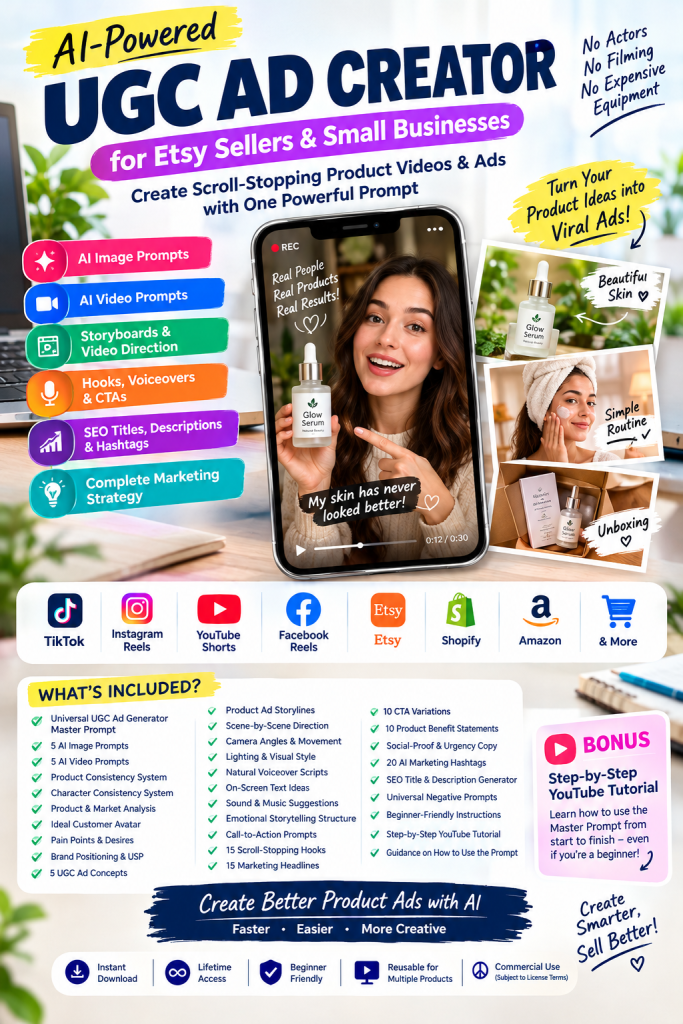
The AI Product Video & UGC Style Ads Toolkit can provide a reusable starting point for sellers who want to create UGC.
It is designed around a Universal UGC Ad Generator Master Prompt for product ideas, details, descriptions, and reference images.
It includes resources for developing:
- AI image and video prompts
- UGC concepts and product analysis
- Storyboards, scenes, and camera directions
- Voiceover scripts, hooks, headlines, and CTAs
- Benefits, SEO content, and negative prompts
The workflow moves from product idea → concept → AI visuals → video → marketing assets. Sellers still need external AI tools, credits, editing, and human review.
Who Can Use an AI UGC Ad Creator?
An AI UGC workflow can help Etsy sellers, Shopify store owners, Amazon sellers, small businesses, UGC creators, marketing agencies, social media managers, and content creators.
- Ecommerce brands
- TikTok Shop sellers
- Print-on-demand sellers
- Digital product sellers
You do not need to be an experienced video producer. Start with your product, audience, message, budget, and plan for the month.
How to Create an AI UGC Product Ad
A practical workflow helps a creator produce consistent AI UGC ads in minutes:
Step 1: Choose Your Product
Select the product and define the audience, offer, and message.
Step 2: Gather Product Information
Prepare the description, benefits, product image, images, brand details, and target people.
Step 3: Generate Advertising Concepts
Use AI tools to create several UGC concepts, scripts, and creatives.
Step 4: Create Storyboards
Turn the best concept into scenes for the selected format.
Step 5: Generate AI Image Prompts
Create consistent product and lifestyle visuals.
Step 6: Generate AI Video Prompts
Convert scenes into prompts for video ads and UGC videos.
Step 7: Create the Video
Use suitable tools, an avatar, or creators, and check credits, cost, and plan limits.
Step 8: Add Voiceover and Text
Add a clear script, captions, music, and CTA for the chosen media format.
Step 9: Create Multiple Versions
Test different hooks, audiences, styles, formats, and creatives for several days.
Step 10: Review Before Publishing
Check claims, spelling, product accuracy, disclosure, language, platform rules, and final results.
Why a Structured Prompt Is Better Than Random AI Prompts
A structured prompt connects the product, audience, visual style, script, and CTA, making revisions easier and helping brands scale content without losing direction.
Important: AI Does Not Guarantee Sales
AI can reduce production time, but it cannot replace strategy, testing, or product-market fit. Review every asset and do not assume that one model, plan, or format will work for every campaign.
Final Thoughts
AI UGC advertising helps Etsy sellers and ecommerce brands create organized product videos, ads, and social content without a traditional production team.
With a structured workflow, one product brief can become images, scripts, UGC videos, video ads, and other marketing assets. Review the message, platform requirements, credits, and monthly plan before publishing.
The goal is not to use AI without oversight. The goal is to create UGC responsibly, test useful ideas, and improve the workflow over time.
The AI Product Video & UGC Style Ads Toolkit offers a reusable prompt-based system for developing product advertising concepts, subject to the toolkit’s current features, pricing, and terms.
Ready to Create Your Own AI UGC Ads?
Explore the AI Product Video & UGC Style Ads Toolkit to create UGC concepts, product videos, scripts, and marketing content. Confirm available tools, languages, revisions, and the correct link before purchasing.

